
Windows · Programming
Best Linux alternatives to PyCharm
PyCharm is a feature‑rich Python IDE from JetBrains, available on Windows, macOS, and Linux.
Updated
Quick answer
The best Linux alternative to PyCharm is Visual Studio Code. Other strong options: Spyder, Thonny, Geany.
4 Linux alternatives to PyCharm
-

A lightweight, extensible code editor that supports debugging, Git, and many languages.
Visual Studio Code can replace PyCharm for many Python developers who need a lightweight, extensible editor. It offers syntax highlighting, IntelliSense, debugging, Git integration, and a rich extension ecosystem, including Python, Django, and Flask support. However, it lacks the deep…
Feature parity70% -
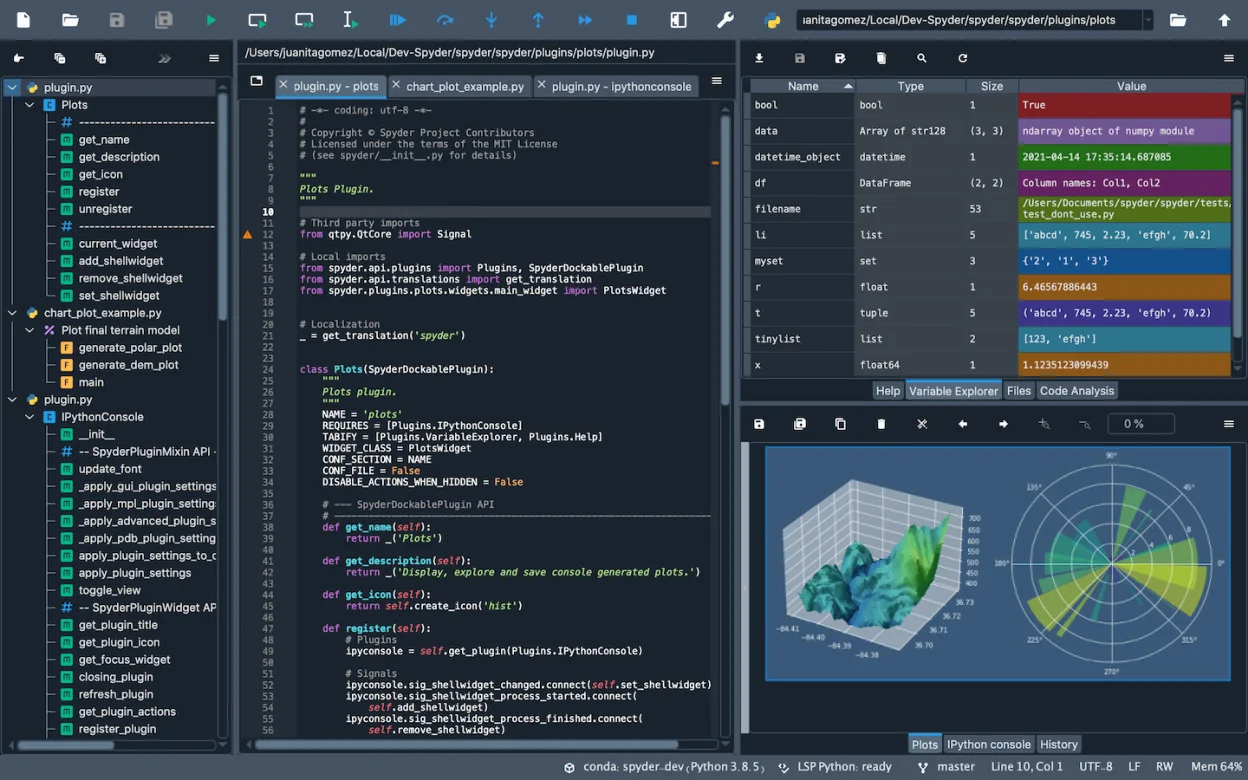
Spyder is a free, open-source Python IDE built specifically for scientific computing, data analysis, and debugging.
Spyder is a solid replacement for PyCharm if your work centers on scientific computing, data analysis, or interactive exploration. It excels at inspecting NumPy arrays and Pandas DataFrames, which PyCharm handles poorly without plugins. However, it is not a drop-in swap for general web development…
Feature parity65% -
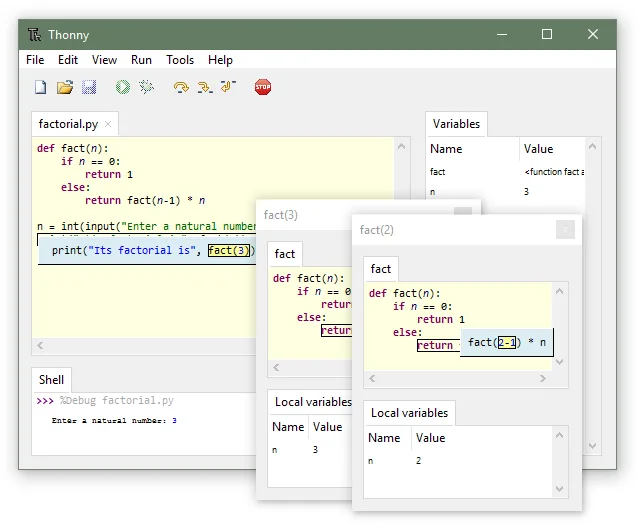
Thonny is a lightweight Python IDE aimed at beginners, providing an integrated debugger and package manager.
Thonny is not a direct replacement for PyCharm if you are a professional developer. It is a beginner-focused tool that lacks the advanced project management, web framework support, and database tools PyCharm offers. However, if your primary need is learning Python syntax, debugging simple scripts…
Feature parity30% -
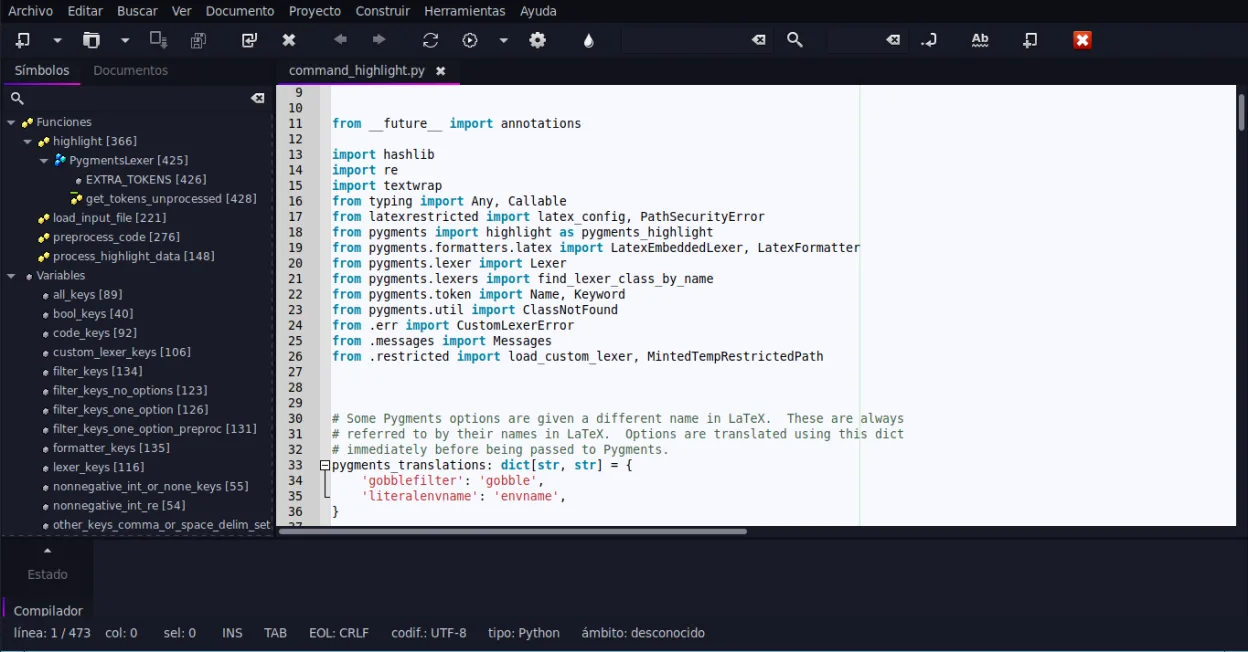
Geany is a lightweight, fast IDE that supports many languages and plugins out of the box.
Geany is a lightweight, fast IDE that handles basic Python development well but lacks the deep integration of PyCharm. It is a good replacement only if you primarily need syntax highlighting, simple code completion, and a quick editing environment without heavy IDE overhead. It is not suitable for…
Feature parity40%


What is PyCharm?
PyCharm is a full‑featured IDE used by Python developers for coding, debugging, testing, and web development with frameworks like Django. It is popular among professionals and students who need a comprehensive tool that integrates version control, refactoring, and a powerful debugger.
The IDE is sold in two editions: a free Community edition and a paid Professional edition that adds web‑framework support, database tools, and advanced features. The pricing is per‑user, with discounts for students and open‑source contributors.
Users often look for a Linux alternative because they prefer a native Linux environment, want to avoid licensing costs, or need an IDE that integrates better with Linux tools and package managers.
What a replacement for PyCharm must do
- Python syntax highlighting and code completion
- Integrated debugger and unit testing
- Version control integration (Git, SVN, Mercurial)
- Support for web frameworks (Django, Flask)
- Project management and navigation
- Database tools (optional)
Can you run PyCharm on Linux?
PyCharm runs natively on Linux; it is a Java application that works on any distribution with a recent JDK. There is no official web version. Running it under Wine or Proton is not recommended because the IDE relies on native Java libraries and the Linux distribution’s package manager for dependencies.
Which alternative should you choose?
For a lightweight, beginner‑friendly experience, use Thonny or Spyder. If you need a full‑featured IDE with a rich plugin ecosystem, choose Visual Studio Code with the Python extension. For users who prefer a small, fast editor with Python support, Geany is suitable.
Moving your PyCharm files and habits
PyCharm projects are stored in plain text files and directories, so you can copy the project folder directly to a Linux machine. The settings are saved in the .idea folder; most of them can be re‑created by the new IDE. No special export is required, but you may need to reinstall external libraries using pip or conda on Linux.
Side-by-side comparison
| App | License | Flatpak | Latest version | Feature parity | Rating |
|---|---|---|---|---|---|
| Visual Studio Code | LicenseRef-proprietary=https… | ✓ | 1.139.1 | 70% | — |
| Spyder | MIT | ✓ | v6.1.6 | 65% | — |
| Thonny | MIT | ✓ | 4.1.7 | 30% | — |
| Geany | GPL-2.0+ | ✓ | 2.1.0 | 40% | — |
PyCharm: frequently asked questions
Can I use the same license on Linux?
Yes, a single JetBrains license works across Windows, macOS, and Linux. You can activate the Professional edition on any platform.
Does the Community edition support Django?
No, Django support is part of the Professional edition. The Community edition offers basic Python features only.
Is there a free version?
The Community edition is free and open source. The Professional edition requires a paid license.
Do I need a JDK to run PyCharm on Linux?
Yes, PyCharm requires a Java Runtime Environment. Most distributions provide OpenJDK, which is sufficient.
How important is PyCharm to you?
Know a better alternative? Suggest an alternative