
 Rocket.ChatLinux
vs
Microsoft Teams (latest version)Windows
Rocket.Chat as a Linux alternative to Microsoft Teams (latest version)
Updated
Our verdict
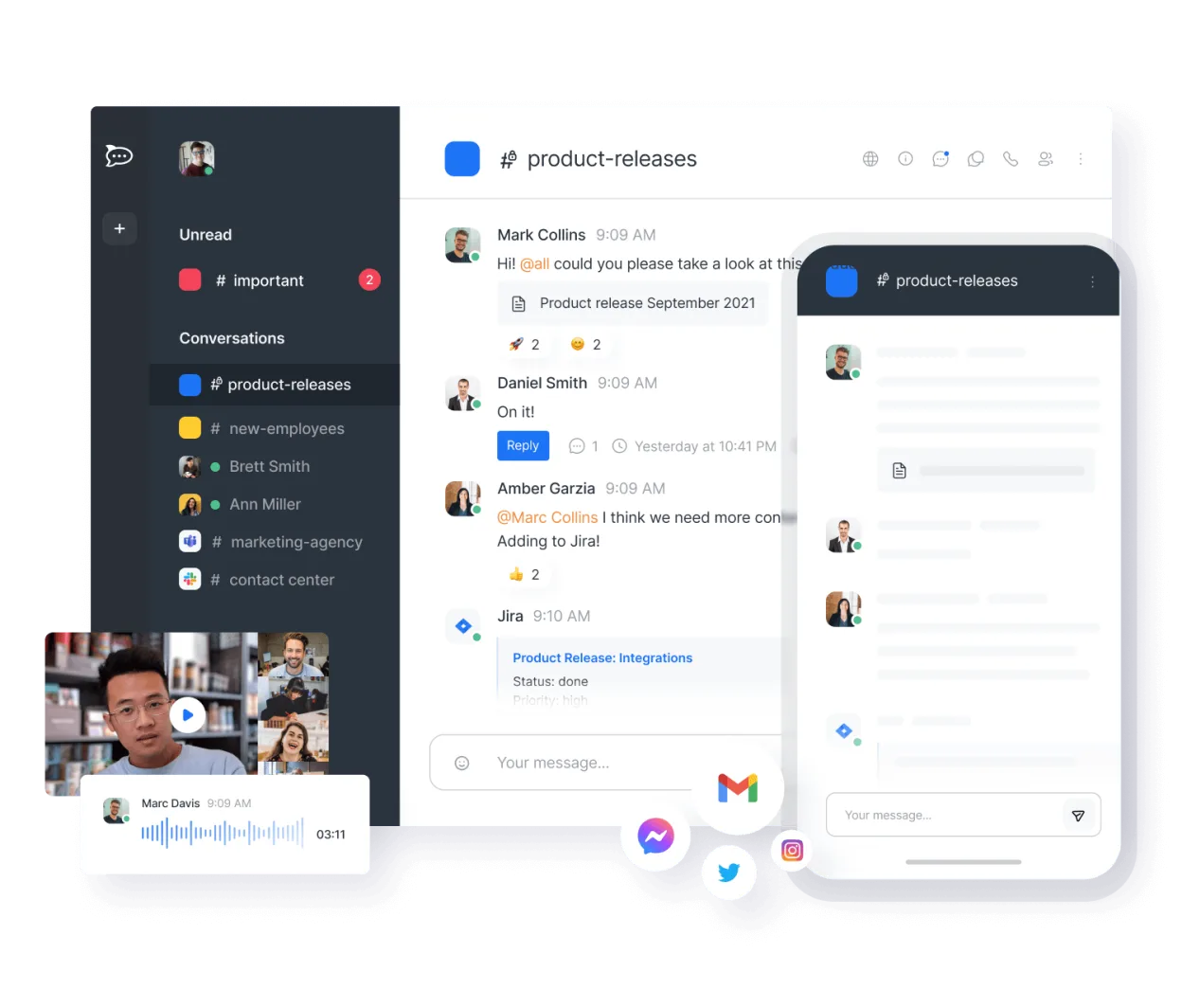
Rocket.Chat is a strong, open-source alternative for teams that prioritize self-hosting and data ownership over deep enterprise ecosystem integration. It covers the core needs: channel-based chat, video calls, and file sharing. However, it lacks the tight, native integration with Microsoft 365 (Outlook, OneDrive, SharePoint) that defines the Teams experience. If your workflow relies heavily on Microsoft-specific document co-editing or complex admin policies tied to Azure AD, you will face friction. For organizations wanting to leave the Microsoft ecosystem or those already using self-hosted infrastructure, it is a viable, cost-effective replacement.
- License
- MIT
- Price
- Free
- Latest version
- 4.19.3 (November 12, 2026)
- Rating
- —
What works the same
- Channel-based real-time text chat with threading capabilities
- Built-in video and audio conferencing with screen sharing
- File sharing and storage within the chat interface
- Mobile applications for iOS and Android
- User management and administrative controls
What is different
- Lacks native, deep integration with Microsoft 365 services like Outlook Calendar and OneDrive/SharePoint
- Document collaboration is less seamless than Microsoft Word/Excel/PowerPoint co-authoring
- Self-hosting is required for full control and unlimited features, adding maintenance overhead
- No native integration with Microsoft Teams-specific bots or third-party Microsoft ecosystem tools
- Admin controls are powerful but structured differently than Azure AD/Entra ID policies
Opening your Microsoft Teams (latest version) files
Rocket.Chat handles standard file formats (PDF, images, Office documents) well for viewing and sharing. However, it does not natively open or edit Microsoft Office files with full fidelity or co-editing capabilities like Teams does with Office 365. You will likely need to download files to edit them in a separate application like LibreOffice or only view them within the Rocket.Chat interface. There is no direct import of Teams chat history or file structure; migration is manual.
Switching from Microsoft Teams (latest version) to Rocket.Chat, step by step
- Set up a Rocket.Chat server instance (self-hosted or cloud) and configure basic user accounts.
- Create channels and sub-channels in Rocket.Chat that mirror your existing Teams structure.
- Invite users to the new platform and provide them with the server URL and credentials.
- Manually upload critical shared files or configure external storage links if needed.
- Test video calls and screen sharing to ensure network and browser compatibility.
- Communicate the switchover date and provide a brief guide on basic Rocket.Chat features to users.
Key features of Rocket.Chat
- Unlimited users and channels by default
- Video and audio conferencing
- File sharing and live document editing
- Extensive API and bot integrations
- End-to-end encryption for private channels
- Self-hosted or cloud-hosted options
- Mobile apps for iOS and Android
- Customizable themes and layouts
How to install Rocket.Chat on Linux
flatpak install flathub chat.rocket.RocketChatFrequently asked questions
Does Rocket.Chat support end-to-end encryption?
Yes, Rocket.Chat offers end-to-end encryption for private channels and direct messages, which is a significant security advantage over many default corporate chat setups.
Can I use Rocket.Chat without self-hosting?
Yes, Rocket.Chat offers a cloud-hosted version. However, self-hosting is often preferred for full control, data privacy, and to avoid per-user licensing costs associated with cloud services.
Is there a direct import tool from Microsoft Teams?
No, there is no official one-click importer for Microsoft Teams data. You will need to manually recreate channels and re-upload files, or use third-party scripts if available for specific data types.
4 other alternatives to Microsoft Teams (latest version)
 SlackSlack is a proprietary team communication app for Linux that centralizes conversations, tools, and workflows…FlatpakSlack vs Microsoft Teams (latest version)
 MattermostMattermost is an open-source, self-hosted collaboration platform for developer teams, offering a secure…Open sourceFreeFlatpakMattermost vs Microsoft Teams (latest version)
 DiscordA cross-platform messaging, voice, and video client for communities, gaming, and casual hangouts.FlatpakDiscord vs Microsoft Teams (latest version)
 ElementElement is an open‑source, matrix‑based chat and video‑conference client for Linux.Open sourceFreeFlatpakElement vs Microsoft Teams (latest version)