
Windows · Internet
Best Linux alternatives to Microsoft Teams (latest version)
Microsoft Teams is a unified workspace for chat, video calls, and file sharing, widely used in corporate environments for daily collaboration.
Updated
Quick answer
The best Linux alternative to Microsoft Teams (latest version) is Slack. Other strong options: Mattermost, Discord, Rocket.Chat.
5 Linux alternatives to Microsoft Teams (latest version)
-
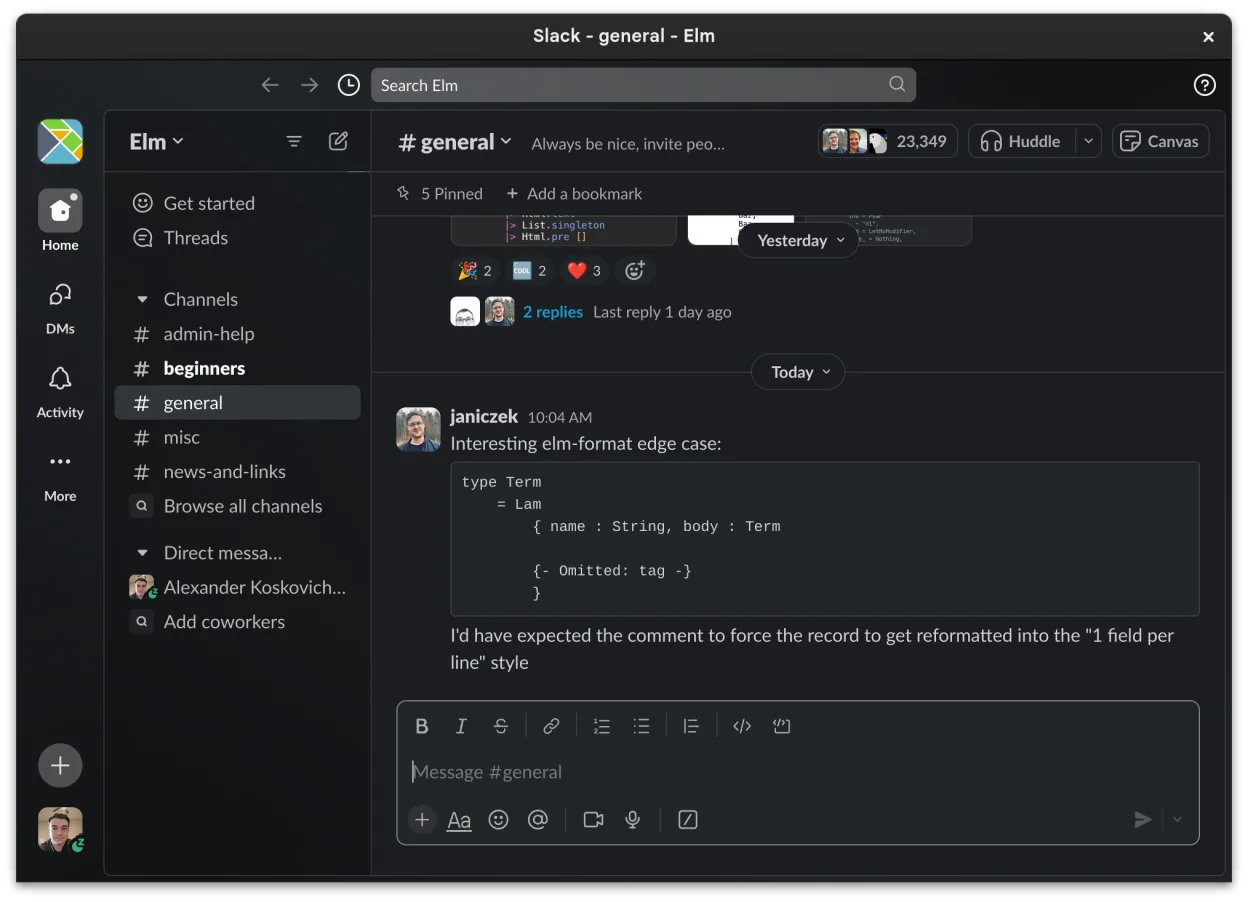
Slack is a proprietary team communication app for Linux that centralizes conversations, tools, and workflows for business collaboration.
Slack can serve as a replacement for Microsoft Teams for small‑to‑medium teams that mainly need chat, threaded discussions, and basic file sharing. It works well for groups that rely on third‑party integrations and are comfortable with a slightly less polished video experience. Large enterprises…
Feature parity68% -

Mattermost is an open-source, self-hosted collaboration platform for developer teams, offering a secure alternative to SaaS tools.
Mattermost is a solid replacement for Microsoft Teams if you prioritize data sovereignty and developer workflows over consumer-friendly office integration. It handles real-time chat, video calls, and file sharing well, but it lacks native calendar and task management features found in Teams. It is…
Feature parity65% -

A cross-platform messaging, voice, and video client for communities, gaming, and casual hangouts.
Discord can serve as a replacement for Microsoft Teams for small‑to‑medium teams that value quick chat, voice, and video without deep integration into Microsoft 365. It handles real‑time text channels, group calls, screen sharing and basic file exchange, but it lacks built‑in document co‑editing…
Feature parity65% -

Open-source team communication platform for chat, video, and collaboration, often used to replace Slack or Microsoft Teams.
Rocket.Chat is a strong, open-source alternative for teams that prioritize self-hosting and data ownership over deep enterprise ecosystem integration. It covers the core needs: channel-based chat, video calls, and file sharing. However, it lacks the tight, native integration with Microsoft 365…
Feature parity75% -

Element is an open‑source, matrix‑based chat and video‑conference client for Linux.
Element is a solid, open‑source alternative for teams that need real‑time chat, video calls, and screen sharing. It works on Linux, Windows, macOS, Android, and iOS, so cross‑platform use is fine. It lacks the tight Office 365 integration, native calendar sync, and the full suite of Microsoft…
Feature parity70%





What is Microsoft Teams (latest version)?
Microsoft Teams serves as the central hub for communication and collaboration within organizations. It combines instant messaging, video conferencing, and file storage into a single interface. Professionals use it to replace email threads with real-time chats, hold virtual meetings with screen sharing, and co-edit documents stored in the cloud. It is the default choice for many enterprises already invested in the Microsoft ecosystem.
The service is typically bundled with Microsoft 365 business subscriptions, meaning access is tied to a paid license per user. While a free version exists for basic chat and limited meetings, most professional features require a subscription. The software is proprietary, meaning the core code is not open source, and users rely on Microsoft's servers for data storage and synchronization.
Users look for Linux alternatives primarily because the native Linux client is often less feature-complete than its Windows or macOS counterparts. Some missing features, like high-quality screen sharing or specific integrations, can frustrate power users. Additionally, privacy-conscious individuals and organizations prefer open-source or self-hosted solutions to avoid vendor lock-in and reduce dependency on a single tech giant's infrastructure.
What a replacement for Microsoft Teams (latest version) must do
- Real-time text chat with channels and threads
- Video and audio conferencing with screen sharing
- Cloud file storage and document collaboration
- Integration with calendar and task management
- Cross-platform compatibility (desktop and mobile)
- User management and admin controls
Can you run Microsoft Teams (latest version) on Linux?
Microsoft provides a native Linux client for Teams, available as a .deb package for Debian-based systems and a .rpm for Red Hat-based systems. It works well for basic chat and meetings, but it lacks some features available on Windows, such as certain background effects or advanced device management. You do not need Wine or Proton to run it, as the native app is stable for most users. However, if you require every single feature, you might still find gaps compared to the Windows version.
Which alternative should you choose?
If you are in a corporate environment that mandates Microsoft 365, sticking with the native Linux Teams client or using the web version is often the most practical path. For teams wanting a self-hosted, open-source alternative to Teams, Mattermost or Rocket.Chat are strong choices, offering similar channel-based chat and integrations. If your primary need is lightweight team chat without heavy document management, Slack is a polished option, though it is proprietary. For those prioritizing end-to-end encryption and decentralized messaging, Element is the better fit, though it feels less like a full business suite.
Moving your Microsoft Teams (latest version) files and habits
Migrating away from Teams is not straightforward because there is no official bulk export tool for chat history that preserves all metadata and formatting. You can manually download files from the OneDrive/SharePoint integration, but chat logs are generally not exportable in a usable format for other platforms. If you move to a self-hosted solution like Mattermost, you will start with a fresh instance. Any existing documents must be re-uploaded, and you will need to re-establish your channel structure and user roles from scratch.
Side-by-side comparison
| App | License | Flatpak | Latest version | Feature parity | Rating |
|---|---|---|---|---|---|
| Slack | LicenseRef-proprietary=https… | ✓ | 4.53.280 | 68% | — |
| Mattermost | Apache-2.0 | ✓ | 6.4.0 | 65% | — |
| Discord | LicenseRef-proprietary=https… | ✓ | 1.0.170 | 65% | — |
| Rocket.Chat | MIT | ✓ | 4.19.3 | 75% | — |
| Element | AGPL-3.0-only OR… | ✓ | 1.12.35 | 70% | — |
Microsoft Teams (latest version): frequently asked questions
Does the Linux version of Teams have the same features as Windows?
It covers most daily needs like chat and meetings, but it may lack some advanced features like certain background filters or specific hardware integrations found in the Windows client.
Can I use Teams on Linux without installing the native app?
Yes, the web version works in any modern browser. This is often a good fallback if the native client has bugs or lacks a specific feature you need.
Is there a completely free, open-source replacement for Teams?
Mattermost, Rocket.Chat, and Element are open-source options. They require self-hosting or using a paid cloud service provided by the vendor, but the core software is free.
Will my files be lost if I switch to a different platform?
You can download your files from Teams/OneDrive before switching. However, you cannot automatically transfer your chat history to a new platform; you will need to start fresh with your conversations.
How important is Microsoft Teams (latest version) to you?
Know a better alternative? Suggest an alternative