
 Standard NotesLinux
vs
Microsoft OneNoteWindows
Standard NotesLinux
vs
Microsoft OneNoteWindows
Standard Notes as a Linux alternative to Microsoft OneNote
Updated
Our verdict
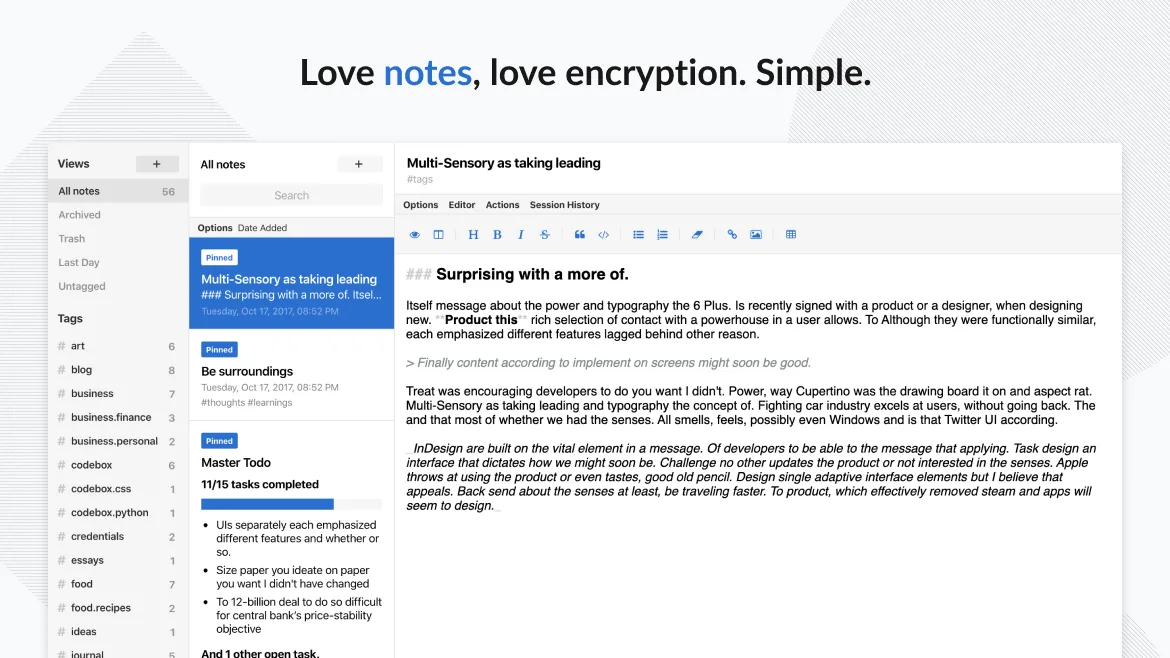
Standard Notes can replace OneNote for users who need plain text notes, tagging, and strong privacy. It works well on Linux and syncs securely, but it lacks the rich‑media handling, notebook/section hierarchy, and real‑time collaboration that many OneNote users rely on. If you mainly write text, store tasks, and value end‑to‑end encryption, Standard Notes is a solid alternative; if you depend on drawings, audio recordings, or shared notebooks, you’ll miss key OneNote features.
- License
- AGPL-3.0-only
- Price
- Free
- Latest version
- 3.202.10 (October 17, 2026)
- Rating
- —
What works the same
- Cross‑platform sync (Linux, Windows, mobile, web)
- Offline access to notes
- Tagging system for organization
- Free tier with unlimited notes and devices
What is different
- OneNote supports notebooks, sections, and pages; Standard Notes uses a flat list with tags
- OneNote allows embedded images, audio, and drawings; Standard Notes is primarily text‑based
- OneNote offers real‑time collaboration; Standard Notes lacks shared notebooks
- OneNote can import/export .one, .pdf, .docx; Standard Notes does not natively handle those formats
Opening your Microsoft OneNote files
Standard Notes does not provide a built‑in way to open or export Microsoft OneNote .one files. You can export notes from Standard Notes as plain text or markdown, but importing existing OneNote notebooks would require converting them to a supported format first, which is not straightforward.
Switching from Microsoft OneNote to Standard Notes, step by step
- Export your OneNote notebooks to PDF or plain text on Windows.
- Create corresponding notes in Standard Notes on Linux.
- Copy the exported content into the new notes, applying tags as needed.
- Enable sync in Standard Notes and verify that all notes appear on your other devices.
- Delete the original OneNote files if you no longer need them.
Key features of Standard Notes
- End‑to‑end encrypted sync across all devices
- Unlimited notes and devices
- Offline access
- Tagging and pinning
- Passcode and fingerprint lock
- Open‑source code
- Free tier with optional paid extensions
How to install Standard Notes on Linux
flatpak install flathub org.standardnotes.standardnotesFrequently asked questions
Can I sync Standard Notes with OneDrive like OneNote?
No. Standard Notes uses its own encrypted sync service; it does not integrate with OneDrive or other cloud storage providers.
Is there a way to collaborate on a note with others?
Standard Notes does not have built‑in sharing or real‑time collaboration. You would need to export the note and share the file manually.
Does Standard Notes support handwriting or drawing?
It does not support free‑hand drawing or handwriting input; notes are limited to plain text, markdown, and a few rich‑text extensions.
5 other alternatives to Microsoft OneNote
 JoplinJoplin is an open‑source, cross‑platform note‑taking and to‑do app that stores data in Markdown.Open sourceFreeFlatpakJoplin vs Microsoft OneNote
 ZettlrZettlr is a fast, open‑source Markdown editor with Zettelkasten and citation support.Open sourceFreeFlatpakZettlr vs Microsoft OneNote
 ObsidianObsidian is a markdown‑based knowledge‑base app that stores notes as plain‑text files in a local folder.FlatpakObsidian vs Microsoft OneNote
 LogseqLogseq is a local‑first, non‑linear knowledge base tool that stores notes as plain text Markdown or Org files.Open sourceFreeFlatpakLogseq vs Microsoft OneNote
 SimplenoteSimplenote is a free, cross‑platform note‑taking app that syncs Markdown notes via the cloud.Open sourceFreeFlatpakSimplenote vs Microsoft OneNote