
Windows · System Tools
Best Linux alternatives to SteelSeries GG
SteelSeries GG configures SteelSeries peripherals and handles game integration on Windows.
Updated
2 Linux alternatives to SteelSeries GG
-
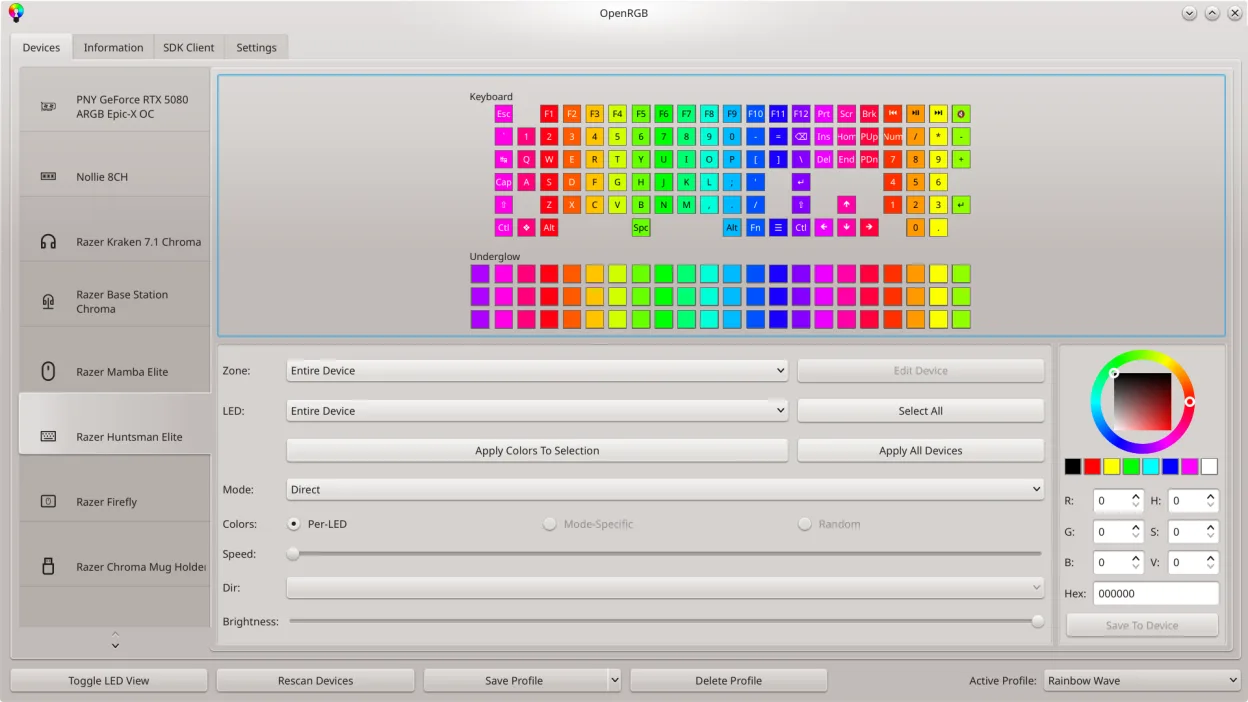
OpenRGB lets you control RGB lighting on Linux without vendor apps.
OpenRGB is a good replacement for SteelSeries GG if your main goal is unified RGB control on Linux, especially with mixed-brand peripherals. It supports many SteelSeries devices for lighting, lets you save profiles, and sync across reboots. However, it does not handle DPI, button remapping, or…
Feature parity55% -
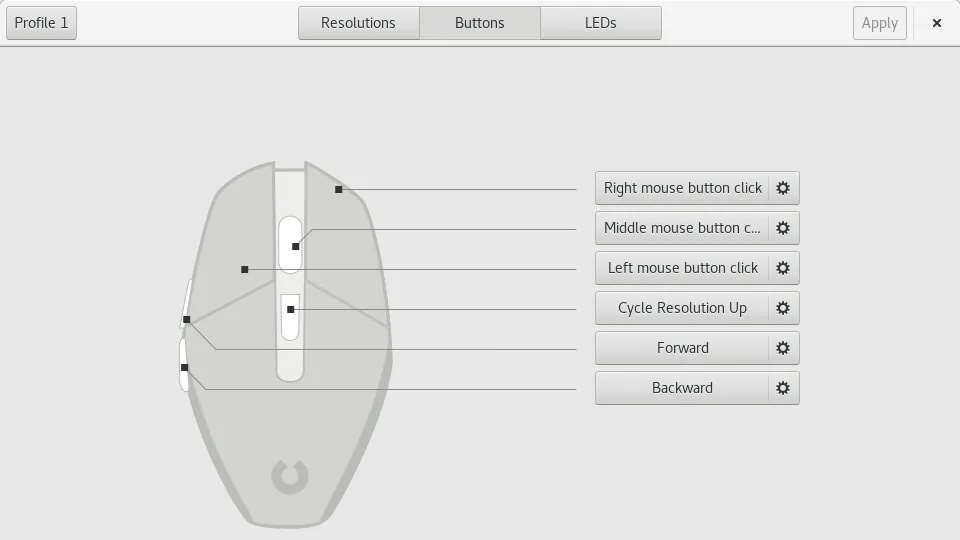
Piper is a Linux GUI for configuring gaming mice via ratbagd.
Piper is a decent replacement for SteelSeries GG if you primarily use a supported gaming mouse and need basic to intermediate configuration. It handles DPI, button remapping, and lighting for many devices, but only for those compatible with libratbag. Support for SteelSeries hardware is limited and…
Feature parity60%


What is SteelSeries GG?
SteelSeries GG is the official configuration suite for SteelSeries keyboards, mice, headsets and other gaming gear. It lets users adjust DPI, lighting, macros and map profiles to specific games, and it also provides a game library integration for quick access to supported titles. The software is distributed as a free download from SteelSeries, but it is closed‑source and Windows‑only.
Because the program is tied to Windows, Linux users who own SteelSeries devices often look for a way to keep their hardware fully functional without running a Windows VM. The lack of a native Linux client means you either have to settle for basic functionality provided by the OS or find third‑party tools that expose similar controls.
People search for alternatives to avoid the overhead of Wine, to keep their system lightweight, and to stay within open‑source ecosystems. An ideal replacement should let you tweak lighting, DPI, button assignments and, if possible, manage game‑specific profiles without needing to switch back to Windows.
What a replacement for SteelSeries GG must do
- Adjust DPI and sensitivity settings
- Configure per‑device lighting effects
- Create and assign macro/button profiles
- Map profiles to individual games or applications
- Persist settings across reboots
- Support for multiple SteelSeries product lines
Can you run SteelSeries GG on Linux?
There is no native Linux version of SteelSeries GG. The official client only runs on Windows. Some users run it under Wine or in a Windows VM, but functionality can be hit‑or‑miss, especially for hardware communication. No web version exists, and the community has not released a fully compatible drop‑in replacement.
Which alternative should you choose?
If you only need basic lighting and DPI control, OpenRGB works well for a wide range of SteelSeries devices and is fully open‑source. For more granular per‑device configuration, Piper (focused on gaming mice) can be useful, though its support for SteelSeries is limited. libinput provides generic input handling but does not offer lighting or macro features.
Moving your SteelSeries GG files and habits
SteelSeries GG stores profiles locally in its own proprietary format, which cannot be directly imported by the Linux tools. You will need to recreate profiles manually in OpenRGB or Piper, copying settings like DPI values and lighting colors. Exporting macro scripts is not supported, so rewrite any complex macros using the Linux tool's own scripting or configuration method.
Side-by-side comparison
SteelSeries GG: frequently asked questions
Can I use SteelSeries GG on Linux with Wine?
It may launch, but hardware communication often fails, so you cannot rely on it for full device control.
Does OpenRGB support all SteelSeries devices?
OpenRGB supports many popular SteelSeries keyboards and mice, but some newer models may lack full feature parity.
Will my macros work after switching to Linux?
No, you will need to recreate macros using the Linux tool’s configuration system.
Is there any official Linux driver from SteelSeries?
No, SteelSeries does not provide a Linux client; support is community‑driven through projects like OpenRGB.
How important is SteelSeries GG to you?
Know a better alternative? Suggest an alternative