
Windows · Others
Best Linux alternatives to Bitwarden
Bitwarden is a freemium, open‑source password manager that encrypts credentials in a vault and syncs via its own cloud service.
Updated
Quick answer
The best Linux alternative to Bitwarden is KeePassXC. Other strong options: 1Password, Password Safe, Proton Pass.
4 Linux alternatives to Bitwarden
-

KeePassXC is an open‑source, cross‑platform password manager that stores encrypted databases locally.
KeePassXC can replace Bitwarden for users who prefer a local, open‑source vault without a cloud service. It covers password storage, generation, autofill via browser extensions, and cross‑platform use on Linux, macOS, and Windows. However, it lacks Bitwarden’s native cloud sync, family/group…
Feature parity70% -

1Password is a cross‑platform password manager that stores credentials, notes, and secure documents behind a single master password.
1Password can replace Bitwarden for users who want a paid, feature‑rich manager with strong local encryption, cross‑platform sync, and a polished UI. It offers all core Bitwarden functions—vault storage, password generation, autofill, secure sharing, and backup—plus extra tools like Watchtower and…
Feature parity85% -
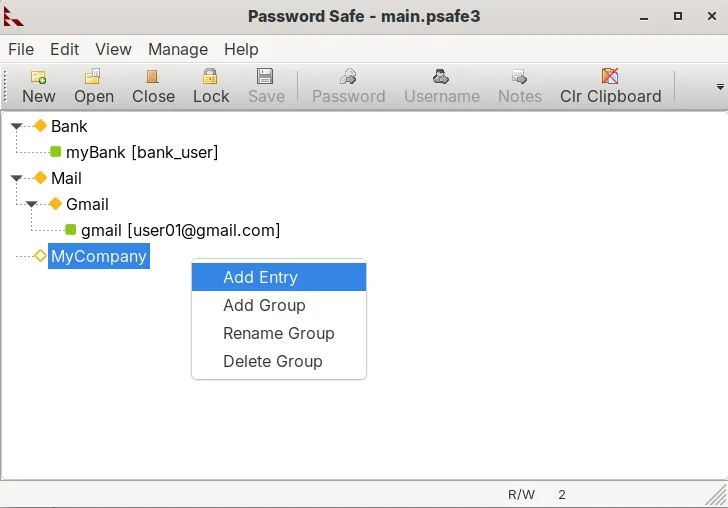
Password Safe is a secure password manager that stores credentials in an encrypted file protected by a master password or YubiKey.
Password Safe is a solid, lightweight alternative if you prioritize local file control over cloud sync. It handles encrypted storage, YubiKey 2FA, and password generation well. However, it lacks Bitwarden’s automatic cross-device synchronization, browser autofill extensions, and secure sharing…
Feature parity45% -
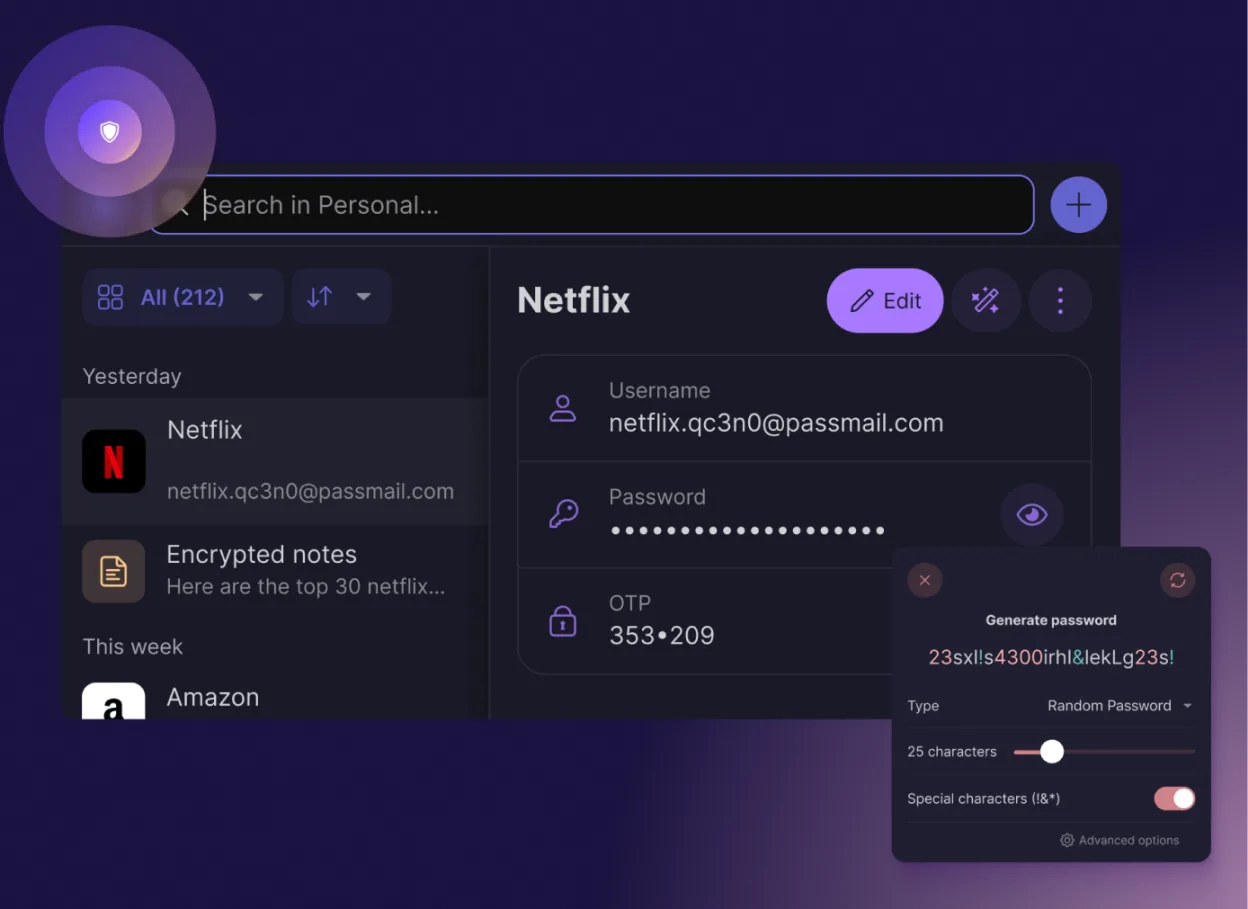
Proton Pass is a free, open‑source, end‑to‑end encrypted password manager for Linux, built by Proton AG.
Proton Pass can replace Bitwarden for users who want a free, open‑source manager with end‑to‑end encryption and no ads. It covers most everyday tasks: storing credentials, autofill, password generation, 2FA codes, secure notes, and cross‑platform sync via Proton Drive. It is best for users already…
Feature parity80%




What is Bitwarden?
Bitwarden is a password manager that lets users store website logins, notes, and other secrets in an encrypted vault. It is used by individuals, teams, and enterprises who need a secure way to keep passwords in sync across devices.
The core service is free; premium features such as 1GB file attachments, advanced sharing, and priority support are available for a small monthly fee.
Linux users look for alternatives because many password managers either lack native Linux support or require workarounds like Wine, and they want a fully native, open‑source experience.
What a replacement for Bitwarden must do
- Encrypted vault with strong local encryption
- Cross‑platform sync (desktop, mobile, browser)
- Password generation and autofill
- Secure sharing or family/group features
- Backup and recovery options
- User‑friendly UI and CLI support
Can you run Bitwarden on Linux?
Bitwarden has a native Linux desktop app built with Electron, available as a .deb/.rpm package and a Snap. It also offers a web vault that works in any browser. The desktop app runs natively; no Wine or Proton needed. The browser extensions are available for Chrome, Firefox, Edge, and Brave on Linux.
Which alternative should you choose?
KeePassXC is ideal for users who prefer a local, open‑source database with strong community support and no cloud dependency. 1Password suits power users who need advanced sharing, family plans, and a polished UI, but it is paid. Password Safe is a lightweight, Windows‑centric tool that can run via Wine if needed. Proton Pass is a newer, fully open‑source option that emphasizes privacy and works well for users already in the Proton ecosystem.
Moving your Bitwarden files and habits
Exporting from Bitwarden is straightforward: use the web vault’s export feature to produce a JSON or CSV file of all credentials. Most Linux alternatives can import these formats—KeePassXC accepts CSV and its own .kdbx format; 1Password and Proton Pass can import CSV or use their own import tools. Ensure you keep the export file encrypted until it is imported.
Side-by-side comparison
| App | License | Flatpak | Latest version | Feature parity | Rating |
|---|---|---|---|---|---|
| KeePassXC | GPL-3.0-or-later | ✓ | 2.8.0 | 70% | — |
| 1Password | LicenseRef-proprietary=https… | ✓ | 8.12.44 | 85% | — |
| Password Safe | Artistic-2.0 | ✓ | v1.26.0 | 45% | — |
| Proton Pass | GPL-3.0 | ✓ | 1.43.1 | 80% | — |
Bitwarden: frequently asked questions
Is Bitwarden safe to use on Linux?
Yes, Bitwarden is open‑source and uses AES‑256 encryption for the vault. The Linux desktop app is signed and available from official repositories.
Can I use Bitwarden without a cloud account?
The free tier requires an account for sync. However, you can run a self‑hosted Bitwarden server to keep data on your own infrastructure.
Does Bitwarden support two‑factor authentication?
Yes, it supports TOTP, YubiKey, and FIDO2 security keys for login and vault access.
What happens if I lose my master password?
Without the master password you cannot decrypt the vault. Backups of the encrypted vault are recommended, but the data remains secure if the vault file is lost.
How important is Bitwarden to you?
Know a better alternative? Suggest an alternative