
 darktableLinux
vs
Photoshop ElementsWindows
darktable as a Linux alternative to Photoshop Elements
Updated
Our verdict
darktable is a strong replacement for Photoshop Elements if your workflow centers on RAW development and non-destructive editing. It handles organization, color correction, and retouching well. However, it is not a direct swap for pixel-level raster editing. If you rely heavily on Photoshop Elements' layer-based compositing or guided filters for beginners, darktable’s steep learning curve and lack of traditional layers will be a barrier. It suits users who prioritize high-precision RAW processing and database management over simple, guided raster manipulation.
- License
- GPL-3.0+
- Price
- Free
- Latest version
- 5.6.2 (October 4, 2026)
- Rating
- —
What works the same
- Non-destructive editing workflow using history stacks or modules
- Integrated photo organization and cataloging in a local database
- Support for high-precision RAW file processing
- Basic retouching tools like spot removal and color correction
- Export capabilities for web and print formats
What is different
- No traditional layer support for non-destructive raster compositing
- Steeper learning curve without beginner-friendly guided workflows
- Focuses on RAW development rather than general raster image editing
- Lacks the simplified, consumer-oriented interface of Photoshop Elements
- Does not include the same suite of guided filters and automated tools
Opening your Photoshop Elements files
darktable opens RAW files natively and can import common raster formats like JPEG and PNG. It does not open Photoshop Elements project files (.efx) or Photoshop PSD files with preserved layers. You can export your edited images as TIFF, JPEG, or PNG, but you will lose any layer structure or specific Photoshop Elements project metadata during the migration.
Switching from Photoshop Elements to darktable, step by step
- Install darktable from your Linux distribution's package manager or Flathub.
- Import your existing photo library into darktable's database.
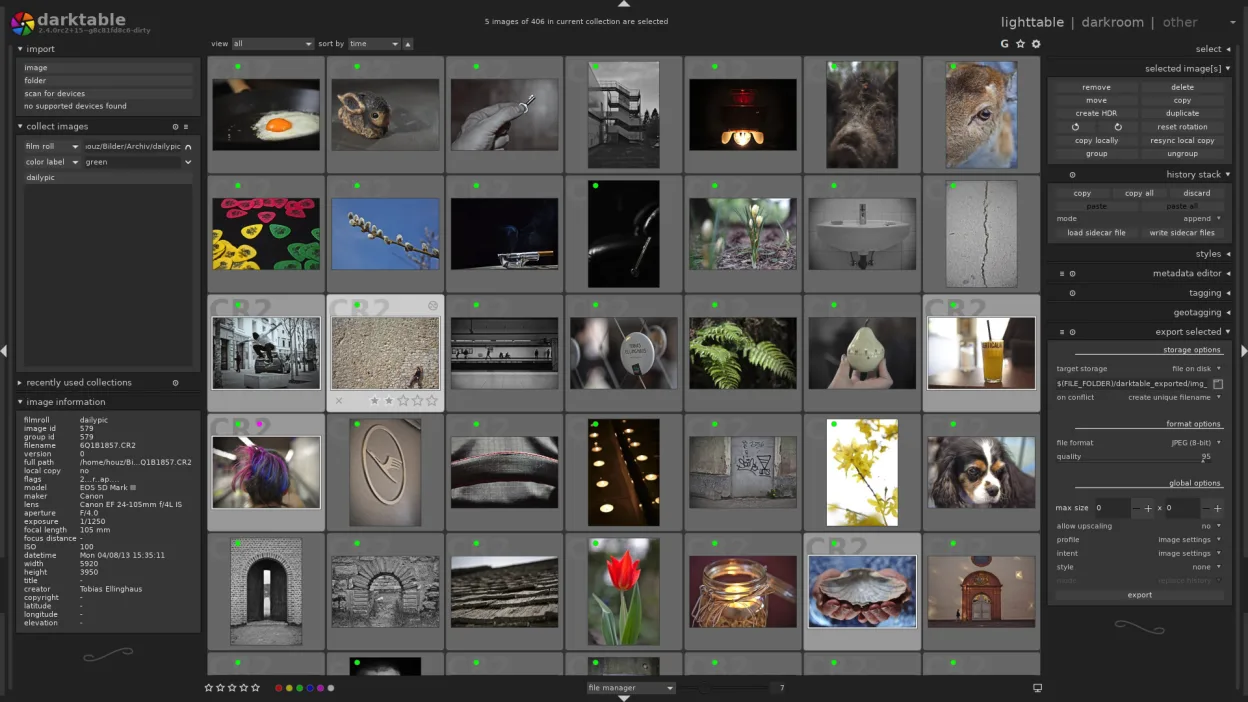
- Review your RAW files in lighttable mode to organize and tag images.
- Learn the darkroom module workflow for non-destructive editing.
- Export final images in your preferred format for web or print.
- Back up your darktable database regularly to prevent data loss.
Key features of darktable
- Non‑destructive editing with a history stack
- Lighttable and darkroom modes
- High‑precision raw processing
- Geotagging map view
- Tethering support
- Print and slideshow modes
- Extensible via Python scripts
How to install darktable on Linux
flatpak install flathub org.darktable.Darktablesudo apt install darktablesudo apt install darktablesudo dnf install darktablesudo pacman -S darktablesudo zypper install darktableFrequently asked questions
Can darktable replace Photoshop Elements for layer-based editing?
No. darktable uses a module-based, non-destructive workflow rather than traditional layers. If you need to composite multiple images with layers, consider GIMP or Krita instead.
Is darktable suitable for beginners?
It has a steeper learning curve than Photoshop Elements. While it is powerful, the interface is more complex and lacks the guided, step-by-step tutorials found in consumer software.
Does darktable support tethered shooting?
Yes. darktable includes a tethering mode that allows you to shoot and view images directly from a connected camera, similar to Photoshop Elements' tethering features.
3 other alternatives to Photoshop Elements
 GIMPGIMP is a free, open-source raster graphics editor for photo editing, digital painting, and image composition.Open sourceFreeFlatpakGIMP vs Photoshop Elements
 KritaKrita is a full‑featured open‑source digital painting and illustration program.Open sourceFreeFlatpakKrita vs Photoshop Elements
 RawTherapeeRawTherapee is an open‑source, cross‑platform raw photo development program.Open sourceFreeFlatpakRawTherapee vs Photoshop Elements