
Windows · Graphics
Best Linux alternatives to Photoshop Elements
Adobe Photoshop Elements is a simplified, consumer-focused photo editor for basic retouching and organization without the complexity of the full pro suite.
Updated
Quick answer
The best Linux alternative to Photoshop Elements is GIMP. Other strong options: Krita, darktable, RawTherapee.
4 Linux alternatives to Photoshop Elements
-
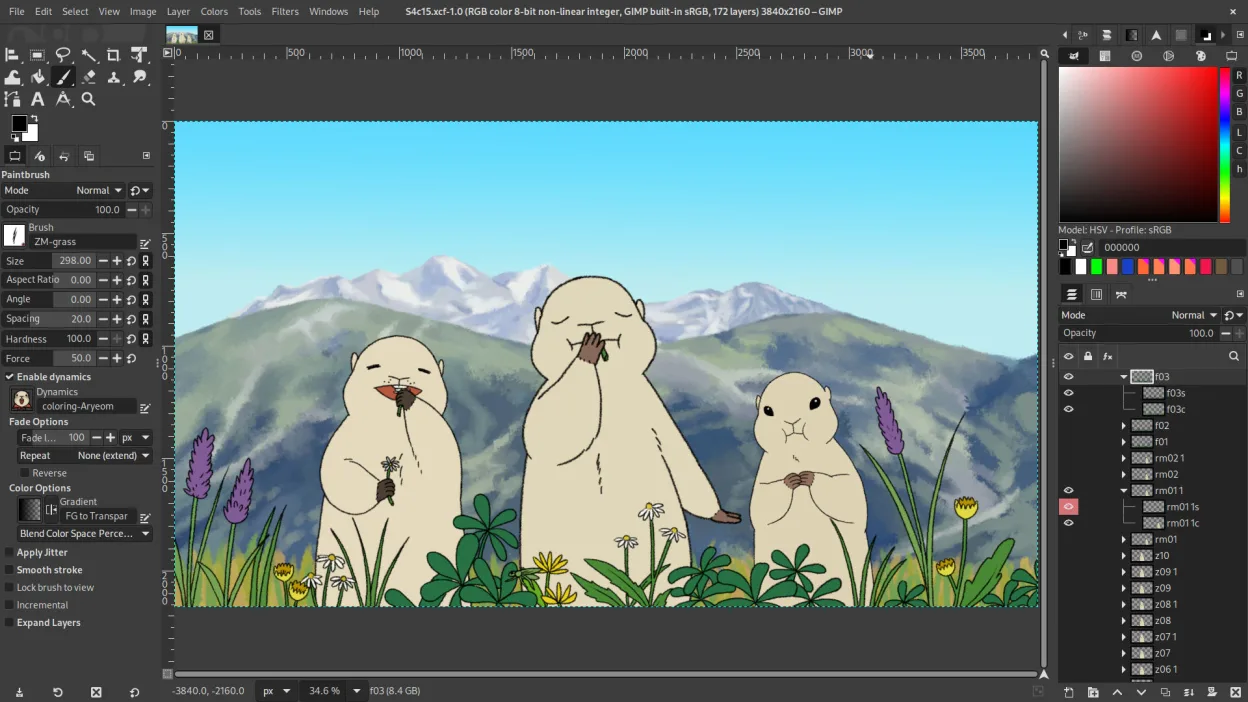
GIMP is a free, open-source raster graphics editor for photo editing, digital painting, and image composition.
GIMP is a strong replacement for Photoshop Elements if you prioritize free, open-source tools and do not mind a steeper learning curve. It covers all core raster editing, retouching, and layer-based workflows. However, it lacks the guided, simplified interface and integrated photo cataloging…
Feature parity75% -

Krita is a full‑featured open‑source digital painting and illustration program.
Krita is a strong replacement for Photoshop Elements if your primary goal is creative editing and painting, but it is not a direct one-to-one swap for photo organization. It handles raster editing, layers, and color correction well, offering a robust alternative for beginners who want more power…
Feature parity65% -
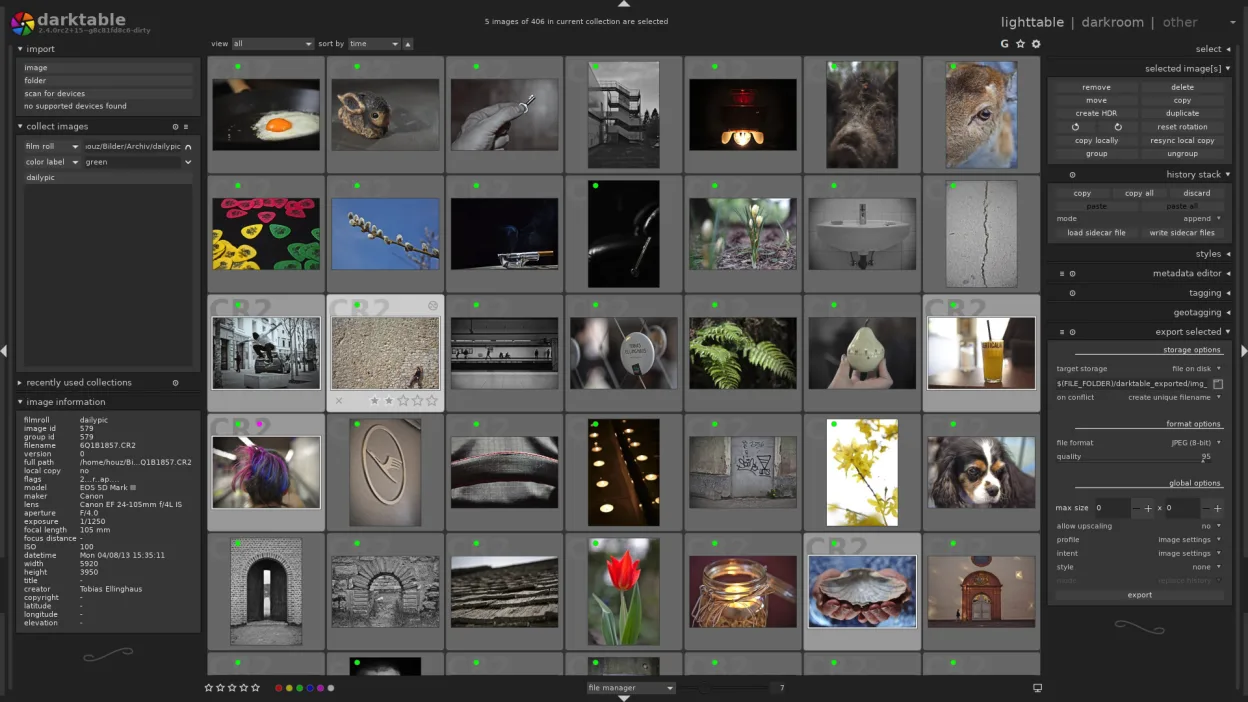
darktable is a free, open‑source photo editor that manages raw files and offers a full non‑destructive workflow.
darktable is a strong replacement for Photoshop Elements if your workflow centers on RAW development and non-destructive editing. It handles organization, color correction, and retouching well. However, it is not a direct swap for pixel-level raster editing. If you rely heavily on Photoshop…
Feature parity75% -

RawTherapee is an open‑source, cross‑platform raw photo development program.
RawTherapee is a strong replacement for the raw development and color correction aspects of Photoshop Elements, offering superior non-destructive editing and advanced controls. However, it is not a direct swap for the full Elements experience. It lacks the guided beginner workflows, integrated…
Feature parity60%


What is Photoshop Elements?
Photoshop Elements targets casual photographers and hobbyists who need to edit, organize, and share photos without learning the steep curve of professional software. It focuses on guided edits, quick fixes, and a simplified interface that makes common tasks like cropping, color correction, and adding text straightforward for non-experts.
The software is sold as a one-time purchase, distinguishing it from the subscription-based Creative Cloud models. While it lacks the depth of full Photoshop, it offers a permanent license for personal use, which appeals to users who prefer not to pay monthly fees for tools they only use occasionally.
Users switch to Linux alternatives primarily to avoid subscription costs or proprietary lock-in. Since Elements is not available natively on Linux, those moving to the open-source ecosystem need tools that handle raster editing, photo management, and basic retouching without relying on Windows emulation or web-based limitations.
What a replacement for Photoshop Elements must do
- Raster image editing
- Basic retouching and color correction
- Photo organization and cataloging
- Layer support for non-destructive edits
- Export to common web and print formats
- Simple, guided workflow for beginners
Can you run Photoshop Elements on Linux?
Adobe Photoshop Elements does not have a native Linux version. While the full version of Photoshop runs on Linux via Wine or Proton with varying success, Elements is less commonly tested in these environments. You may be able to run it through Bottles or PlayOnLinux, but expect potential issues with activation, updates, and stability. There is no official web version that replicates the full desktop experience.
Which alternative should you choose?
For general-purpose photo editing and retouching, GIMP is the closest functional equivalent, though it has a steeper learning curve. If your focus is on artistic painting or illustration alongside photo work, Krita is a strong choice. For photographers who prioritize RAW file processing and non-destructive workflow, darktable or RawTherapee are specialized tools that handle the development stage better than general editors. Inkscape is vector-based and not a direct replacement for raster editing, so it is best avoided for this specific use case.
Moving your Photoshop Elements files and habits
You can export your edited photos as standard formats like JPEG, PNG, or TIFF, which will open in any Linux editor. However, the proprietary Elements catalog and project files (.pse) cannot be directly opened by GIMP or Krita. You will need to re-import your original source files (RAW or JPEG) into your new Linux photo manager to rebuild your library. Any complex layered projects will need to be flattened or re-created in the new software.
Side-by-side comparison
| App | License | Flatpak | Latest version | Feature parity | Rating |
|---|---|---|---|---|---|
| GIMP | GPL-3.0+ AND LGPL-3.0+ | ✓ | 3.2.8 | 75% | — |
| Krita | GPL-3.0-only | ✓ | 5.3.5 | 65% | — |
| darktable | GPL-3.0+ | ✓ | 5.6.2 | 75% | — |
| RawTherapee | GPL-3.0+ | ✓ | 5.13 | 60% | — |
Photoshop Elements: frequently asked questions
Is GIMP exactly like Photoshop Elements?
No. GIMP is more powerful and complex than Elements. It offers professional-grade tools but lacks the guided, step-by-step simplicity that Elements provides. It requires more effort to learn but offers greater flexibility.
Can I use my existing Elements files on Linux?
You cannot open the project files directly. You must work with the exported images (JPEG, PNG, etc.) or re-import your original source files into a Linux-native application like GIMP or darktable.
Which tool is best for organizing photos?
The listed alternatives are primarily editors. For organization, you might need a separate photo manager like Digikam or Shotwell, as GIMP and Krita do not have robust cataloging features built-in.
Does darktable replace Photoshop Elements?
Only partially. darktable is excellent for RAW development and color grading but is not a general-purpose raster editor for retouching or compositing. You would likely pair it with GIMP for the full workflow.
How important is Photoshop Elements to you?
Know a better alternative? Suggest an alternative