
 GeanyLinux
vs
UltraEditWindows
Geany as a Linux alternative to UltraEdit
Updated
Our verdict
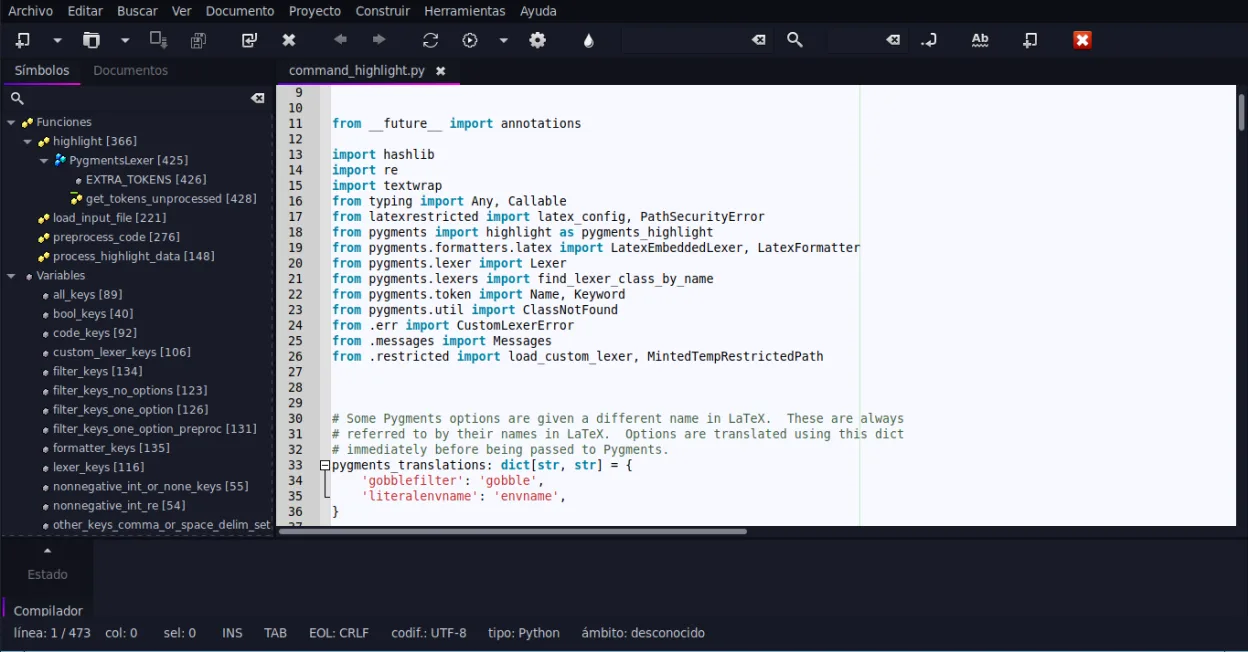
Geany is a solid, lightweight replacement for basic UltraEdit tasks, especially for developers who need speed and simplicity. It handles syntax highlighting, code folding, and terminal integration well. However, it is not a direct 1:1 swap for heavy-duty users. If you rely on UltraEdit’s hex editing, complex macro recording, or editing multi-gigabyte files, Geany will feel limited. It is best for users who primarily edit text-based code and configuration files, and who are willing to use separate tools for hex work or advanced scripting.
- License
- GPL-2.0+
- Price
- Free
- Latest version
- 2.1.0 (July 6, 2025)
- Rating
- —
What works the same
- Supports syntax highlighting for a wide range of programming languages
- Includes code folding and symbol lists for navigating large files
- Offers an embedded terminal for running commands without leaving the editor
- Extensible via a plugin system to add features
- Cross-platform file handling with standard text encoding support
What is different
- Lacks built-in hex editing; you must use a separate tool like xxd or hexedit
- No native macro recording or playback system like UltraEdit’s
- Performance degrades significantly on very large files (multi-GB) compared to UltraEdit
- Scripting is limited to Python/Lua via plugins, not a dedicated macro language
- Lighter weight interface with fewer advanced search and replace options out of the box
Opening your UltraEdit files
Geany opens and saves standard plain text files, which covers the vast majority of UltraEdit usage. If you save files in UltraEdit’s proprietary binary format or use specific encoding settings, ensure you export to UTF-8 or ASCII before opening in Geany. Geany does not read UltraEdit’s project or settings files directly, so you will need to manually configure your environment and preferences.
Switching from UltraEdit to Geany, step by step
- Install Geany via your package manager or Flathub
- Configure your preferred font, tab size, and line ending settings in Preferences
- Enable necessary plugins from the Plugin Manager, such as Python or Lua scripting if needed
- Test opening a few representative text files to verify syntax highlighting works
- Install a separate hex editor if you require binary file inspection
- Familiarize yourself with the keybindings, as they differ from UltraEdit
Key features of Geany
- Syntax highlighting for over 30 languages
- Code completion and auto‑completion of common constructs
- Embedded terminal emulator
- Plugin manager with pre‑installed plugins
- Code folding and symbol lists
- Support for XML/HTML tag completion
How to install Geany on Linux
flatpak install flathub org.geany.Geanysudo apt install geanysudo apt install geanysudo dnf install geanysudo pacman -S geanysudo zypper install geanyFrequently asked questions
Can Geany edit very large files like UltraEdit?
Geany is optimized for speed with typical code files but may struggle with files several gigabytes in size. For massive data files, consider using a specialized tool or a more robust editor like KDevelop.
Does Geany have a macro recorder?
No, Geany does not have a built-in macro recorder. You can write scripts in Python or Lua using plugins to automate repetitive tasks, but it is not as intuitive as UltraEdit’s macro system.
Is Geany free?
Yes, Geany is free and open-source software under the GPL-2.0+ license. There are no licensing fees or trial periods.
4 other alternatives to UltraEdit
 Visual Studio CodeA lightweight, extensible code editor that supports debugging, Git, and many languages.FreeFlatpakVisual Studio Code vs UltraEdit
 KateKate is a feature-rich, programmer-focused text editor from KDE with support for 300+ languages and advanced…Open sourceFreeFlatpakKate vs UltraEdit
 NotepadqqNotepadqq is a free, advanced text editor for Linux with syntax highlighting, regex search, and multi‑cursor…Open sourceFreeFlatpakNotepadqq vs UltraEdit
 geditgedit is GNOME's lightweight, general-purpose text editor, suitable for notes, documents, and basic code…Open sourceFreeFlatpakgedit vs UltraEdit