
 GIMPLinux
vs
SketchBookWindows
GIMP as a Linux alternative to SketchBook
Updated
Our verdict
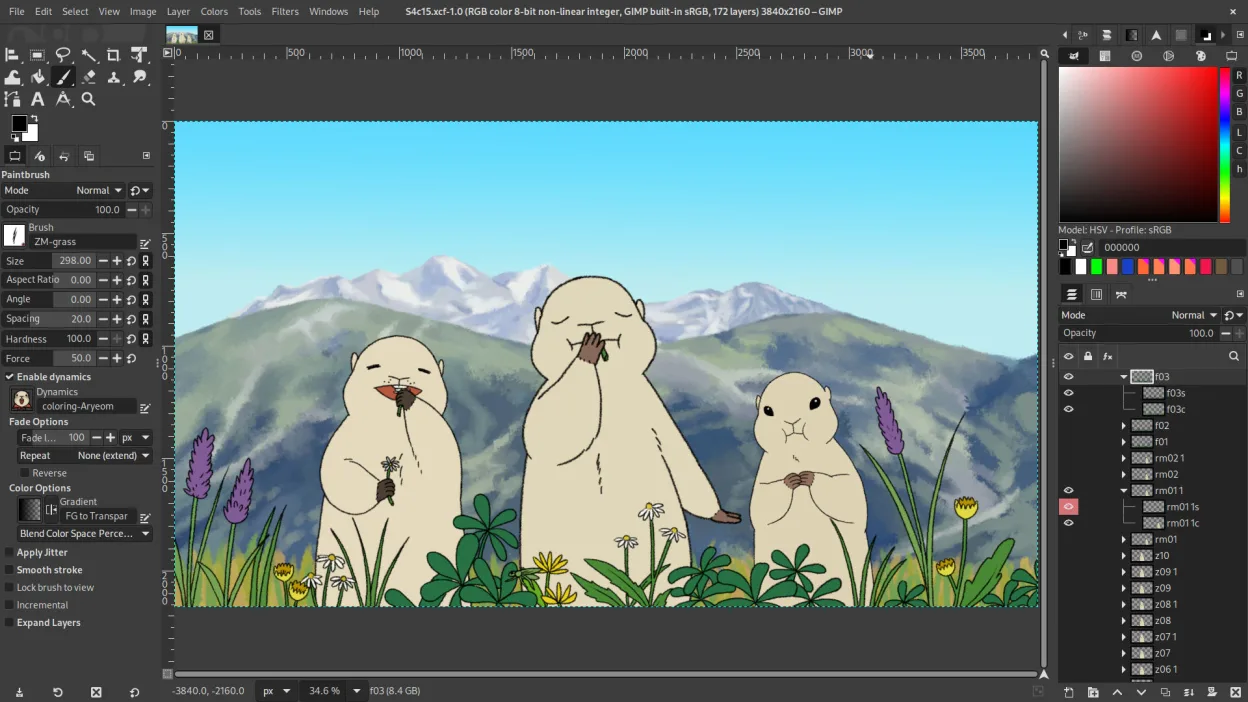
GIMP is a viable but different replacement for SketchBook. It handles pressure-sensitive drawing and raster editing well, but it is a general-purpose editor, not a dedicated sketching tool. The interface is more complex and less minimal than SketchBook's. It suits users who need professional-grade layer management and export options alongside their drawing. If you want a distraction-free, simple sketchpad experience, GIMP may feel too heavy. It is best for those who want one tool for both sketching and detailed image manipulation.
- License
- GPL-3.0+ AND LGPL-3.0+
- Price
- Free
- Latest version
- 3.2.8 (November 2, 2026)
- Rating
- —
What works the same
- Both support pressure-sensitive input for drawing.
- Both use a raster-based drawing engine.
- Both offer layer management with transparency and blending modes.
- Both are free to use on Linux.
What is different
- GIMP has a more complex, customizable interface rather than a minimal, distraction-free layout.
- SketchBook is optimized specifically for quick sketching and concept art, while GIMP is a general-purpose editor.
- GIMP includes advanced photo retouching and scripting features that SketchBook lacks.
- SketchBook has a more streamlined workflow for pure drawing, whereas GIMP requires more setup for similar tasks.
Opening your SketchBook files
GIMP supports common formats like PNG, JPEG, TIFF, and PSD. SketchBook primarily uses its own .skb format, which GIMP does not natively open. You must export your SketchBook work to a standard format like PNG or PSD before importing it into GIMP. Direct .skb file compatibility is not available.
Switching from SketchBook to GIMP, step by step
- Export your SketchBook projects as PNG or PSD files.
- Install GIMP from your distribution's package manager or Flathub.
- Configure your tablet drivers to ensure pressure sensitivity works in GIMP.
- Import your PNG or PSD files into GIMP to start editing.
- Set up your preferred brush presets and workspace layout in GIMP.
Key features of GIMP
- Layer-based editing with masks, blending modes, and transparency
- Advanced brush engine for digital painting and retouching
- Support for Photoshop-compatible plug-ins (via compatibility layers)
- Batch processing and scripting with Script-Fu, Python, or GEGL
- Non-destructive editing possible through plug-ins like G'MIC
- Extensive format support: PNG, JPEG, TIFF, PSD, WebP, and more
- Customizable interface with dockable panels and themes
- Color management with ICC profile support
How to install GIMP on Linux
flatpak install flathub org.gimp.GIMPsudo apt install gimpsudo apt install gimpsudo dnf install gimpsudo pacman -S gimpsudo zypper install gimpFrequently asked questions
Does GIMP support Wacom tablets?
Yes, GIMP has good support for pressure-sensitive tablets, including Wacom, through standard Linux input drivers.
Is GIMP harder to learn than SketchBook?
Yes, GIMP has a steeper learning curve due to its broader feature set and more complex interface.
Can I use GIMP for professional concept art?
Yes, many artists use GIMP for concept art, especially if they also need to handle image compositing and retouching.
4 other alternatives to SketchBook
 KritaKrita is a full‑featured open‑source digital painting and illustration program.Open sourceFreeFlatpakKrita vs SketchBook
 MyPaintMyPaint is a fast, free, open‑source raster painting program focused on brush dynamics and tablet use.Open sourceFreeFlatpakMyPaint vs SketchBook
 PintaPinta is a free, open‑source bitmap editor that mimics Paint.NET with a simple interface and layer support.Open sourceFreeFlatpakPinta vs SketchBook
 Xournal++A cross-platform, open-source note-taking app for handwriting, PDF annotation, and whiteboarding with stylus…Open sourceFreeFlatpakXournal++ vs SketchBook