

Linux · System Tools
Flatseal
A graphical tool to review and modify permissions for installed Flatpak applications.
- License
- GPL-3.0-or-later
- Latest version
- 2.4.1 (May 20, 2026)
- Developer
- Martin Abente Lahaye
- Installs
- 91,581 (Flathub, 30 days)
What is Flatseal?
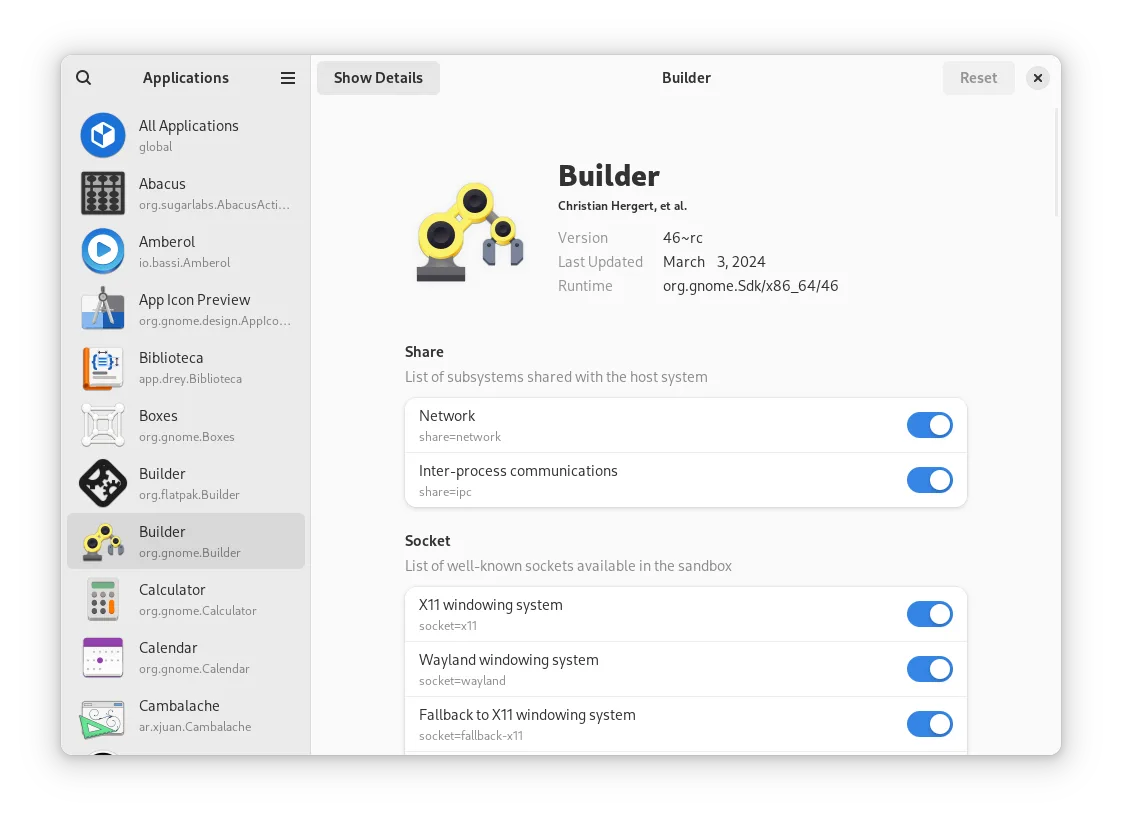
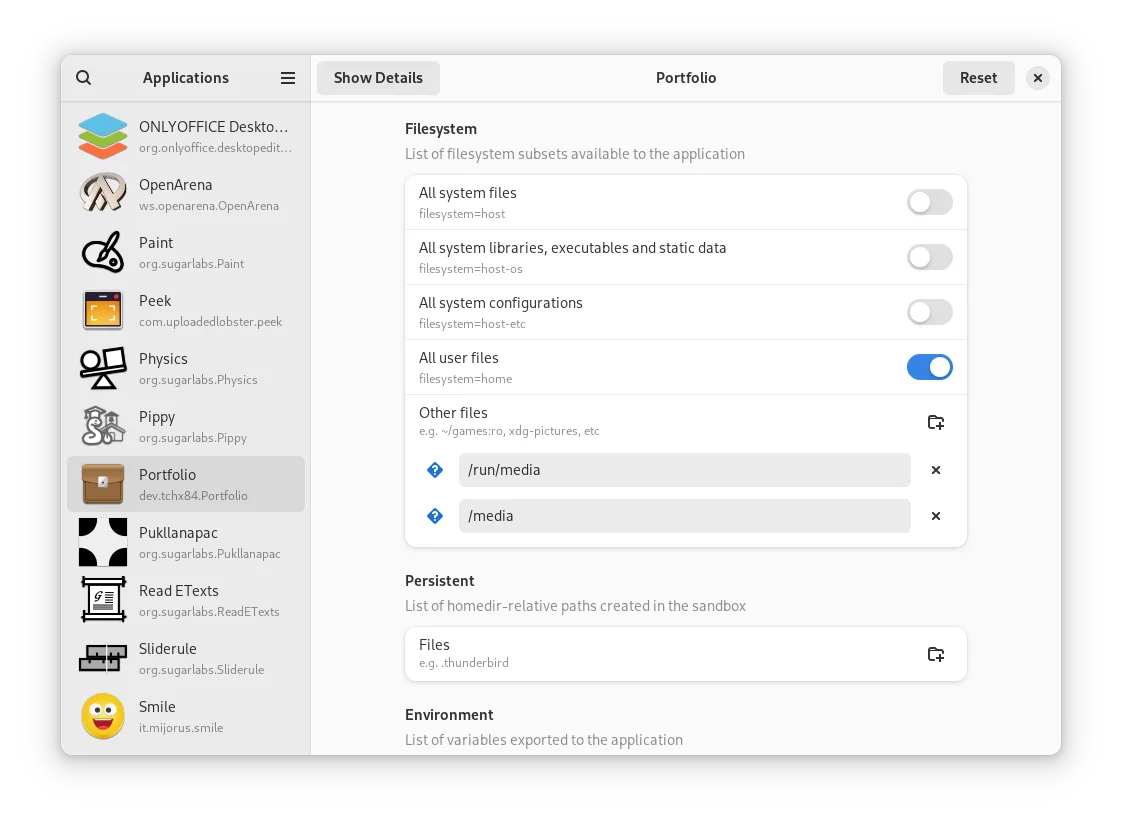
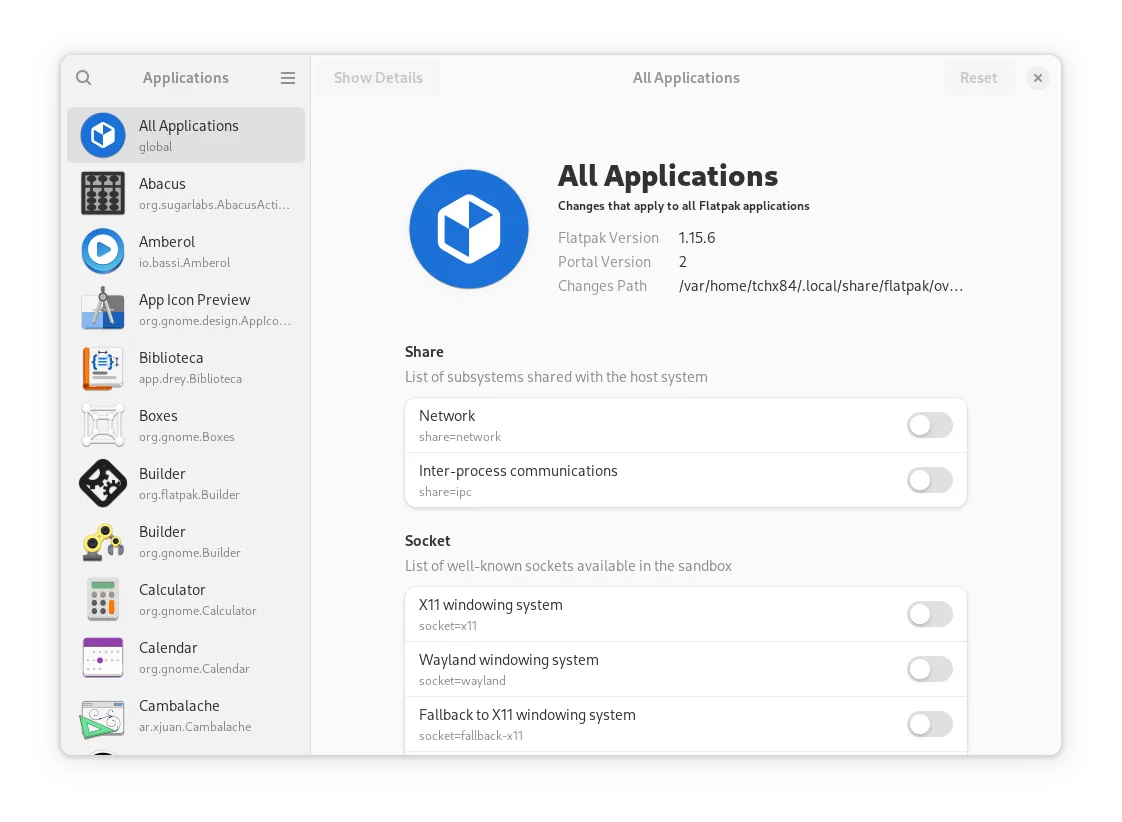
Flatseal is a lightweight utility that lets you manage the permissions granted to your Flatpak apps. It provides a clear interface to toggle access to files, devices, and other system resources without editing configuration files manually. Developed by Martin Abente Lahaye, it has become a standard part of many Linux desktops due to its simplicity and reliability.
This tool is ideal for users who install software via Flathub but want tighter control over what those applications can access. It is particularly useful for privacy-conscious users or those troubleshooting app behavior. You do not need to be a command-line expert to use it; the interface is designed for regular desktop users.
Unlike Ashampoo Uninstaller, which focuses on removing software and cleaning up leftovers, Flatseal focuses on runtime permissions. It does not uninstall apps. If you need to remove a Flatpak, you will use your package manager or GUI tool. Flatseal complements these tools by letting you restrict an app's capabilities while it remains installed.
Best for: Users who install software via Flatpak and want to control app permissions without using the terminal.
Key features of Flatseal
- Toggle permissions like file access, network, and hardware devices
- View detailed permission settings for each installed Flatpak
- Reset permissions to default values for specific apps
- Simple, clean interface with no clutter
- Works with all Flatpak installations on the system
- Lightweight and fast to launch
Pros
- Extremely easy to use with a clear visual interface
- Essential for managing Flatpak security and privacy
- Lightweight with minimal resource usage
- Available in major Linux distributions
Cons
- Does not uninstall applications or remove leftover files
- Only works with Flatpak apps, not native packages
- Limited to permission management; no advanced system cleaning
How to install Flatseal on Linux
flatpak install flathub com.github.tchx84.Flatsealsudo apt install flatsealsudo dnf install flatsealsudo pacman -S flatsealsudo zypper install flatsealTips for Windows users
If you are coming from Ashampoo Uninstaller, understand that Flatseal does not remove software. Use your system's package manager or a dedicated uninstaller to remove apps. Flatseal is for adjusting what an app can do while it is installed. There are no file format conversions or shortcuts to migrate; the workflow is entirely different. You will likely use Flatseal alongside other tools rather than as a direct replacement for uninstallation tasks.
Recent releases
- 2.4.1 —
Flatseal: frequently asked questions
Can Flatseal uninstall Flatpak applications?
No, Flatseal only manages permissions. To uninstall an app, use your package manager or a GUI tool like GNOME Software.
Does Flatseal work with AppImage or Snap apps?
No, it is specific to Flatpak. It does not interact with AppImage or Snap permissions.
Is it safe to disable all permissions for an app?
It depends on the app. Disabling essential permissions may break functionality. Start by disabling only what you do not need.
Where are Flatseal settings stored?
Changes are applied directly to the Flatpak runtime configuration for the specific app.
Updated