

Linux · System Tools
GPU-Viewer
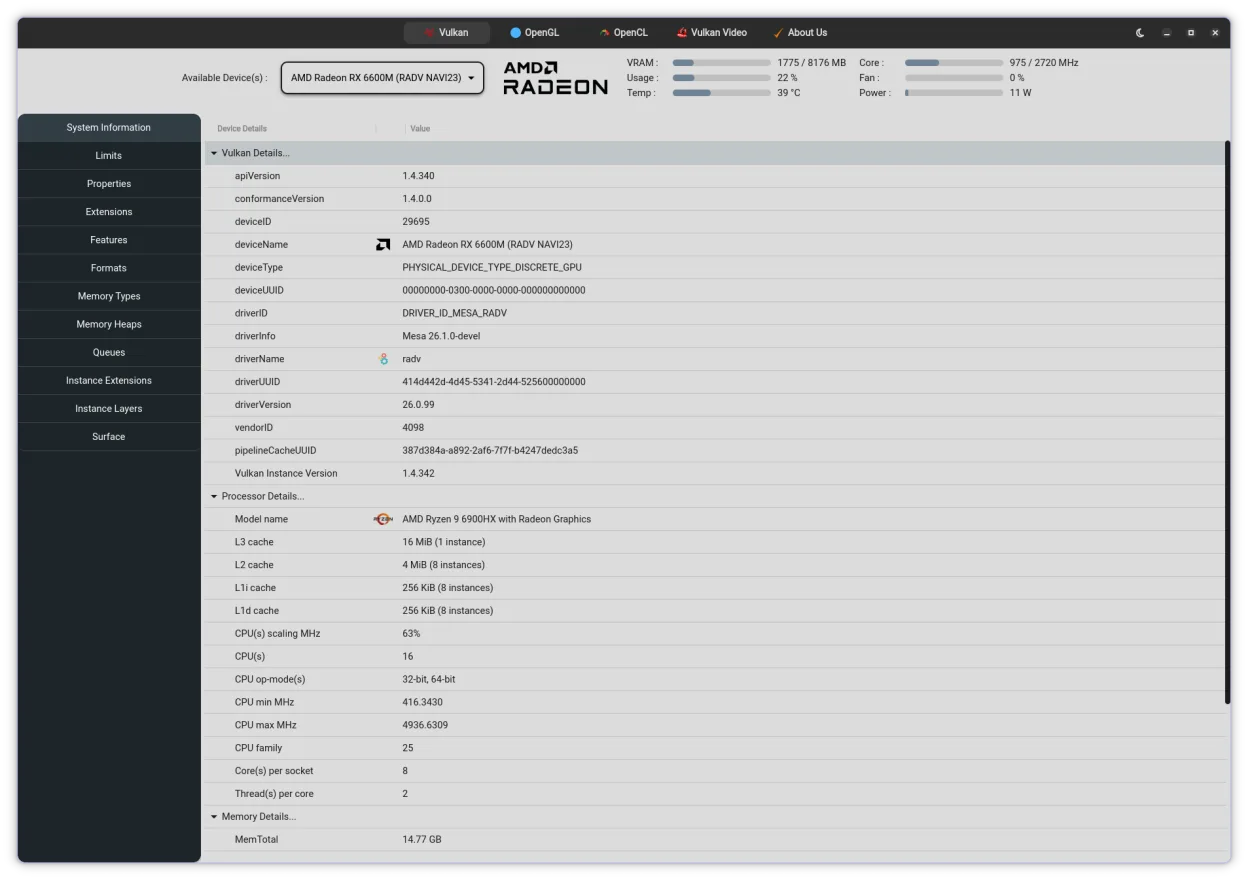
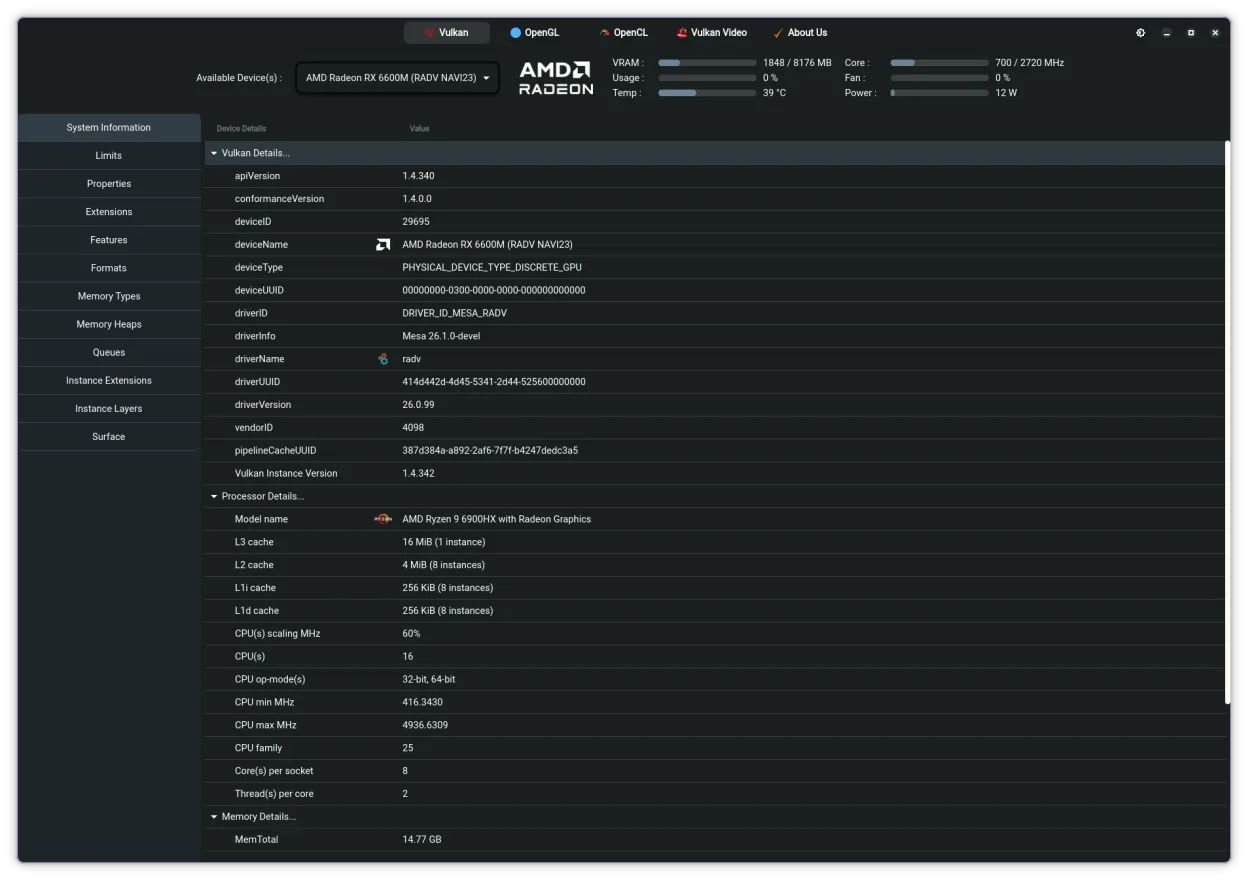
GPU‑Viewer is a GTK4 GUI front‑end that gathers glxinfo, vulkaninfo, clinfo and es2_info data for easy viewing.
- License
- GPL-3.0
- Latest version
- 4.05 (November 3, 2026)
- Developer
- Arun Sivaraman
- Installs
- 3,782 (Flathub, 30 days)
What is GPU-Viewer?
GPU‑Viewer wraps the command‑line tools glxinfo, vulkaninfo, clinfo and es2_info in a small Python/GTK4 application. It extracts the relevant lines with grep, cat and awk, then presents them in a tidy window. The project started a few years ago and saw its latest release 4.04 in October 2026, so it is reasonably mature and still maintained in Arch and Flathub.
The tool is aimed at users who need quick access to GPU capabilities without memorising long terminal commands. It works for anyone with a working OpenGL, Vulkan or OpenCL stack, from hobbyists checking driver versions to developers verifying hardware support.
Compared with the old Windows‑only NVIDIA System Tools, GPU‑Viewer is lighter and less feature‑rich; it does not provide overclocking or fan control, but it does give a clear snapshot of what the system reports. It feels like a simple information panel rather than a full‑blown control suite.
Best for: Anyone who wants a quick graphical overview of their GPU's OpenGL, Vulkan and OpenCL capabilities.
Key features of GPU-Viewer
- Shows OpenGL version and extensions via glxinfo
- Displays Vulkan driver and supported extensions
- Lists OpenCL platforms and devices from clinfo
- Provides OpenGL ES 2.0 details via es2_info
- Searchable text output within the GUI
- Exportable report to plain‑text file
- Refresh button to re‑run the underlying tools
- Runs on any distro with GTK4 and the required CLI tools
Pros
- No need to remember complex command‑line flags
- Works with any GPU vendor, not just NVIDIA
- Lightweight and fast to launch
- Free and open source under GPL‑3.0
Cons
- Relies on external tools; if glxinfo/vulkaninfo/clinfo are missing it won't start
- No hardware control features (overclock, fan curves)
- Interface is very basic, no graphs or visualizations
How to install GPU-Viewer on Linux
flatpak install flathub io.github.arunsivaramanneo.GPUViewersudo pacman -S gpu-viewerTips for Windows users
Install the required CLI utilities (mesa‑utils for glxinfo, vulkan‑tools for vulkaninfo, opencl‑info for clinfo) and then add GPU‑Viewer from Flathub or your distro's repo. Instead of the Windows System Tools' tabs, you’ll have separate panels for OpenGL, Vulkan and OpenCL; use the Refresh button after driver updates. Export the text report if you need to share the details.
Recent releases
- 4.05 —
- 4.04 —
- 4.00 —
- 3.35 —
GPU-Viewer: frequently asked questions
Do I need NVIDIA drivers for GPU‑Viewer to work?
No, it works with any driver that provides glxinfo, vulkaninfo and clinfo, including AMD and Intel.
Can GPU‑Viewer show real‑time GPU usage?
No, it only reports static information from the underlying tools.
Why does GPU‑Viewer sometimes show empty fields?
If the corresponding CLI tool cannot detect a feature (e.g., Vulkan not installed), the GUI will leave that section blank.
Is there a way to customize the displayed fields?
The current version does not offer custom field selection; you would need to edit the source or use the CLI tools directly.
Updated