

Linux · Graphics
gThumb Image Viewer
gThumb is a GNOME‑integrated image viewer, editor and organizer for Linux.
- License
- GPL-2.0+
- Latest version
- 3.12.10 (February 10, 2026)
- Developer
- Paolo Bacchilega
- Installs
- 3,086 (Flathub, 30 days)
What is gThumb Image Viewer?
gThumb has been around for many years and is packaged in the major distributions (Arch, Debian, Fedora, openSUSE, Ubuntu). It started as a simple viewer and grew into a full‑featured organizer, supporting RAW, EXIF and other metadata. The project is actively maintained, with the latest release 3.12.10 in early 2026.
The program targets users who need more than a basic viewer but don’t want a heavyweight Photoshop‑like suite. Photographers, hobbyists and anyone who likes to browse large image collections will find the catalog and library system useful. It feels like a native GNOME app: clean panels, keyboard‑driven navigation and smooth integration with the desktop background settings.
Compared with Ashampoo Photo Commander, gThumb is lighter and more keyboard‑centric. It lacks some of the commercial polish and bundled presets, but it offers all the essential operations—viewing, basic editing, batch conversion and cataloguing—without a price tag. If you’re moving from Windows, expect a more utilitarian interface and a reliance on GNOME shortcuts.
Best for: Users who want a fast, native‑looking image viewer with solid basic editing and cataloguing on Linux.
Key features of gThumb Image Viewer
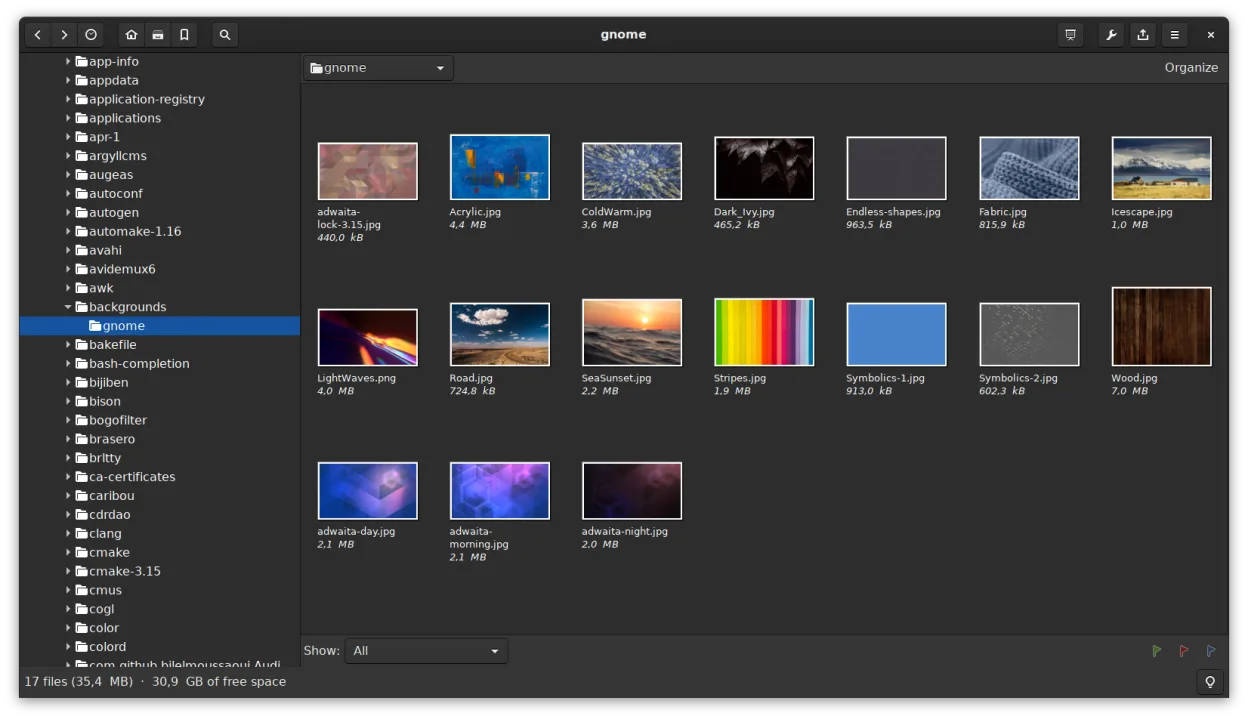
- Supports BMP, JPEG, GIF (including animation), PNG, TIFF, TGA and RAW formats
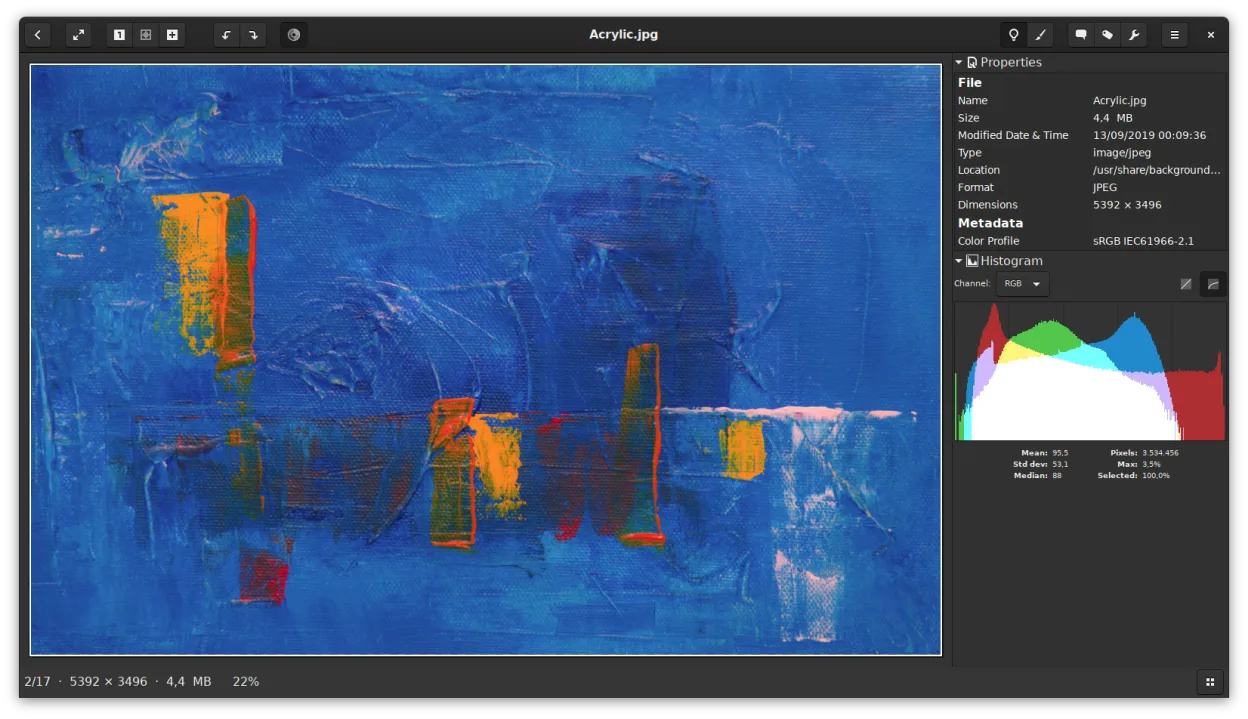
- Displays EXIF, IPTC and XMP metadata
- Basic editing: rotate, crop, scale, adjust saturation, lightness and contrast
- Batch operations: resize, format conversion, lossless JPEG transformations
- Thumbnail browsing with folder‑like file operations (copy, move, delete)
- Catalogs and libraries for organizing large collections
- Slideshow mode and ability to set images as desktop background
- Search by metadata and save results as a catalog
Pros
- Fully free and open source
- Tight GNOME integration
- Handles RAW and many other formats out of the box
- Batch tools reduce the need for separate scripts
- Lightweight compared with full‑blown editors
Cons
- Interface is functional but not flashy
- Advanced editing features are limited
- No built‑in facial recognition or AI‑based enhancements
Windows programs gThumb Image Viewer replaces
How to install gThumb Image Viewer on Linux
flatpak install flathub org.gnome.gThumbsudo apt install gthumbsudo apt install gthumbsudo dnf install gthumbsudo pacman -S gthumbsudo zypper install gthumbTips for Windows users
gThumb reads the same file formats as Ashampoo, so you can open your existing folders directly. Learn the common shortcuts (e.g., ←/→ for next/previous, Ctrl+R to rotate, Ctrl+S to scale). Use the catalog feature to replace Ashampoo’s album system, and set images as wallpaper via the right‑click menu—no separate step needed.
Recent releases
- 3.12.10 —
This release fixes the following bug: - Fixed potential crash
- 3.12.9 —
This release fixes the following bugs: - Fixed compilation when lcms2 is disabled - Lossless rotation: make sure to modify the orientation tags only - Do not change the file modification time if the content did not change - Sharpen: allow to view the image at…
- 3.12.8.2 —
This release fixes the following bugs: - Fixed extensions dependencies - Only depend on libX11 if used (Chris Mayo) - Use GNOME module post_install (Matt Turner)
- 3.12.8.1 —
This release fixes the following bug: - Fixed compilation error (!360)
gThumb Image Viewer: frequently asked questions
How do I install gThumb on Ubuntu?
Run sudo apt install gthumb or install the Flatpak from Flathub.
Can gThumb edit RAW files?
Yes, it can display and perform basic adjustments on RAW images.
Is there a way to batch rename files in gThumb?
Batch renaming isn’t built in; use a separate tool like exiftool or a file manager.
Does gThumb support animated GIF playback?
Yes, animated GIFs play correctly in the viewer.
Updated