
 gThumb Image ViewerLinux
vs
Ashampoo Photo CommanderWindows
gThumb Image ViewerLinux
vs
Ashampoo Photo CommanderWindows
gThumb Image Viewer as a Linux alternative to Ashampoo Photo Commander
Updated
Our verdict
gThumb is a solid, lightweight replacement for casual users who primarily need to view, organize, and perform basic edits on photos. It handles folder-based browsing, metadata viewing, and simple adjustments like cropping or rotating well. However, it lacks the depth of Ashampoo Photo Commander’s semi-pro features, particularly in advanced batch processing and complex color grading. If your workflow relies heavily on automated bulk renaming or intricate exposure corrections, you will find gThumb limiting. For simple cataloging and quick fixes, it is a reliable, native Linux choice that integrates smoothly with GNOME environments.
- License
- GPL-2.0+
- Price
- Free
- Latest version
- 3.12.10 (February 10, 2026)
- Rating
- —
What works the same
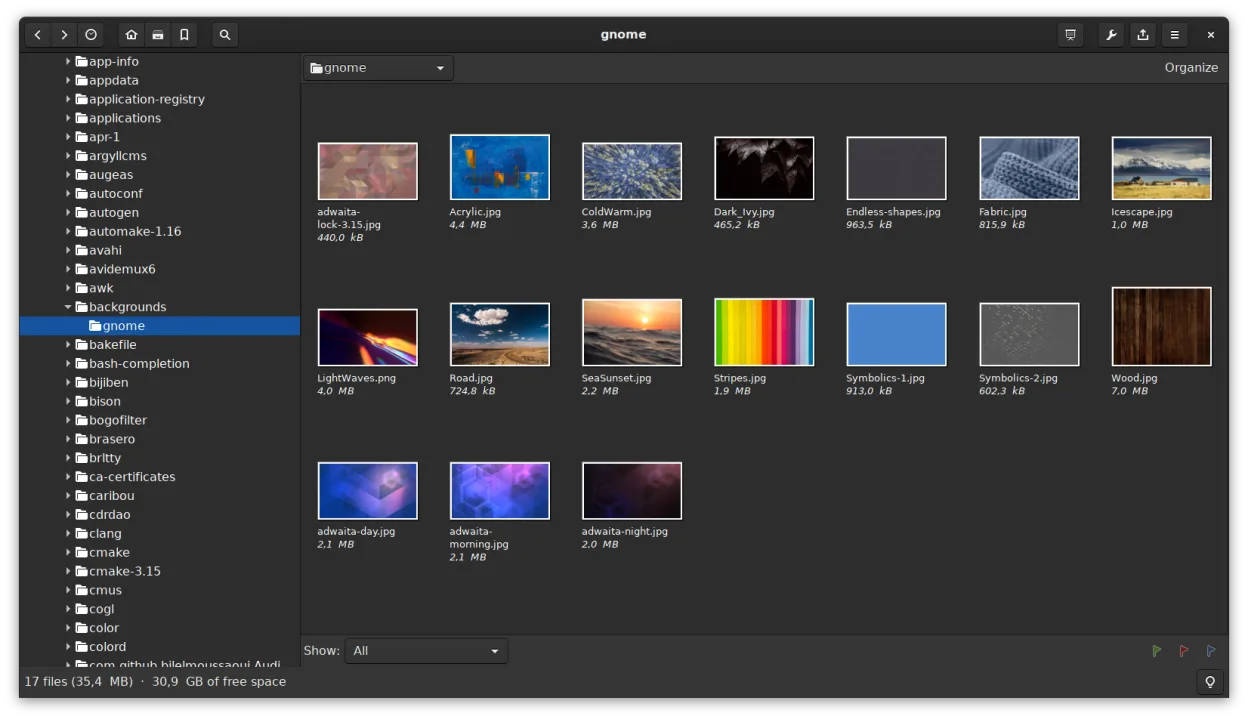
- Both support folder-based browsing with thumbnail previews.
- Both allow basic editing tasks like cropping, rotating, and adjusting color/brightness.
- Both can read metadata such as EXIF and IPTC.
- Both support common formats including JPEG and RAW files.
- Both offer batch operations for resizing and format conversion.
What is different
- gThumb lacks advanced batch renaming with complex pattern rules found in Ashampoo.
- Ashampoo offers more detailed exposure and color balance controls for semi-pro users.
- gThumb is strictly a Linux/GNOME application, whereas Ashampoo is Windows-only.
- gThumb does not have a dedicated non-destructive editing engine, so edits are destructive unless you save copies.
- Ashampoo includes more extensive organizational tools for large, complex libraries.
Opening your Ashampoo Photo Commander files
gThumb opens standard image files like JPEG, PNG, TIFF, and various RAW formats directly. It does not open Ashampoo-specific project or catalog files, so you will need to export your library from Ashampoo as a list of file paths or use the original image files. Since gThumb works with the files themselves rather than proprietary database containers, any standard image exported from Ashampoo will open without issue. Metadata stored in standard EXIF/IPTC fields will be visible, but custom Ashampoo tags may not transfer.
Switching from Ashampoo Photo Commander to gThumb Image Viewer, step by step
- Export your photo library from Ashampoo as a text list or CSV if you need to preserve custom tags.
- Copy your image files to your Linux home directory or a shared drive.
- Install gThumb via your package manager or Flathub.
- Open gThumb and navigate to the folder containing your images.
- Use the 'Catalog' feature in gThumb to create a new library pointing to your image folders.
- Review metadata to ensure EXIF/IPTC data is correctly displayed.
Key features of gThumb Image Viewer
- Supports BMP, JPEG, GIF (including animation), PNG, TIFF, TGA and RAW formats
- Displays EXIF, IPTC and XMP metadata
- Basic editing: rotate, crop, scale, adjust saturation, lightness and contrast
- Batch operations: resize, format conversion, lossless JPEG transformations
- Thumbnail browsing with folder‑like file operations (copy, move, delete)
- Catalogs and libraries for organizing large collections
- Slideshow mode and ability to set images as desktop background
- Search by metadata and save results as a catalog
How to install gThumb Image Viewer on Linux
flatpak install flathub org.gnome.gThumbsudo apt install gthumbsudo apt install gthumbsudo dnf install gthumbsudo pacman -S gthumbsudo zypper install gthumbFrequently asked questions
Does gThumb support RAW files from all cameras?
gThumb supports many RAW formats, but support depends on the underlying libraries (like libraw). If a specific camera model’s RAW file is not supported, you may need to install additional codecs or convert them to DNG/TIFF first.
Can I use gThumb for professional photo editing?
No. gThumb is designed for basic adjustments and organization. For professional retouching or advanced color management, you should use GIMP or Darktable instead.
Is gThumb available on all Linux distributions?
Yes, it is packaged for major distributions including Debian, Ubuntu, Fedora, Arch, and openSUSE, and is also available via Flathub for other systems.
6 other alternatives to Ashampoo Photo Commander
 digiKamdigiKam is a comprehensive KDE photo manager for organizing, tagging, and editing digital photos with strong…Open sourceFreeFlatpakdigiKam vs Ashampoo Photo Commander
 ShotwellShotwell is a GNOME photo manager for importing, organizing, and lightly editing images.Open sourceFreeFlatpakShotwell vs Ashampoo Photo Commander
 darktabledarktable is a free, open‑source photo editor that manages raw files and offers a full non‑destructive…Open sourceFreeFlatpakdarktable vs Ashampoo Photo Commander
 RawTherapeeRawTherapee is an open‑source, cross‑platform raw photo development program.Open sourceFreeFlatpakRawTherapee vs Ashampoo Photo Commander
 XnView MPXnView MP is a fast, cross‑platform image viewer and organizer for Linux.FlatpakXnView MP vs Ashampoo Photo Commander
 nomacs - Image LoungeNomacs is a free, open‑source image viewer that supports thumbnails, metadata, histograms and browsing inside…Open sourceFreeFlatpaknomacs - Image Lounge vs Ashampoo Photo Commander