

Linux · System Tools
KDiff3
KDiff3 is a free, open-source tool for comparing and merging text files and folders, supporting line-by-line analysis.
- License
- GPL-2.0-or-later
- Latest version
- 1.12.5 (July 20, 2026)
- Developer
- KDE
- Installs
- 578 (Flathub, 30 days)
What is KDiff3?
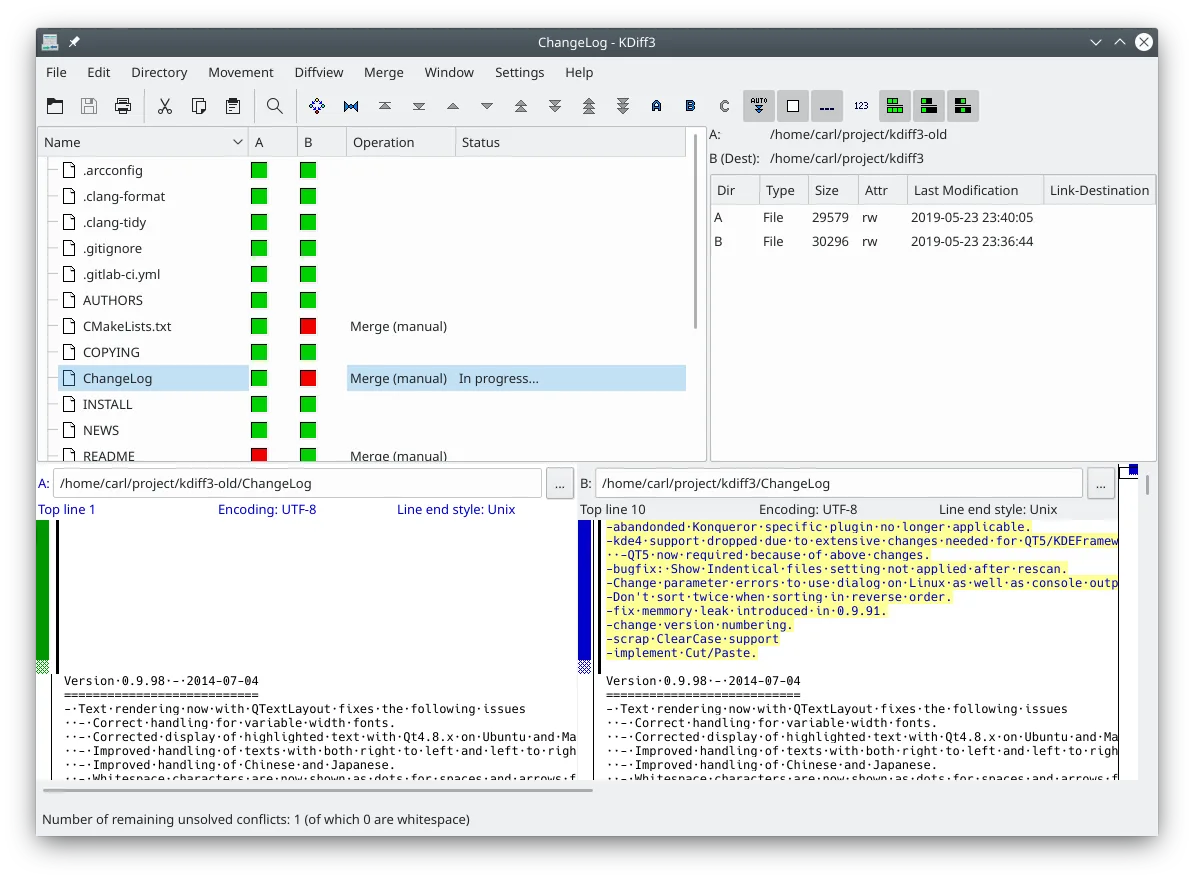
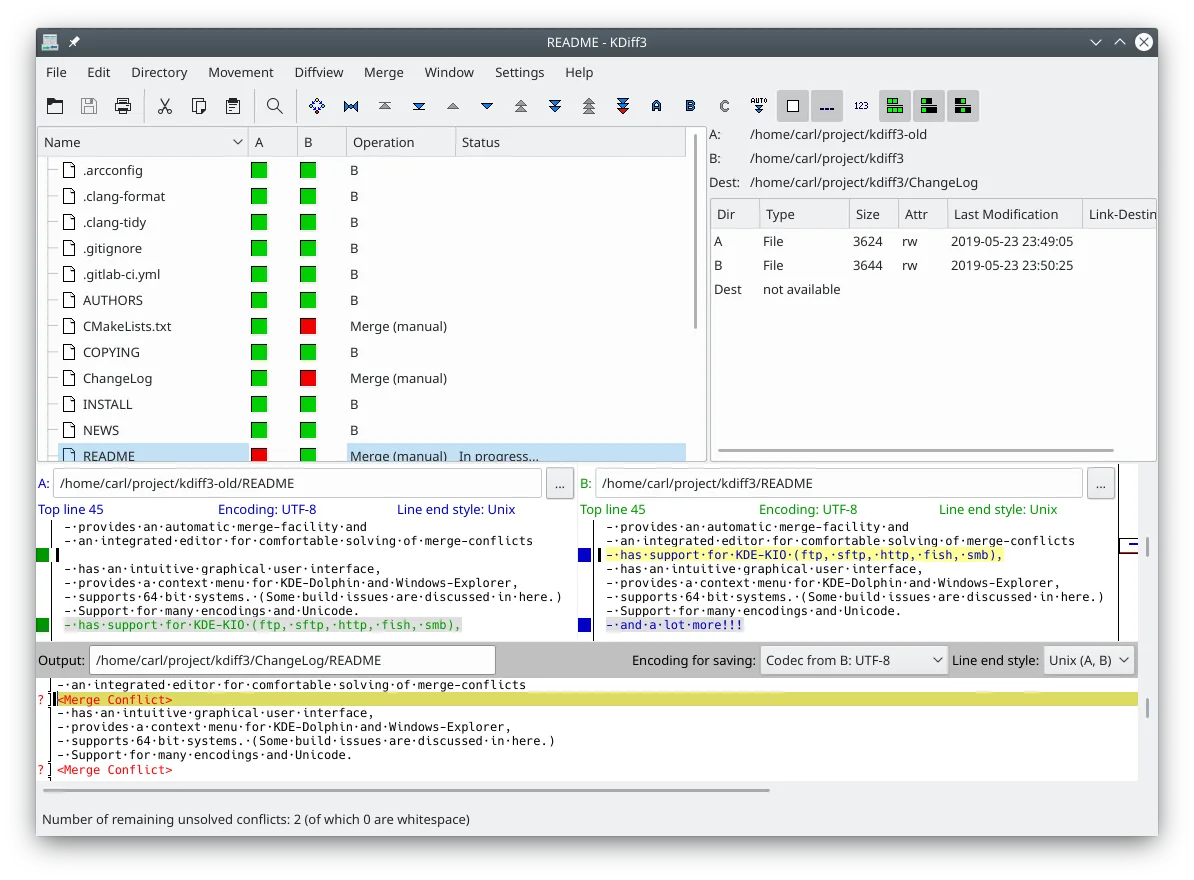
KDiff3 is a mature diff and merge utility developed by the KDE community. It has been around for a long time and is a standard part of the KDE ecosystem. The tool handles both single files and entire directory trees, allowing you to spot changes at the character level rather than just line breaks. It includes an integrated editor specifically designed to resolve merge conflicts without switching applications.
This software targets developers, system administrators, and anyone managing text-based configurations or codebases. It is particularly useful for version control workflows where you need to reconcile changes between branches. If you are used to GUI-based merging tools on Windows, KDiff3 provides a similar visual interface but with a focus on text precision and encoding support.
Compared to Beyond Compare, KDiff3 is less polished visually but fully free and open-source. It lacks some of the advanced binary comparison features and cloud integrations found in the proprietary version. However, for pure text and folder comparison, it is robust and handles complex merge scenarios well. The interface is functional and straightforward, prioritizing utility over aesthetic flair.
Best for: Developers and sysadmins needing a reliable, free tool for text and folder merging on Linux.
Key features of KDiff3
- Compares two or three files or folders side-by-side
- Line-by-line and character-by-character difference display
- Automatic merge facility for conflict resolution
- Integrated editor for solving merge conflicts
- Supports Unicode, UTF-8, and various other encodings
- Options to highlight or ignore whitespace and comments
- Network transparency via KIO for remote files
- Version control keyword and history merging support
Pros
- Completely free and open-source under GPL-2.0
- Handles three-way merges effectively
- Character-level precision for detailed edits
- Available in major Linux distributions and Flatpak
Cons
- Interface is dated compared to modern commercial tools
- Limited support for binary file comparison
- KDE dependency may be a hurdle for non-KDE users
Windows programs KDiff3 replaces
How to install KDiff3 on Linux
flatpak install flathub org.kde.kdiff3sudo apt install kdiff3sudo apt install kdiff3sudo dnf install kdiff3sudo pacman -S kdiff3sudo zypper install kdiff3Tips for Windows users
Coming from Beyond Compare, expect a simpler interface. KDiff3 handles standard text formats well, but you will need to manage encodings manually if you work with non-UTF-8 files. The workflow is similar: select files or folders, view differences, and use the editor to resolve conflicts. Note that KDiff3 does not support binary comparison, so use a different tool for images or executables. Shortcuts are standard KDE defaults, which may differ from Windows conventions.
Recent releases
- 1.12.5 —
- 1.12.4 —
- 1.12.3 —
- 1.12.2 —
KDiff3: frequently asked questions
Can KDiff3 compare binary files?
No, KDiff3 is designed for text files. It does not provide meaningful comparison for binary data like images or executables.
Does KDiff3 work with Git?
Yes, you can configure Git to use KDiff3 as its external diff and merge tool for a visual interface.
Is KDiff3 available on all Linux distros?
It is packaged in major distributions like Debian, Ubuntu, Fedora, and Arch, and is also available via Flathub.
How do I ignore whitespace changes?
Use the options menu to enable 'Ignore Whitespace' or 'Ignore Case' to filter out trivial formatting differences.
Updated