
Linux · Graphics
Pencil2D
Pencil2D is an open‑source 2D animation tool for hand‑drawn vector and bitmap graphics.
- License
- GPL-2.0-only
- Latest version
- 0.7.2 (March 13, 2025)
- Developer
- The Pencil2D Team
- Installs
- 911 (Flathub, 30 days)
What is Pencil2D?
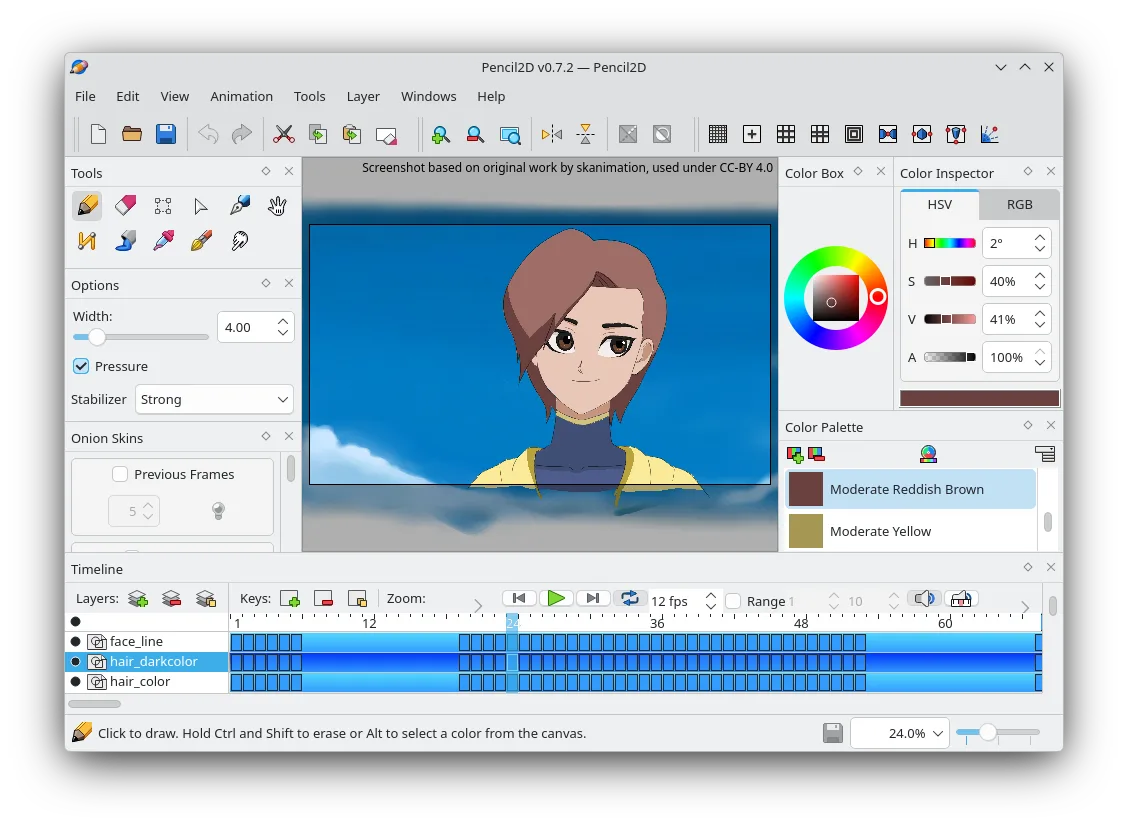
Pencil2D started as a hobby project in 2012 and has grown into a mature, community‑driven application. It focuses on simplicity: a clean interface, basic timeline, and support for both raster and vector layers, making it a good fit for beginners and hobbyists.
The software is aimed at artists who want to create traditional animation without the complexity of commercial suites. Its learning curve is shallow; you can start drawing and animating in minutes.
Compared with Windows‑based tools like Figma, Pencil2D feels more lightweight and less feature‑heavy. It lacks advanced UI design tools but excels in frame‑by‑frame animation, making it a straightforward replacement for basic 2D animation workflows.
Best for: Artists who need a lightweight, free tool for hand‑drawn 2D animation.
Key features of Pencil2D
- Timeline with keyframes and onion‑skin
- Supports bitmap and vector layers
- Export to PNG, GIF, and video formats
- Customizable brushes and tools
- Cross‑platform (Linux, Windows, macOS)
- Open‑source and community‑maintained
Pros
- Free and open source
- Low system requirements
- Easy to learn
- Consistent updates via Flathub
- Good for traditional animation
Cons
- Limited advanced effects and filters
- No built‑in vector editing like Illustrator
- Export options are basic
- No collaboration features
Windows programs Pencil2D replaces
How to install Pencil2D on Linux
flatpak install flathub org.pencil2d.Pencil2Dsudo apt install pencil2dsudo apt install pencil2dsudo dnf install Pencil2Dsudo pacman -S pencil2dTips for Windows users
If you come from Figma, note that Pencil2D uses a simple file format (.pencil) that can be opened only within Pencil2D. Export your frames to PNG or GIF for use elsewhere. Keyboard shortcuts differ; for example, the timeline navigation uses arrow keys, and the brush tool is accessed via the toolbar. The workflow is linear: draw on a layer, add a keyframe, then adjust the next frame. Unlike Figma’s component system, you’ll manage each frame manually.
Recent releases
- 0.7.2 —
Fixes the Linux metadata in the previous 0.7.1 release.
- 0.7.1 —
This release removes the recently added functionality to add frames by double-click, which proved too easy to trigger unintentionally, and brings improvements to the resizing behaviour of the toolbox. We also fixed some bugs in the timeline, on-canvas resize…
- 0.7.0 —
This release of Pencil2D brings more than three years worth of exciting new features, enhancements and bug fixes. We have made it easier to manage keyframes, allowing you to copy, paste or delete several of them at once, or to reposition their contents or…
- 0.6.6 —
Pencil2D: frequently asked questions
Is Pencil2D still maintained?
Yes, the latest release is 0.7.2 from March 2025, and it is available on Flathub, Arch, Debian, Fedora, and Ubuntu.
Can I animate vector graphics?
Yes, Pencil2D supports vector layers alongside bitmap layers, allowing you to combine both styles.
What file formats can I export to?
You can export to PNG, GIF, and video formats such as MP4 or WebM.
Does it support onion‑skin?
Yes, onion‑skin is available to see previous and next frames while drawing.
Updated