

Linux · System Tools
Syncthing Tray
A system tray icon and menu for Syncthing that adds status indicators, notifications, and quick actions to the standard web interface.
- License
- GPL-2.0+
- Latest version
- 2.1.8-1.9c06589 (October 7, 2026)
- Developer
- Martchus
- Installs
- 2,047 (Flathub, 30 days)
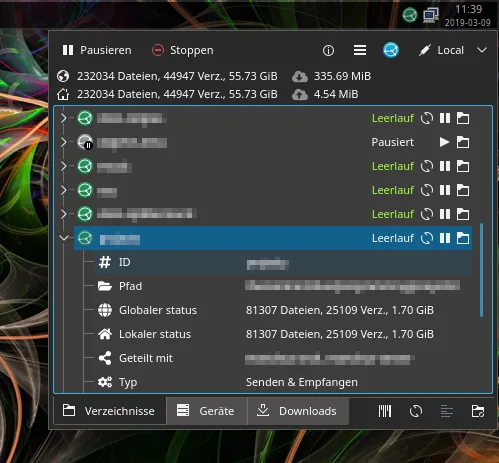
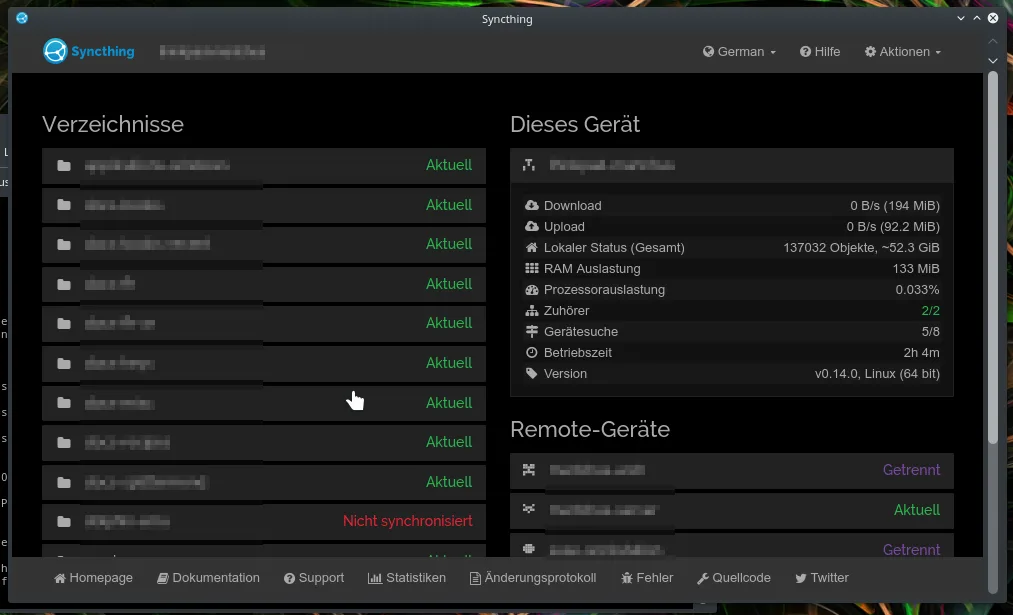

What is Syncthing Tray?
Syncthing Tray is a lightweight companion application that sits in your system tray to monitor the Syncthing daemon. It does not replace the core syncing engine but enhances the desktop experience by providing visual feedback on sync status. The project is mature, maintained by Martchus, and available as a Flatpak or native package in major distributions like Arch, Debian, and Ubuntu.
This tool is for anyone running Syncthing on a Linux desktop who finds the browser-based UI inconvenient for quick checks. It is ideal for users who want to see at a glance if a device is offline or if a folder is syncing, without opening a web browser. It works across different desktop environments, though KDE users might prefer a specific Plasmoid for deeper integration.
Compared to Windows, where Syncthing often runs as a background service with a simple system tray icon, this Linux tool offers similar convenience but relies on the standard Syncthing binary. It feels less integrated than a native Windows app but provides necessary shortcuts and notifications that are missing from the default headless setup. It is a practical, no-frills utility that keeps your sync status visible.
Best for: Linux users who want a quick, glanceable way to monitor Syncthing status without opening a web browser.
Key features of Syncthing Tray
- System tray icon displaying overall Syncthing status
- Menu with detailed status information for each device and folder
- Quick actions to trigger rescans or pause syncing
- Desktop notifications for specific sync events
- One-click access to the web-based Syncthing UI
- Integration with systemd for proper service management
Pros
- Lightweight and low on system resources
- Available as Flatpak for easy installation
- Works independently of specific desktop environments
- Provides essential notifications missing from the web UI
Cons
- Requires Syncthing to be installed separately
- KDE integration is limited in the Flatpak version
- Does not replace the full configuration capabilities of the web UI
Windows programs Syncthing Tray replaces
How to install Syncthing Tray on Linux
flatpak install flathub io.github.martchus.syncthingtraysudo apt install syncthingtraysudo apt install syncthingtraysudo pacman -S syncthingtray-plasmaTips for Windows users
If you are coming from Windows, note that Syncthing Tray does not handle the actual syncing; it only controls the existing Syncthing daemon. Ensure Syncthing is installed and running as a service first. The configuration remains in the web interface, so use the tray icon only for status checks and quick actions like rescanning. There are no file format differences, as it is just a control layer.
Recent releases
- 2.1.8-1.9c06589 —
Syncthing Tray: frequently asked questions
Does Syncthing Tray replace the Syncthing application?
No, it is a companion tool. You must install and configure the main Syncthing application separately. The tray icon only provides a GUI for monitoring and quick actions.
Why is there no KDE Plasmoid in the Flatpak?
Technical limitations prevent the KDE-specific Plasmoid from being packaged as a Flatpak. KDE users should look for distribution-specific packages for deeper integration.
Can I use this on GNOME or other desktops?
Yes, it is designed to be desktop environment independent. It works on GNOME, XFCE, and other environments that support system tray icons.
How do I start Syncthing Tray at login?
It integrates with systemd, so it can be set to start automatically. You can also add it to your desktop environment's startup applications if needed.
Updated