
Linux · Graphics
Tux Paint
Tux Paint is a free, kid-friendly drawing program with a simple interface, sound effects, and a guiding mascot for ages 3-12.
- License
- GPL-2.0+
- Latest version
- 0.9.35 (May 26, 2025)
- Developer
- Bill Kendrick, et al.
- Installs
- 2,172 (Flathub, 30 days)
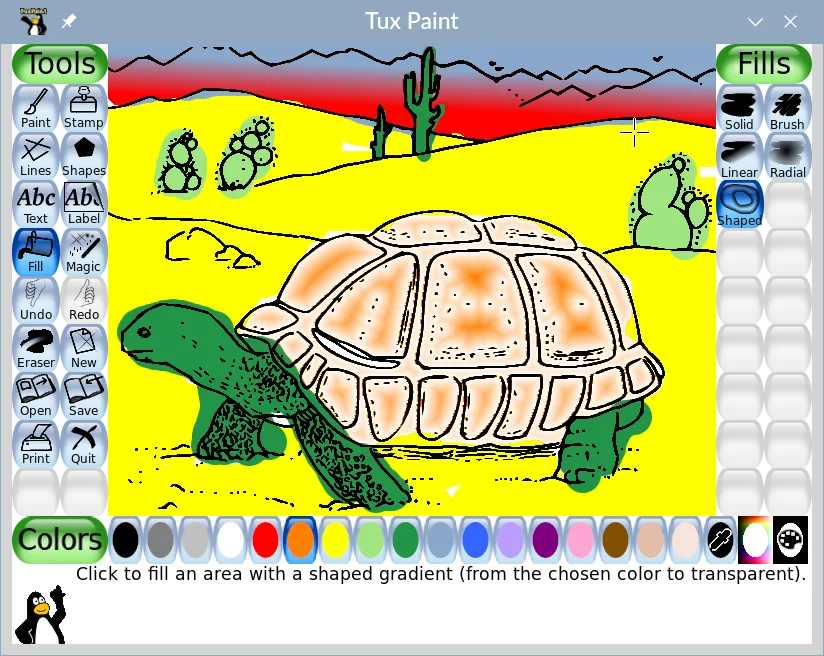
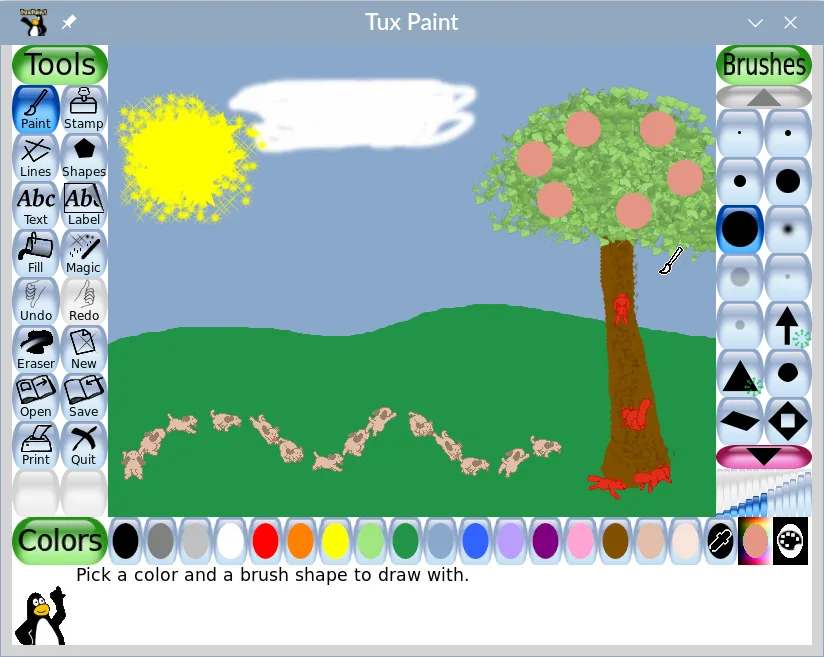
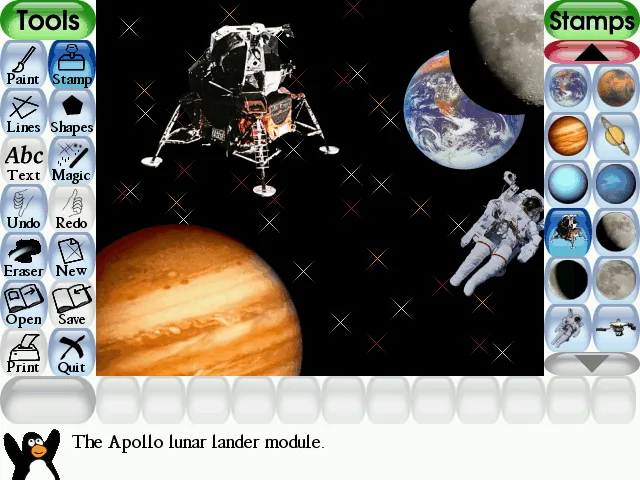
What is Tux Paint?
Tux Paint is a long-standing, free drawing application designed specifically for young children. It has been around for decades, making it a mature and stable tool used in schools globally. The software focuses on removing complexity, providing a blank canvas with intuitive tools rather than professional-grade features. It is maintained by a dedicated community and remains a staple in educational computing environments.
This software is strictly for children, typically ages 3 to 12. It is not a replacement for professional vector or raster graphics editors. The interface is built to be non-intimidating, featuring large buttons and immediate visual feedback. It is ideal for classrooms, homeschooling, or parents who want their kids to experiment with digital art without the pressure of complex menus or technical concepts.
Compared to Inkscape, which is a professional vector editor, Tux Paint is fundamentally different. Inkscape requires precise mouse control and understanding of nodes and paths, while Tux Paint is about freeform expression. If you are looking for a Windows Paint alternative for kids, Tux Paint is the direct equivalent. It does not compete with Inkscape; it serves an entirely different user demographic and purpose.
Best for: Parents and teachers looking for a safe, simple, and engaging drawing tool for young children.
Key features of Tux Paint
- Simple brush, stamp, and shape tools
- Encouraging cartoon mascot guide
- Fun sound effects for actions
- Story mode for sequential drawing
- Masks and collage tools
- Export to PNG, JPEG, and PDF
- No complex menus or settings
Pros
- Extremely easy for young children to learn
- Free and open source with no ads
- Stable and lightweight on older hardware
- Available in most major Linux distributions
Cons
- Not suitable for professional or complex graphics work
- Interface may feel too simplistic for older kids
- Limited export options compared to modern editors
Windows programs Tux Paint replaces
How to install Tux Paint on Linux
flatpak install flathub org.tuxpaint.Tuxpaintsudo apt install tuxpaintsudo apt install tuxpaintsudo dnf install tuxpaintsudo zypper install tuxpaintTips for Windows users
If you are coming from Windows Paint, the workflow is similar but more guided. Tux Paint uses large, clear icons instead of a ribbon interface. There are no complex file dialogs; saving is straightforward. If you were using Inkscape, note that Tux Paint does not support vector editing or advanced layer management. It is a raster-based program focused on immediate drawing. Expect a much simpler experience with fewer options but less frustration for beginners.
Recent releases
- 0.9.35 —
New Magic tools: "Hearts", "Sparkles", and "Stars". Improved color picker behavior Text and Label tools support pasting text from the copy/paste clipboard Text and Label tools attempt to load fonts in locations specified in FontConfig entries now, too
- 0.9.34 —
New Fill mode: "Eraser" flood fill. New Magic tools: "Comic dots", "Rotate", various "ASCII" art, various "Fractals", "Crescent", "Spray Paint", "Spiral", "Square Spiral", "Concentric Circle", "Concentric Square", and a pair of "Tessellation" tools. New…
- 0.9.33 —
Transparent Erasers. Brushes support descriptions. New brushes: Pencil, Acrylic, Fluff. New Magic tools: Dither, Filled Polygon. Updated Magic tools: 3D Glasses (now offers different anaglyph color combinations). Magic tools may be ungrouped…
- 0.9.32 —
New Magic tools: 1-, 2-, and 3-Point Perspective line-drawing tools (and corresponding vanishing point editors). New Magic tools: Isometric, Dimetric, Trimetric, and Oblique line-drawing tools (and corresponding angle editors). New Magic tools: Epitrochoid…
Tux Paint: frequently asked questions
Is Tux Paint suitable for teenagers?
Generally, no. The interface is designed for young children, so teenagers may find it too simplistic and limiting for their creative needs.
Can Tux Paint open SVG files?
No, Tux Paint is a raster-based program and does not support vector formats like SVG. It primarily works with PNG, JPEG, and PDF.
How do I install Tux Paint on Ubuntu?
You can install it via the terminal using 'sudo apt install tuxpaint' or find it in the Ubuntu Software Center.
Does Tux Paint work on tablets or touchscreens?
Yes, it supports touch input, making it a good option for tablets and touchscreen laptops used in educational settings.
Updated