

Linux · Graphics
XnView MP
XnView MP is a fast, cross‑platform image viewer and organizer for Linux.
- License
- LicenseRef-proprietary=https://github.co…
- Latest version
- 1.12.2 (October 12, 2026)
- Developer
- Pierre-e Gougelet
- Installs
- 8,294 (Flathub, 30 days)
What is XnView MP?
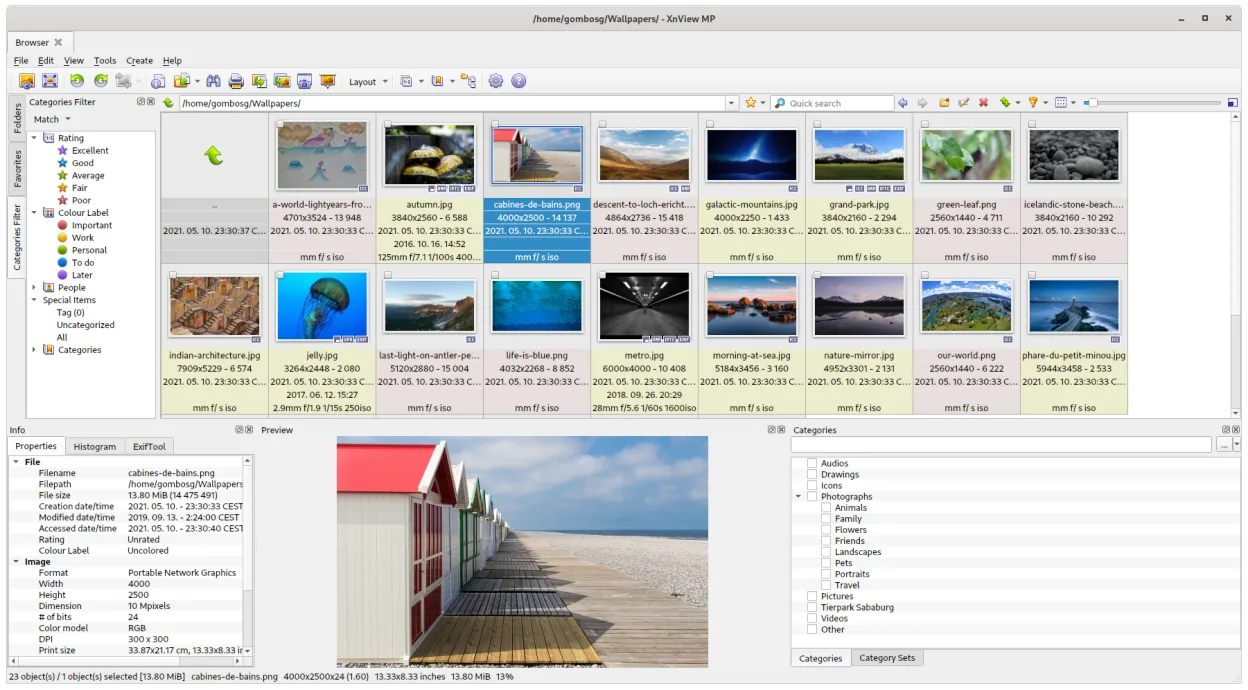
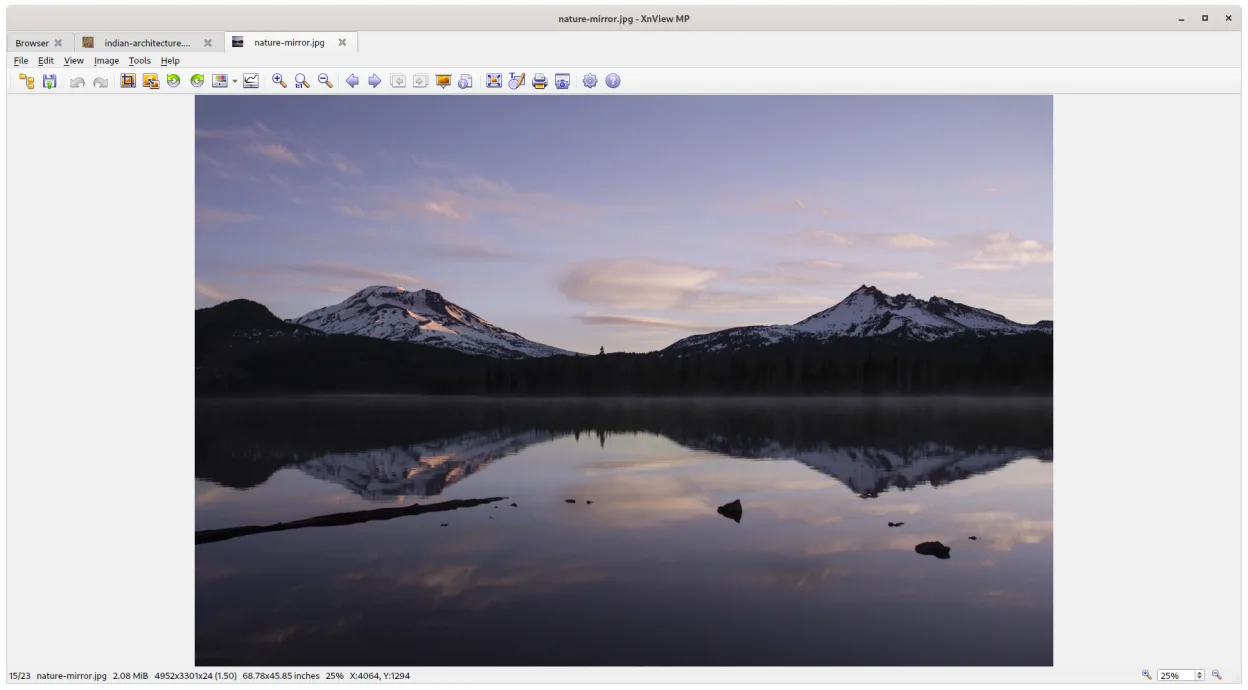
XnView MP started as a Windows viewer and has been ported to Linux via Flathub, where it receives regular updates; the latest release is 1.12.1. It handles viewing, converting, and batch‑processing of hundreds of image formats, making it a solid all‑rounder for photographers and casual users alike.
The program is aimed at anyone who needs to sort large photo collections, perform quick edits, or convert files without opening a heavyweight editor. Its interface mimics classic Windows file‑manager style, so Windows veterans feel immediately at home.
Compared with Ashampoo Photo Commander, XnView MP is lighter, more format‑rich, and offers extensive batch tools. It lacks some of the polish of commercial Windows suites but compensates with speed and a very low learning curve.
Best for: Users who need a quick, reliable viewer and batch converter for many image types.
Key features of XnView MP
- Supports over 500 image formats including RAW, HEIC, and PDF
- Batch resize, rename, and format conversion
- Thumbnail browser with customizable layouts
- Basic editing tools (crop, rotate, colour adjustments)
- Slideshow mode with transition effects
- Metadata viewer and editor
- Portable mode – runs without installation
- Keyboard shortcuts for fast navigation
Pros
- Very wide format support
- Fast thumbnail generation
- Powerful batch processing
- Free for personal use
- Cross‑platform consistency
Cons
- Proprietary license limits source inspection
- Interface feels dated compared with modern GNOME apps
- Some advanced editing features are missing
Windows programs XnView MP replaces
How to install XnView MP on Linux
flatpak install flathub com.xnview.XnViewMPTips for Windows users
Most Windows shortcuts (←/→ arrows, Ctrl+O, Ctrl+S) work the same in XnView MP. Import folders the same way, then use the thumbnail view to drag files into collections. Remember that RAW and HEIC support is built‑in, so you can drop those files directly without extra codecs. For batch jobs, select files, hit F2 to open the batch dialog – the workflow mirrors the Windows version closely.
Recent releases
- 1.12.2 —
- 1.12.1 —
- 1.11.7 —
- 1.11.6 —
XnView MP: frequently asked questions
Can XnView MP read RAW camera files on Linux?
Yes, it supports most RAW formats (CR2, NEF, DNG, etc.) out of the box.
Is there a way to install XnView MP without Flatpak?
Officially only the Flatpak is provided; community packages may exist but are not officially supported.
How do I batch rename files in XnView MP?
Select the files, press F2 or choose Tools → Batch rename, then set the naming pattern and run.
Is XnView MP suitable for professional photo editing?
It handles basic adjustments and conversions well, but for heavy editing you’ll need a dedicated editor like Darktable or GIMP.
Updated