
 LogseqLinux
vs
OneNote for Windows 10Windows
Logseq as a Linux alternative to OneNote for Windows 10
Updated
Our verdict
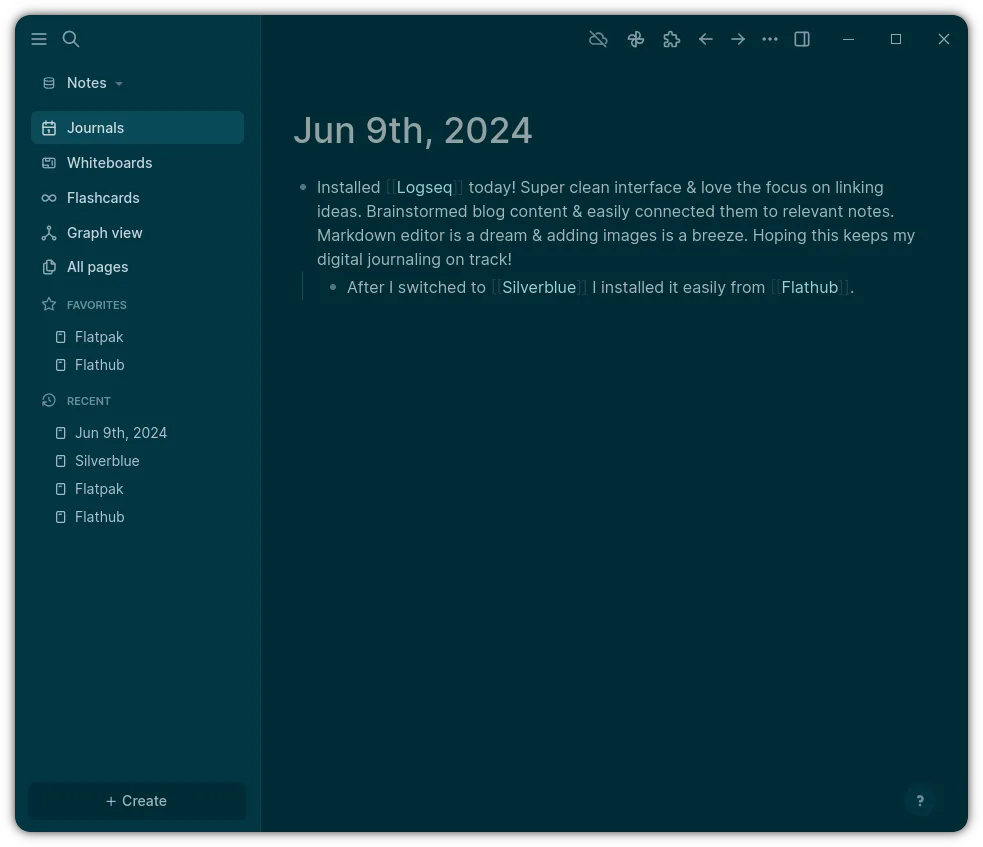
Logseq can be a good replacement for OneNote for Windows 10 if you prioritize text-based, structured note-taking with strong privacy and local control. It handles hierarchical organization and mixed media well, but lacks built-in cloud sync and handwriting support. It suits users who value keyboard workflows, plain text storage, and knowledge linking over touch input and real-time collaboration. If you rely heavily on drawing or seamless multi-user editing, Logseq will feel limited. However, for personal knowledge management with exportability and customization, it's a solid alternative.
- License
- AGPL-3.0-or-later
- Price
- Free
- Latest version
- 0.10.15 (December 5, 2025)
- Rating
- —
What works the same
- Supports hierarchical organization using pages and nested blocks (similar to sections and pages)
- Allows embedding of images and other media within notes
- Offers offline access by default with local file storage
- Provides plain text Markdown export and editing capabilities
- Enables daily journaling and task tracking with agenda views
What is different
- No built-in audio recording or native audio note support
- Lacks handwriting or drawing tools, making it unsuitable for tablet input
- No real-time multi-user collaboration; sharing relies on Git or external sync
- No built-in cloud synchronization—requires manual setup with tools like Syncthing or Git
- User interface is keyboard-focused and text-oriented, less visual than OneNote
Opening your OneNote for Windows 10 files
Logseq cannot open OneNote for Windows 10 files (.one) directly. There is no built-in import converter, and no widely supported toolchain reliably extracts content from .one files into Markdown or Org format. Users must manually copy text, images, and media from OneNote into Logseq. Some third-party tools exist to extract content from OneNote files, but results vary and formatting is often lost. Migration requires exporting notes from OneNote to HTML or PDF first, then re-entering structured content.
Switching from OneNote for Windows 10 to Logseq, step by step
- Export important OneNote pages to HTML or PDF for reference
- Set up a local Logseq graph and choose Markdown as the format
- Manually recreate notebook structure using pages and nested blocks
- Copy and paste text content, then re-embed images into Logseq pages
- Use Git or a sync tool like Syncthing for cross-device access
- Install plugins for calendar integration and theme customization if needed
Key features of Logseq
- Local‑first storage in Markdown/Org files
- Graph view for visualizing connections
- Daily notes and agenda integration
- Keyboard‑centric navigation
- Collaboration via Git or shared folders
- Customizable themes and plugins
How to install Logseq on Linux
flatpak install flathub com.logseq.LogseqFrequently asked questions
Can I sync Logseq across multiple devices like OneNote?
Yes, but not automatically. Use Git, Syncthing, or a cloud folder (e.g., Nextcloud) to sync the local Logseq folder between devices.
Does Logseq support touch or stylus input on Linux tablets?
No. Logseq has no handwriting or drawing support. It’s designed for keyboard and mouse input, not touch-based note-taking.
Can multiple people edit the same Logseq graph at once?
Not in real time. Collaboration works through Git workflows or shared folders, but concurrent edits can cause conflicts without careful version control.
5 other alternatives to OneNote for Windows 10
 JoplinJoplin is an open‑source, cross‑platform note‑taking and to‑do app that stores data in Markdown.Open sourceFreeFlatpakJoplin vs OneNote for Windows 10
 Standard NotesStandard Notes is a cross‑platform, end‑to‑end encrypted notes app that syncs securely across devices.Open sourceFreeFlatpakStandard Notes vs OneNote for Windows 10
 ObsidianObsidian is a markdown‑based knowledge‑base app that stores notes as plain‑text files in a local folder.FlatpakObsidian vs OneNote for Windows 10
 SimplenoteSimplenote is a free, cross‑platform note‑taking app that syncs Markdown notes via the cloud.Open sourceFreeFlatpakSimplenote vs OneNote for Windows 10
 ZettlrZettlr is a fast, open‑source Markdown editor with Zettelkasten and citation support.Open sourceFreeFlatpakZettlr vs OneNote for Windows 10