
Windows · Internet
Best Linux alternatives to Microsoft Teams for Education
Microsoft Teams for Education is a cloud‑based collaboration suite for schools, offering chat, video, file sharing and classroom tools.
Updated
Quick answer
The best Linux alternative to Microsoft Teams for Education is Jitsi Meet. Other strong options: Element, Zulip, Mattermost.
4 Linux alternatives to Microsoft Teams for Education
-

Jitsi Meet is an open-source video conferencing client that connects to any Jitsi server for secure, account-free calls.
Jitsi Meet is a solid replacement for the video conferencing and chat aspects of Microsoft Teams for Education, but it is not a full suite. It excels at secure, account-free video calls with screen sharing, making it ideal for classes that need reliable meetings without corporate bloat. However, it…
Feature parity40% -

Element is an open‑source, matrix‑based chat and video‑conference client for Linux.
Element can replace Microsoft Teams for Education for schools that only need secure chat, persistent rooms and basic video conferencing. It works well on Linux and offers end‑to‑end encryption, unlimited room history and cross‑platform accounts. However, it lacks built‑in classroom tools such as…
Feature parity60% -
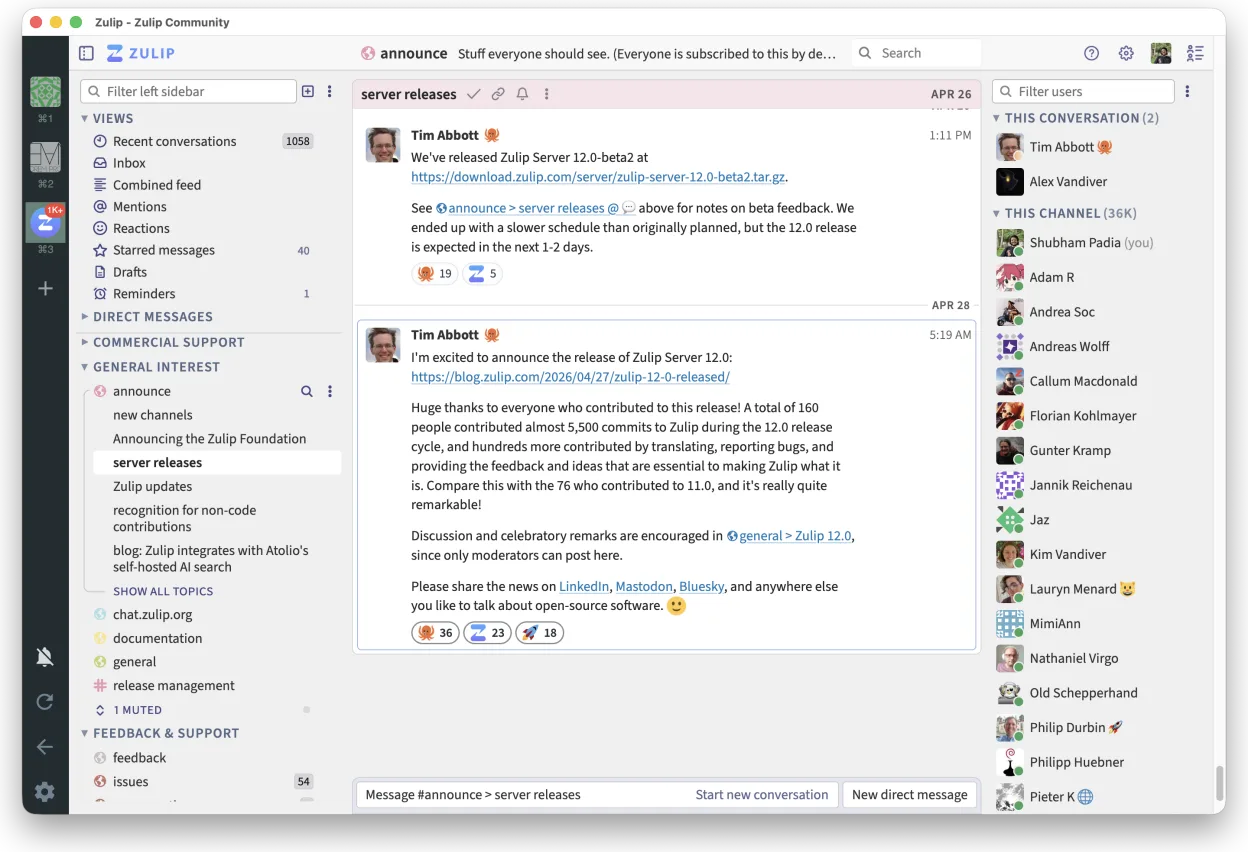
Zulip is an open-source group chat application that uses threaded conversations to manage high-volume team discussions.
Zulip can replace Microsoft Teams for Education for schools that need real‑time chat with threaded discussions and a self‑hosted solution. It works well for teachers and students who use Linux and want a free, open‑source platform. However, it lacks built‑in classroom tools like attendance…
Feature parity70% -

Mattermost is an open-source, self-hosted collaboration platform for developer teams, offering a secure alternative to SaaS tools.
Mattermost can serve as a functional replacement for Microsoft Teams for Education for schools that prefer a self‑hosted, open‑source solution and are comfortable with a more developer‑centric interface. It covers real‑time chat, threaded discussions, video calls with screen sharing, and file…
Feature parity70%


What is Microsoft Teams for Education?
Microsoft Teams for Education is a cloud‑based platform that lets teachers and students collaborate through chat, video calls, shared files and classroom tools. It is part of the Microsoft 365 Education bundle and is used by schools worldwide to replace older tools like Skype for Business. The service is free for educational institutions that meet eligibility criteria, with paid tiers for larger organizations.
The platform is subscription‑based; schools can get it for free through the Microsoft 365 Education plan, or pay for additional storage and advanced features. The cost is bundled with other Microsoft services, so schools often purchase a broader Office 365 license.
Because many schools use Linux on their devices, or want to avoid proprietary Microsoft software, educators look for open‑source alternatives that provide similar chat, video, and file‑sharing capabilities without vendor lock‑in.
What a replacement for Microsoft Teams for Education must do
- Real‑time chat and threaded discussions
- Video conferencing with screen sharing
- Shared document storage and editing
- Classroom management tools (attendance, assignments)
- Integration with learning management systems
- Cross‑platform support (Windows, macOS, Linux, mobile)
Can you run Microsoft Teams for Education on Linux?
There is no native Linux client for Teams for Education; the web app works in modern browsers but lacks some desktop‑only features. Wine or Proton can run the Windows desktop client with limited success, but stability varies. Bottles may provide a more reliable experience, yet it is not officially supported.
Which alternative should you choose?
Jitsi Meet is best for schools that need only video conferencing and basic chat. Element offers end‑to‑end encryption and integration with Matrix, suitable for privacy‑conscious institutions. Zulip provides topic‑based threaded discussions and is good for structured classroom discussions. Mattermost offers a self‑hosted, Slack‑like interface with strong admin controls for larger schools.
Moving your Microsoft Teams for Education files and habits
Exporting data from Teams is limited; you can download chat history and files via the Microsoft Graph API or the Teams web interface. Files are stored in OneDrive or SharePoint, so moving them to a Linux alternative requires manual download or using a sync client. Compatibility of documents depends on format; Office files can be opened with LibreOffice or Microsoft Office Online. There is no automated migration tool for full classroom data.
Side-by-side comparison
| App | License | Flatpak | Latest version | Feature parity | Rating |
|---|---|---|---|---|---|
| Jitsi Meet | Apache-2.0 | ✓ | 2026.8.0 | 40% | — |
| Element | AGPL-3.0-only OR… | ✓ | 1.12.32 | 60% | — |
| Zulip | Apache-2.0 | ✓ | 5.13.2 | 70% | — |
| Mattermost | Apache-2.0 | ✓ | 6.3.1 | 70% | — |
Microsoft Teams for Education: frequently asked questions
Is Teams for Education free?
Yes, eligible schools can get it for free through the Microsoft 365 Education plan, though paid tiers exist for larger needs.
Can I use Teams on Linux?
Only the web version is available; there is no official native Linux client.
What data can I export from Teams?
You can export chat history, files, and meeting recordings via the Teams web interface or Microsoft Graph API.
Do Linux alternatives support video calls?
Yes, Jitsi Meet, Element, Zulip, and Mattermost all provide video conferencing features, though capabilities vary.
How important is Microsoft Teams for Education to you?
Know a better alternative? Suggest an alternative