

Windows · Graphics
Best Linux alternatives to Picasa
Picasa was a free, discontinued photo organizer and editor that many Linux users now replace with open-source tools like digiKam or Shotwell.
Updated
Quick answer
The best Linux alternative to Picasa is Shotwell. Other strong options: digiKam, F-Spot, Picasa.
4 Linux alternatives to Picasa
-
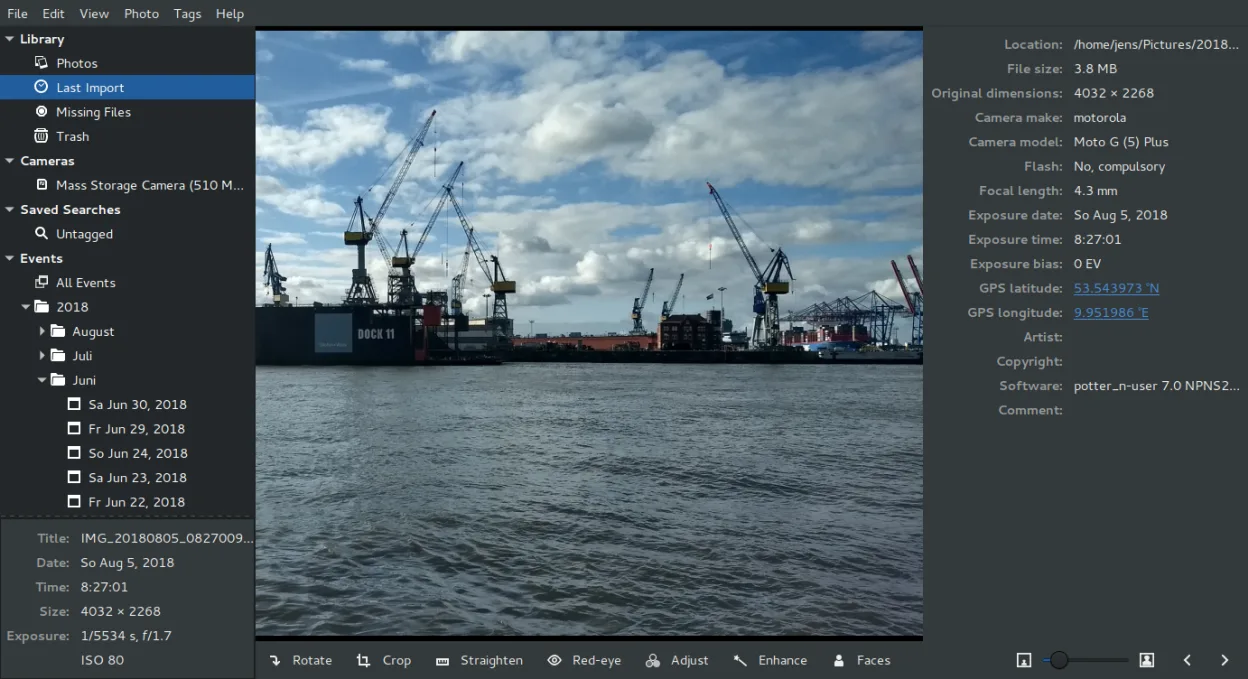
Shotwell is a GNOME photo manager for importing, organizing, and lightly editing images.
Shotwell is a solid replacement for Picasa for users who need a lightweight, GNOME‑centric photo manager with basic editing and batch handling. It covers most everyday tasks: import, date‑based organization, tagging, rating, non‑destructive crop and color tweaks, and fast viewing. It is ideal for…
Feature parity80% -
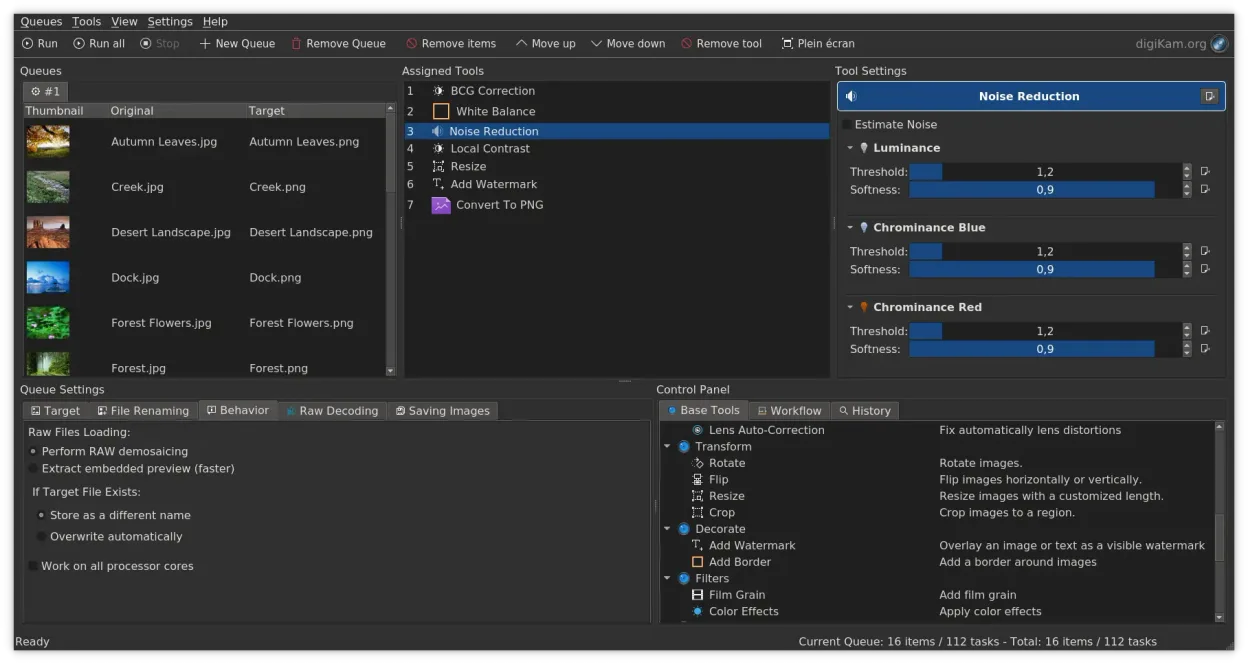
digiKam is a comprehensive KDE photo manager for organizing, tagging, and editing digital photos with strong RAW support.
digiKam is a solid replacement for Picasa for users who need a folder‑based workflow, basic editing, batch operations and metadata handling. It offers far more depth than Picasa in RAW support, tagging and search, but its interface is richer and may feel heavier for those who only wanted a quick…
Feature parity78% -

F-Spot is a discontinued GNOME photo organizer with basic editing features.
F‑Spot can serve as a basic replacement for Picasa for users who only need local folder organization, simple edits, and tagging. It covers the core tasks of importing, rating, and basic adjustments, but lacks advanced features like batch renaming, sophisticated face recognition, and fast preview of…
Feature parity55% -

Picasa was a discontinued cross‑platform photo organizer and viewer, once popular on Windows and run on Linux via Wine.
Picasa is not a native Linux application; it runs under Wine or via a legacy installer, so it isn’t a true replacement. For Linux users who need a local folder‑based organizer with basic editing, digiKam or Shotwell are more appropriate. digiKam offers advanced tagging, face recognition…
Feature parity60%




What is Picasa?
Picasa served as a primary tool for hobbyists and casual photographers to organize, view, and lightly edit their digital photo libraries. It handled everything from basic cropping and red-eye removal to complex batch renaming and face grouping. Users relied on it to keep large collections of family photos and travel shots accessible without needing professional-grade editing software.
The application was originally developed by a company called Lifeescape and later acquired by Google. It remained completely free for end-users throughout its lifecycle, with no subscription fees or premium tiers. Its business model relied on driving traffic to Google's Picasa Web Albums service, which allowed users to share their organized photos online directly from the desktop client.
People search for Linux alternatives because Google officially discontinued Picasa in 2016, ending support for all platforms. While the software still runs on Windows, its web backing is gone, and it lacks modern security updates. For Linux users, finding a native replacement is essential to maintain their photo workflows without relying on outdated Windows binaries or web-only solutions that lack local file management capabilities.
What a replacement for Picasa must do
- Local folder-based organization
- Basic photo editing tools
- Batch renaming and processing
- Face recognition or tagging
- Fast image viewer
- Metadata editing support
Can you run Picasa on Linux?
Picasa did not have a native Linux version during its active life; it was primarily a Windows application with a Mac port added later. You cannot run the official installer on Linux. While some users have attempted to run it via Wine, compatibility is often poor and unstable, especially with newer versions of the Windows runtime. It is not recommended to rely on Wine for a core photo management tool when stable native alternatives exist.
Which alternative should you choose?
If you need a powerful, all-in-one solution that closely mirrors Picasa's depth, digiKam is the best choice, offering advanced editing, face detection, and database management. For users who just want a simple, lightweight viewer and organizer without complex features, Shotwell is ideal and comes pre-installed on many distributions. F-Spot is an older option that is largely unmaintained, so it is generally not recommended for new setups. If you are already heavily invested in the Picasa ecosystem, note that the app itself is listed as an alternative only in the sense that it might still be running via Wine on some legacy systems, but it is not a native Linux solution.
Moving your Picasa files and habits
Migration is straightforward because Picasa stored photos in standard folders using the .picasa.ini file for metadata. To move to a new Linux tool, you simply point the new application at your existing photo folders. Most modern Linux photo managers can read standard EXIF and IPTC data, so your basic captions and dates will transfer automatically. However, Picasa-specific edits stored in sidecar files may not be perfectly replicated, so it is wise to export any heavily edited images as JPEGs before switching.
Side-by-side comparison
Picasa: frequently asked questions
Can I still use Picasa on Linux?
No, there is no native Linux version. Running it via Wine is possible but unreliable and not recommended for daily use.
Which Linux app is closest to Picasa?
digiKam is the closest functional equivalent, offering similar organization, editing, and face detection features.
Will my Picasa edits transfer to a new app?
Basic metadata like dates and captions will transfer via EXIF. Specific Picasa edits stored in .picasa.ini files may not carry over perfectly.
Is Shotwell enough for large photo libraries?
Shotwell is lightweight and good for small to medium libraries, but digiKam handles very large collections more efficiently with better search capabilities.
How important is Picasa to you?
Know a better alternative? Suggest an alternative