
 PiTiViLinux
vs
Premiere ProWindows
PiTiVi as a Linux alternative to Premiere Pro
Updated
Our verdict
PiTiVi is not a direct replacement for Premiere Pro for professional users. It works well for hobbyists or light semi-professional editing on Linux, offering clean timeline editing, basic color adjustments, and solid format support via GStreamer. However, it lacks advanced features like professional color grading, multi-cam editing, and robust audio tools. If you need fast, simple cuts and transitions with a lightweight, open-source tool, PiTiVi is usable. But for complex workflows, effects, or studio-grade output, it falls short.
- License
- LGPL-2.0+
- Price
- Free
- Latest version
- 2023.03 (March 26, 2023)
- Rating
- —
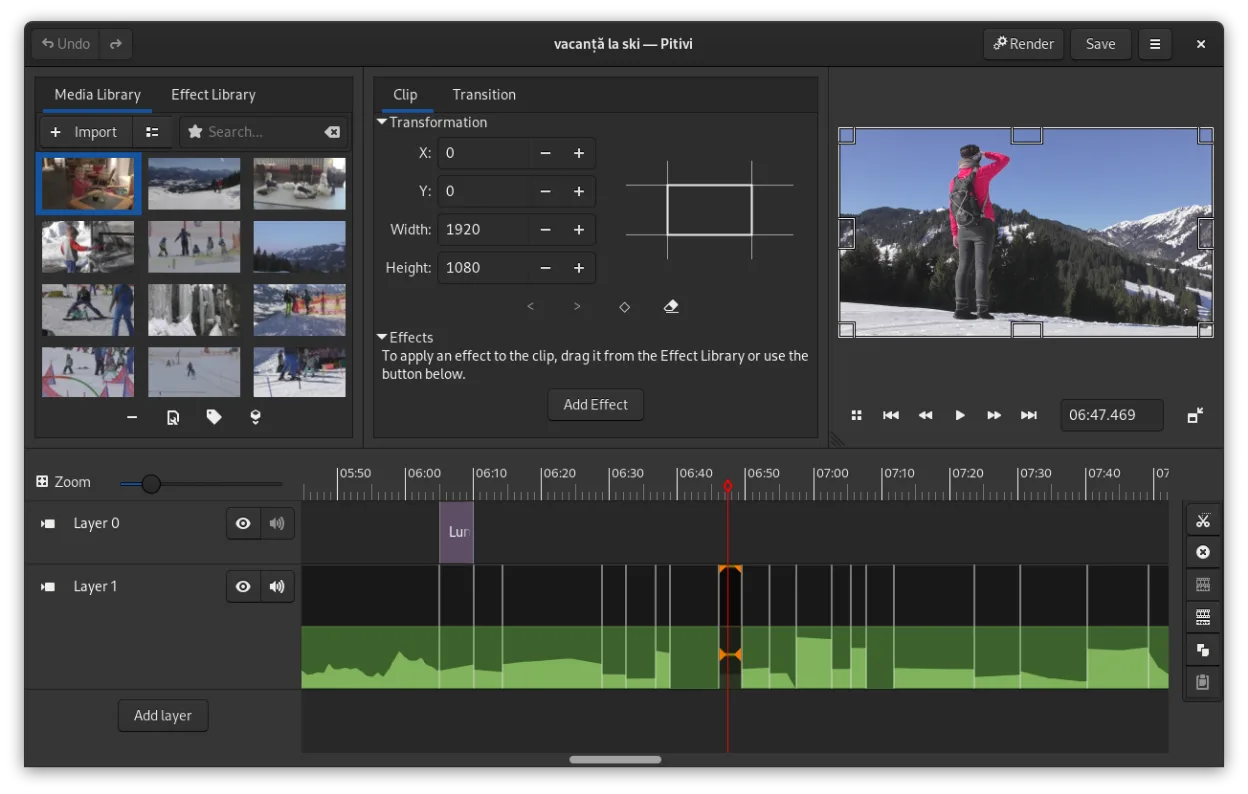
What works the same
- Non-linear, multi-track timeline editing
- Supports a wide range of video formats through GStreamer
- Keyframe animation for effects and filters
- Crossfades and standard video transitions
- Customizable interface with detachable panels
What is different
- No professional color grading tools like Lumetri
- Limited audio mixing and no advanced sync features
- No plugin ecosystem comparable to Adobe's
- Lacks multi-cam editing and advanced export presets
- Fewer keyboard shortcuts and less interface customization
Opening your Premiere Pro files
PiTiVi cannot open Premiere Pro project files (.prproj). There is no direct import support, and no known third-party tools reliably convert them. You would need to export media and edits from Premiere Pro as intermediate files or sequences, then import those clips into PiTiVi manually. Exported videos from PiTiVi can be saved in common formats (MP4, WebM, etc.), but broadcast-specific presets and metadata handling are limited.
Switching from Premiere Pro to PiTiVi, step by step
- Export your source media from Premiere Pro projects
- Organize clips and assets in a shared directory
- Import media into PiTiVi and rebuild the timeline
- Use keyframes and transitions for basic effects
- Render using custom presets for target format
Key features of PiTiVi
- Non-linear editing with a framerate-independent timeline
- Supports any format handled by GStreamer
- Keyframe animation for effects and filters
- Ripple and roll editing for efficient timeline adjustments
- Custom aspect ratios, framerates, and render presets
- Crossfades and SMPTE-standard transitions
- Detachable UI panels for multi-monitor setups
- Non-modal editing workflow with playhead-centric design
How to install PiTiVi on Linux
flatpak install flathub org.pitivi.Pitivisudo apt install pitivisudo apt install pitivisudo dnf install pitivisudo pacman -S pitivisudo zypper install pitiviFrequently asked questions
Can PiTiVi handle 4K video editing?
Yes, PiTiVi can edit 4K footage if your system has enough RAM and a capable GPU. Performance depends on GStreamer's ability to decode the codec and your hardware.
Does PiTiVi support VST plugins?
No, PiTiVi does not support VST or other third-party audio plugins. Audio effects are limited to those provided by GStreamer.
Is PiTiVi actively developed?
Yes, PiTiVi is under active development, with the latest stable release in March 2023 and ongoing updates from the GNOME and open-source community.
4 other alternatives to Premiere Pro
 KdenliveKdenlive is a free, feature‑rich non‑linear video editor built on the MLT framework.Open sourceFreeFlatpakKdenlive vs Premiere Pro
 ShotcutShotcut is a free, open-source video editor for Linux with support for a wide range of formats via FFmpeg.Open sourceFreeFlatpakShotcut vs Premiere Pro
 OpenShotOpenShot is a free, open-source, non-linear video editor for Linux and other platforms, built with Python and…Open sourceFreeFlatpakOpenShot vs Premiere Pro
 BlenderBlender is a free, open-source 3D suite for modeling, animation, rendering, and video editing.Open sourceFreeFlatpakBlender vs Premiere Pro