
Windows · System Tools
Best Linux alternatives to Process Hacker
A system monitor and process manager for detailed insights into processes, threads, and performance.
Updated
Quick answer
The best Linux alternative to Process Hacker is System Monitoring Center. Other strong options: htop, btop, GNOME System Monitor.
5 Linux alternatives to Process Hacker
-
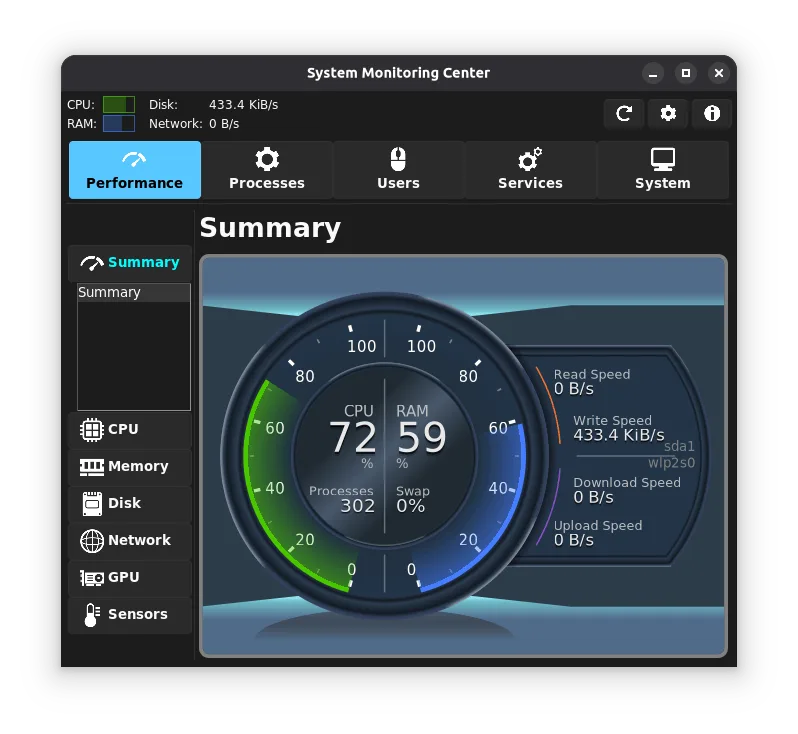
System Monitoring Center is a low‑resource, multi‑feature monitor for CPU, RAM, disk, network, and GPU, with process and service control.
System Monitoring Center is a solid alternative for users who prioritize low resource usage and clean visuals over deep forensic inspection. It handles real-time CPU, RAM, disk, and network monitoring well, with interactive charts that make spotting spikes easy. However, it lacks the granular…
Feature parity65% -
htop is an interactive process viewer for Unix-like systems, replacing the older top command with a more user-friendly interface.
htop is a solid, lightweight replacement for basic Process Hacker tasks like monitoring CPU, memory, and managing processes. It handles real-time metrics and process control well, making it suitable for users who primarily need to check system health and kill runaway processes. However, it lacks…
Feature parity65% -
btop is a terminal-based system monitor that visualises CPU, memory, disk, and network usage in real time.
btop is a strong terminal-based alternative for monitoring CPU, memory, and processes, but it is not a full replacement for Process Hacker. It handles real-time metrics and basic process management well, but lacks deep inspection tools like viewing open files, network connection details, or…
Feature parity60% -
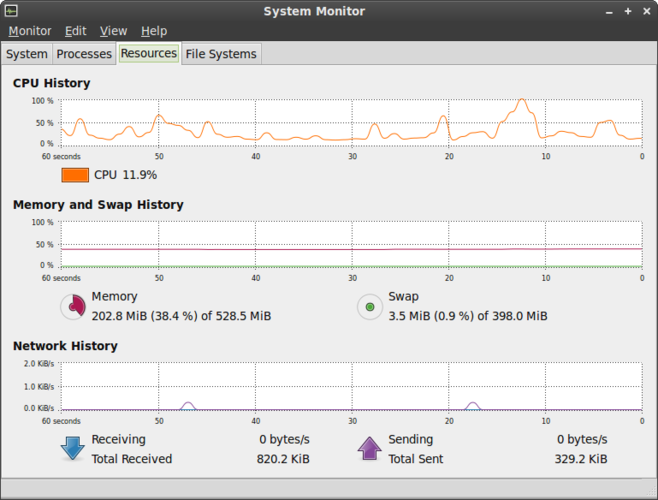
GNOME System Monitor is the standard Linux utility for viewing running processes, CPU, memory, and system resource usage.
GNOME System Monitor is a solid, lightweight replacement for basic Process Hacker needs, especially if you prefer a clean, integrated desktop experience. It handles standard process listing, CPU/memory monitoring, and killing tasks effectively. However, it lacks the deep forensic capabilities of…
Feature parity65% -
A command-line utility that lists open files and associated processes, providing detailed system resource visibility.
lsof is not a direct replacement for Process Hacker. It is a command-line tool specifically for listing open files, whereas Process Hacker is a full-featured GUI system monitor. If you only need to identify which process holds a specific file or network port, lsof is excellent and faster. However…
Feature parity25%


What is Process Hacker?
Process Hacker is a system monitor and process manager used by power users and developers to inspect running processes, threads, and system performance. It provides detailed insights that standard task managers often hide, making it valuable for troubleshooting complex system issues or monitoring resource usage in depth. The tool is popular among those who need granular control over their operating system's behavior.
The software is generally available as a free, open-source utility. This means there are no licensing fees for individual or commercial use. The project is maintained by a community of developers who contribute code and fixes, ensuring it remains accessible to anyone who needs advanced system monitoring capabilities without paying for proprietary software.
Users look for a Linux alternative because Process Hacker is designed specifically for Windows. While it is a powerful tool, it does not run natively on Linux. Users migrating to Linux need a tool that can read Linux-specific system files and interfaces to provide similar visibility into processes and resources. The Linux ecosystem has several strong options that offer comparable or even superior functionality for system monitoring.
What a replacement for Process Hacker must do
- View detailed process and thread information
- Monitor CPU and memory usage in real time
- Inspect open files and network connections
- Manage processes (kill, suspend, priority)
- Display system performance metrics
- Provide a user-friendly interface for complex data
Can you run Process Hacker on Linux?
Process Hacker is a Windows-only application. There is no native Linux version. It is unlikely to run well under Wine or Proton because it relies heavily on Windows-specific APIs for system monitoring. You should not expect it to function correctly in a compatibility layer. Instead, you should use native Linux tools designed to read the Linux kernel's process information.
Which alternative should you choose?
For a quick, terminal-based view, use htop or btop. btop offers a more modern, colorful interface and is often preferred for its visual clarity. If you prefer a graphical interface, GNOME System Monitor is a solid choice for general users. For advanced users who need to inspect specific file descriptors or network sockets, lsof is an essential command-line tool. System Monitoring Center is another option if you want a dedicated GUI application for system stats.
Moving your Process Hacker files and habits
There is no data to export or migrate. Process Hacker is a monitoring tool, not a data storage application. It does not save logs or configurations that need to be transferred. You simply install the Linux equivalent and start using it. No file format conversion is necessary because the data is generated in real-time from the operating system.
Side-by-side comparison
| App | License | Flatpak | Latest version | Feature parity | Rating |
|---|---|---|---|---|---|
| System Monitoring Center | GPL-3.0 | ✓ | 3.5.0 | 65% | — |
| htop | GPL-2.0 | — | 3.5.3 | 65% | — |
| btop | GPL-3.0 | — | 1.4.8 | 60% | — |
| GNOME System Monitor | GPL-2.0 | — | 51.1 | 65% | 5/5 |
| lsof | BSD-2-Clause | — | 4.99.7 | 25% | — |
Process Hacker: frequently asked questions
Can I run Process Hacker with Wine?
It is not recommended. The tool relies on Windows-specific system calls that Wine may not fully support or emulate correctly for real-time monitoring. Native Linux tools are more reliable.
Which tool is best for monitoring network connections?
lsof is excellent for listing open files and network connections from the command line. For a graphical view, GNOME System Monitor or btop can also show network activity.
Is htop better than btop?
Both are excellent. htop is lightweight and widely available. btop has a more modern look and additional features like a built-in editor. Choose based on your preference for simplicity or visual detail.
Do I need root access to use these tools?
Basic monitoring usually does not require root. However, to inspect processes owned by other users or to kill them, you may need elevated privileges.
How important is Process Hacker to you?
Know a better alternative? Suggest an alternative