
Windows · Office
Best Linux alternatives to Microsoft OneNote
Microsoft OneNote is a free‑form note‑taking app that stores notebooks, sections and pages, and syncs them across devices via the cloud.
Updated
Quick answer
The best Linux alternative to Microsoft OneNote is Joplin. Other strong options: Standard Notes, Zettlr, Obsidian.
6 Linux alternatives to Microsoft OneNote
-

Joplin is an open‑source, cross‑platform note‑taking and to‑do app that stores data in Markdown.
Joplin can serve as a solid OneNote replacement for users who are comfortable with Markdown and don’t need real‑time multi‑user collaboration. It covers the core notebook‑section‑page hierarchy, rich media embedding, offline access and cross‑device sync, all without a proprietary cloud. Power users…
Feature parity70% -
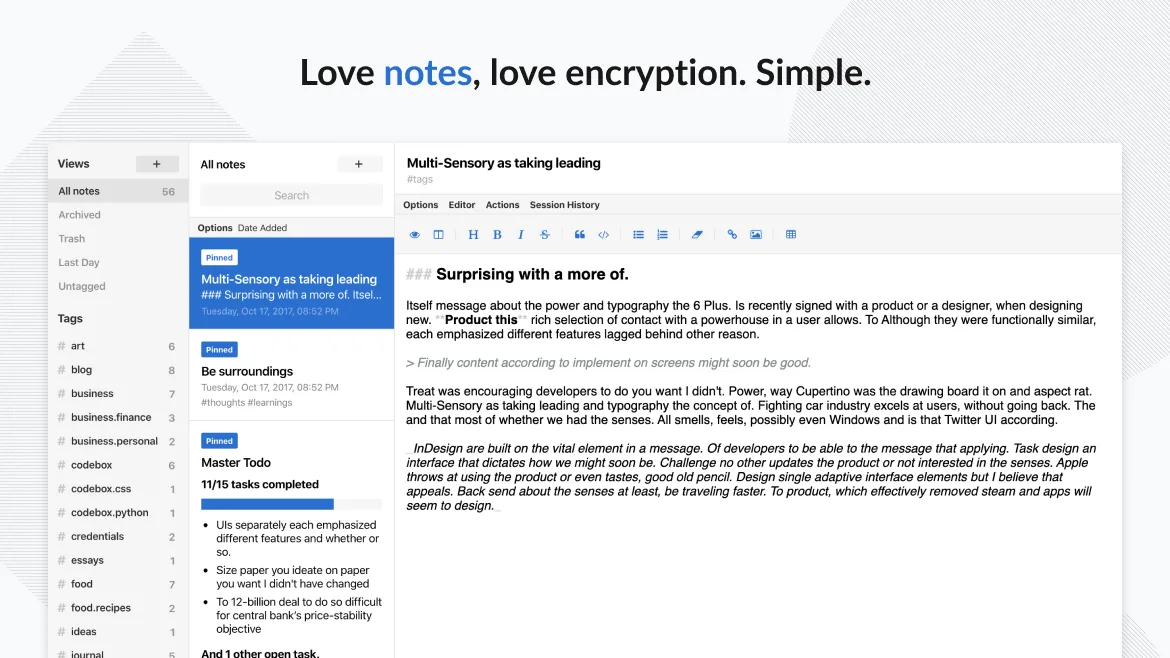
Standard Notes is a cross‑platform, end‑to‑end encrypted notes app that syncs securely across devices.
Standard Notes can replace OneNote for users who need plain text notes, tagging, and strong privacy. It works well on Linux and syncs securely, but it lacks the rich‑media handling, notebook/section hierarchy, and real‑time collaboration that many OneNote users rely on. If you mainly write text…
Feature parity55% -
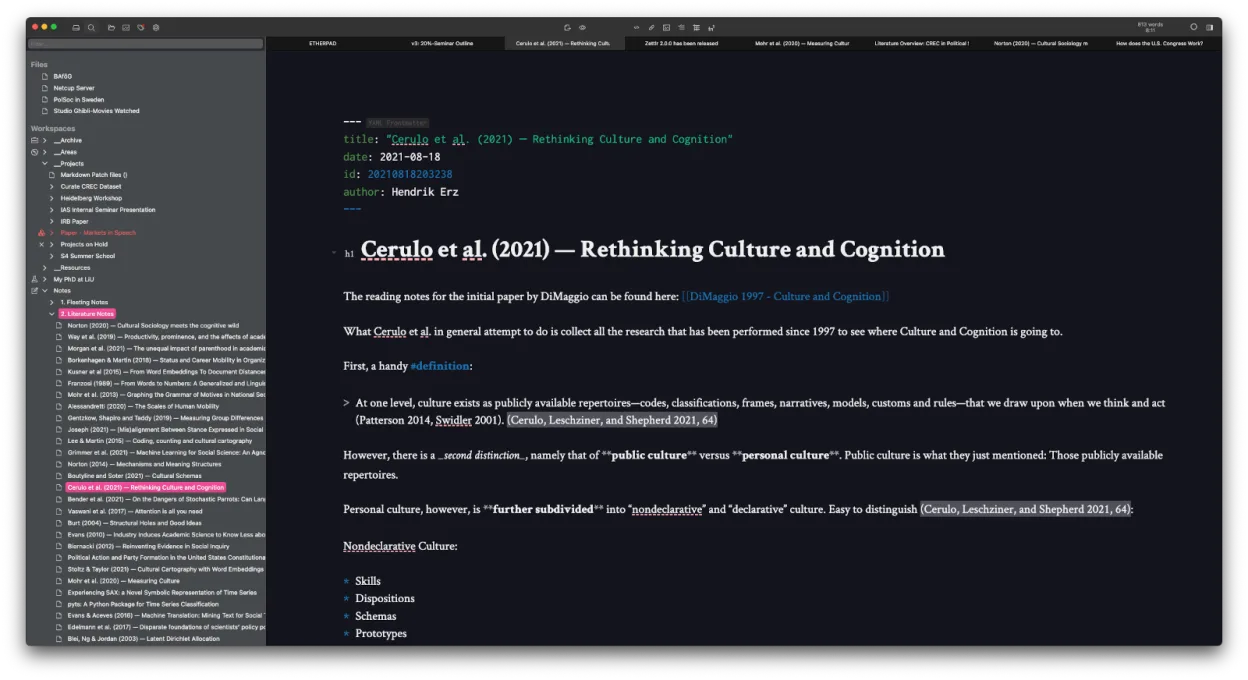
Zettlr is a fast, open‑source Markdown editor with Zettelkasten and citation support.
Zettlr can replace Microsoft OneNote for users who prefer Markdown and file‑based workflows, especially researchers and writers who need citation integration and Zettelkasten linking. It is not a drop‑in replacement for casual note‑taking with rich media or tight cloud sync.
Feature parity45% -

Obsidian is a markdown‑based knowledge‑base app that stores notes as plain‑text files in a local folder.
Obsidian can replace Microsoft OneNote for users who prioritize plain-text markdown notes, local storage, and knowledge linking over rich formatting and real-time collaboration. It excels at organizing interconnected ideas and works well offline, but lacks built-in audio recording, drawing tools…
Feature parity65% -
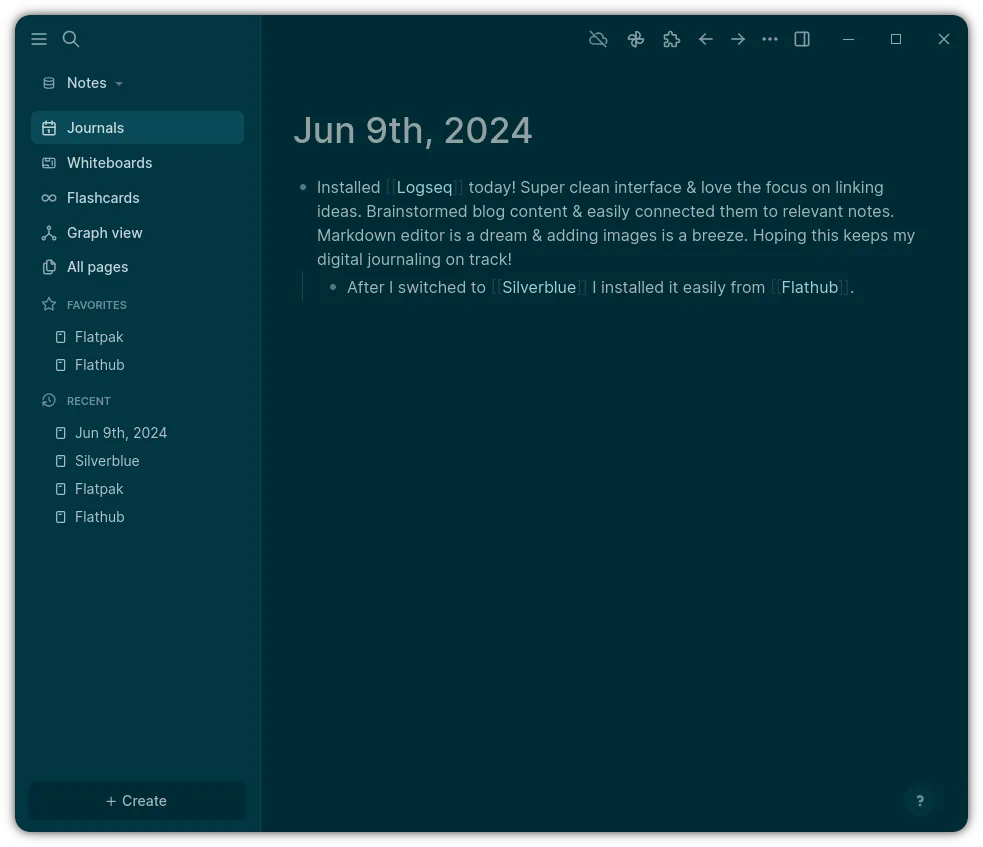
Logseq is a local‑first, non‑linear knowledge base tool that stores notes as plain text Markdown or Org files.
Logseq is a good replacement for Microsoft OneNote only if you prioritize plain text, local storage, and structured knowledge over rich media and seamless collaboration. It excels for users who want full control over their data and prefer keyboard-driven, non-linear note-taking. However, it lacks…
Feature parity55% -

Simplenote is a free, cross‑platform note‑taking app that syncs Markdown notes via the cloud.
Simplenote is a lightweight, Markdown-based alternative that covers basic note-taking and sync needs but lacks OneNote's structured hierarchy. It is a good replacement for users who prefer flat, text-centric notes over complex notebooks with embedded media. However, it is not suitable for heavy…
Feature parity45%




What is Microsoft OneNote?
Microsoft OneNote lets users create notebooks, add sections and pages, and embed text, images, drawings, and audio. It is popular among students, professionals and teams who need a flexible, cloud‑based workspace that can be accessed from Windows, macOS, iOS, Android and the web.
The software is free to download on all platforms, but a Microsoft 365 subscription unlocks additional features such as larger storage and advanced collaboration tools. OneNote is part of the Office suite and can also be bought as a one‑time Office package.
Many Linux users look for a replacement because they want a native application that can read and write OneNote files, or because they prefer open‑source tools that run without the Microsoft ecosystem.
What a replacement for Microsoft OneNote must do
- Create notebooks, sections, pages
- Insert text, images, audio, drawings
- Sync across devices via cloud
- Export and import standard formats (e.g., .one, .pdf, .docx)
- Collaborate with others
- Search and tag notes
- Work offline
Can you run Microsoft OneNote on Linux?
There is no official native Linux client for OneNote. The web version works in any browser, but it lacks some desktop features. Users can run the Windows version under Wine or Proton, but stability varies and some features (e.g., audio recording) may not work reliably. No official Bottles recipe exists.
Which alternative should you choose?
Joplin is good for users who want a full‑featured, open‑source app that can sync with OneDrive or other services. Standard Notes offers strong encryption for privacy‑conscious users. Zettlr and Obsidian are ideal for writers who prefer Markdown and advanced linking. Logseq is suited for knowledge‑workers who need graph‑based organization. Simplenote is best for those who want a lightweight, straightforward note‑taking experience.
Moving your Microsoft OneNote files and habits
OneNote stores data in .one files. The easiest way to migrate is to export notebooks as PDF or HTML from OneNote and then import those files into the chosen Linux app. Some tools, like Joplin, can import .one files directly via a plugin, but the conversion may lose formatting or embedded media.
Side-by-side comparison
| App | License | Flatpak | Latest version | Feature parity | Rating |
|---|---|---|---|---|---|
| Joplin | AGPL-3.0-or-later | ✓ | 3.7.21 | 70% | — |
| Standard Notes | AGPL-3.0-only | ✓ | 3.202.10 | 55% | — |
| Zettlr | GPL-3.0-or-later | ✓ | 4.8.0 | 45% | — |
| Obsidian | LicenseRef-proprietary=https… | ✓ | 1.14.4 | 65% | — |
| Logseq | AGPL-3.0-or-later | ✓ | 0.10.15 | 55% | — |
| Simplenote | GPL-2.0-only | ✓ | 2.24.0 | 45% | — |
Microsoft OneNote: frequently asked questions
Can I use OneNote on Linux without a Windows installation?
Only the web version is available; it does not support all desktop features.
Will my OneNote notebooks sync with a Linux alternative?
Some alternatives, such as Joplin, support syncing with OneDrive or other cloud services, but they do not sync directly with OneNote’s proprietary format.
Is there a way to keep the .one file format?
You can export to PDF or HTML, but native .one support on Linux is not available.
Do I need a Microsoft account to use OneNote on Linux?
If you use the web version, a Microsoft account is required for sync; otherwise you can work offline in a browser.
How important is Microsoft OneNote to you?
Know a better alternative? Suggest an alternative