
 TigerVNC ViewerLinux
vs
Windows Remote AssistanceWindows
TigerVNC ViewerLinux
vs
Windows Remote AssistanceWindows
TigerVNC Viewer as a Linux alternative to Windows Remote Assistance
Updated
Our verdict
TigerVNC Viewer can replace Windows Remote Assistance for remote desktop support, but with caveats. It provides secure, encrypted remote control and cross-platform access, making it suitable for technical users helping others. However, it lacks built-in user consent prompts and NAT traversal tools, requiring manual setup. It works best when both parties are on the same network or have port forwarding configured. For non-technical users or those needing quick, firewall-friendly help sessions, it’s less ideal. Use it if you control the network or set up the remote machine yourself.
- License
- GPL-2.0-or-later
- Price
- Free
- Latest version
- 1.14.0 (July 24, 2024)
- Rating
- —
What works the same
- Allows remote desktop viewing and control
- Supports encrypted connections via TLS
- Enables clipboard sharing between local and remote systems
- Available on multiple platforms including Linux, Windows, and macOS
- Offers configurable display settings like scaling and color depth
What is different
- TigerVNC requires a VNC server pre-installed and running on the remote machine, unlike Windows Remote Assistance which initiates on demand
- No built-in mechanism for user consent or invitation links
- No automatic firewall or NAT traversal; manual port forwarding often needed
- Lacks integration with Windows Help features or user session handoff
- Does not support .msrcincident files used by Windows Remote Assistance
Opening your Windows Remote Assistance files
TigerVNC Viewer cannot open .msrcincident files, which are used by Windows Remote Assistance to initiate sessions. These files contain connection metadata and encryption keys specific to the Windows Remote Assistance protocol. TigerVNC uses its own connection method based on VNC server addresses and passwords or TLS certificates. There is no tool to convert .msrcincident files for use with TigerVNC. Users must establish connections manually via IP address and port.
Switching from Windows Remote Assistance to TigerVNC Viewer, step by step
- Install a VNC server (like TigerVNC or x11vnc) on the remote Linux machine
- Configure the server to start securely with a password and TLS if possible
- Open the necessary port (usually 5900+) on the remote firewall and router if behind NAT
- Share the IP address and port with the helper
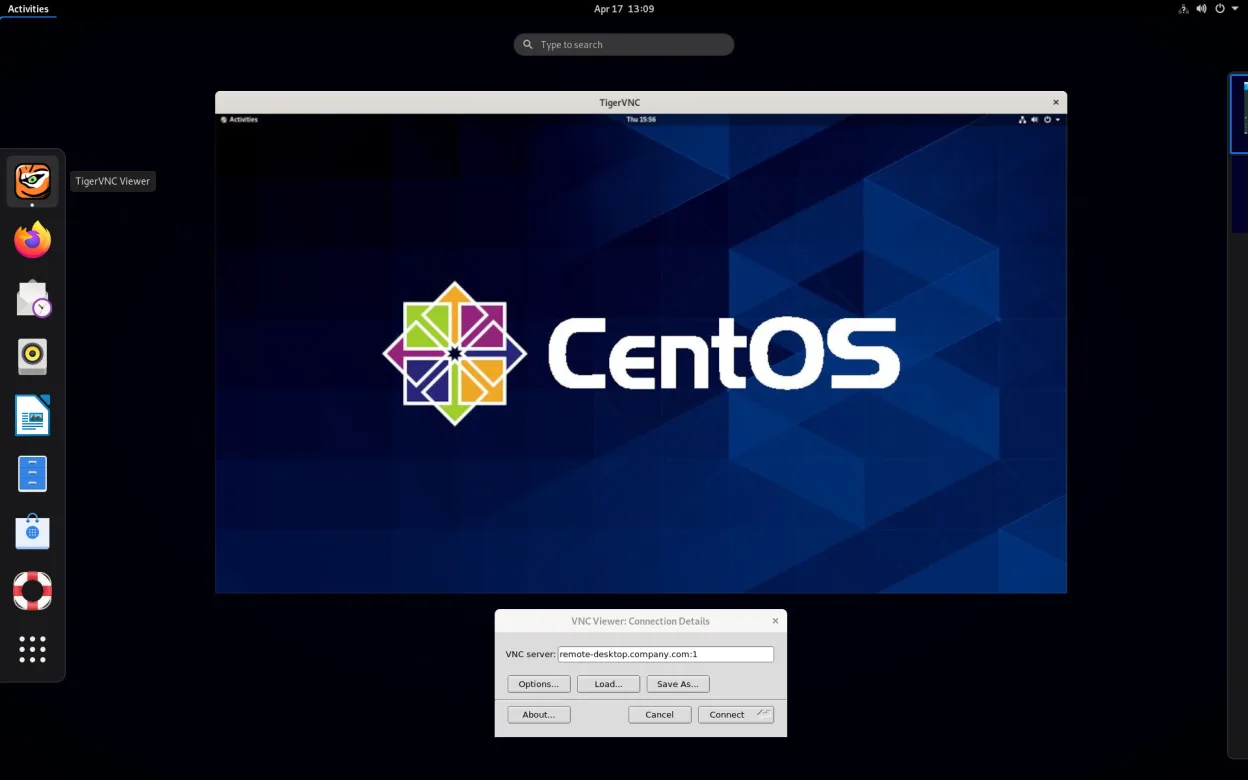
- On the local machine, launch TigerVNC Viewer and connect using the remote IP:port
Key features of TigerVNC Viewer
- Supports Tight encoding accelerated by libjpeg‑turbo
- TLS encryption for secure sessions
- Clipboard sharing between local and remote
- Multi‑monitor handling
- Configurable scaling and color depth
- Keyboard layout translation
- Cross‑platform client (Linux, Windows, macOS)
- Command‑line options for scripting
How to install TigerVNC Viewer on Linux
flatpak install flathub org.tigervnc.vncviewersudo apt install tigervncsudo apt install tigervncsudo dnf install tigervncsudo pacman -S tigervncsudo zypper install tigervncFrequently asked questions
Can I use TigerVNC Viewer to help a Windows user like with Windows Remote Assistance?
Only if the Windows machine runs a VNC server. TigerVNC can't connect to Windows Remote Assistance directly. The remote user must install and configure VNC software first, which is harder for non-technical people.
Is the connection secure with TigerVNC Viewer?
Yes, if configured with TLS encryption. By default, VNC connections may use password-only protection, which is less secure. Enable TLS in the server settings to match the encryption level of Windows Remote Assistance.
Can the remote user see when someone connects via TigerVNC?
Yes, if the VNC server is running on the user's desktop session. The screen will show the incoming connection, but there's no built-in prompt to accept or reject it unless the server supports such a feature.
5 other alternatives to Windows Remote Assistance
 RemminaRemmina is a Linux remote desktop client supporting RDP, VNC, SSH, and X2Go for connecting to remote systems…Open sourceFreeFlatpakRemmina vs Windows Remote Assistance
 NoMachine PlayerNoMachine Player is a proprietary remote desktop client that connects to Linux, Windows, or macOS hosts…FlatpakNoMachine Player vs Windows Remote AssistanceFreeRDPFreeRDP is an open-source implementation of the Remote Desktop Protocol, allowing you to connect to Windows…Open sourceFreeFreeRDP vs Windows Remote Assistance
 KRDCKRDC is a KDE remote desktop client that connects to Windows or Linux machines via RDP or VNC.Open sourceFreeFlatpakKRDC vs Windows Remote Assistance
 VinagreVinagre is a GNOME remote‑desktop viewer for VNC, RDP, SSH and SPICE, now discontinued.Open sourceFreeDiscontinuedVinagre vs Windows Remote Assistance