
Windows · Programming
Best Linux alternatives to Visual Studio Code
VS Code is a free, open-source code editor with a vast extension ecosystem, available natively on Linux.
Updated
Quick answer
The best Linux alternative to Visual Studio Code is Sublime Text. Other strong options: Geany, Kate, Vim.
5 Linux alternatives to Visual Studio Code
-

Sublime Text is a lightweight, fast source code editor with a minimal interface and powerful extensibility.
Sublime Text can replace Visual Studio Code for developers who value speed, a minimal UI, and powerful text‑editing features, but it lacks the deep integrated debugging, built‑in Git UI, and the massive extension marketplace that VS Code provides. If you mainly need a fast editor with multiple…
Feature parity68% -
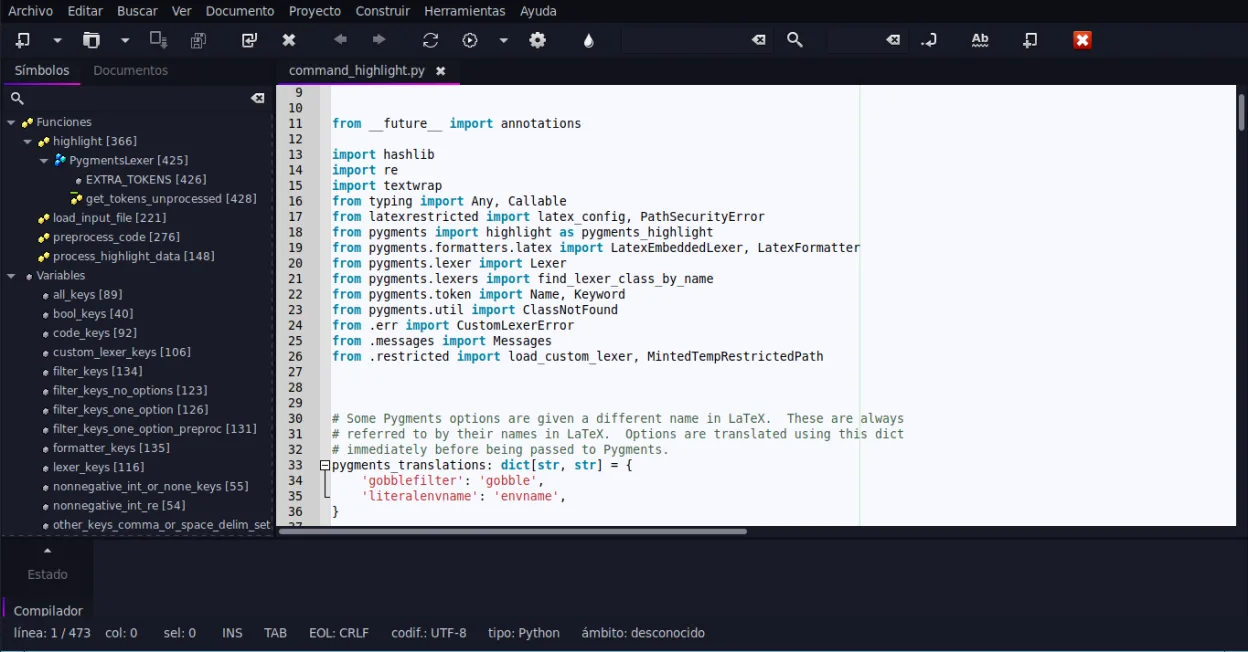
Geany is a lightweight, fast IDE that supports many languages and plugins out of the box.
Geany is a solid replacement for VS Code if you prioritize speed and low resource usage over a massive plugin ecosystem. It handles syntax highlighting, basic refactoring, and terminal access well for C, Python, and PHP developers. However, it lacks the deep integration and advanced debugging tools…
Feature parity65% -

Kate is a feature-rich, programmer-focused text editor from KDE with support for 300+ languages and advanced editing tools.
Kate can serve as a viable replacement for Visual Studio Code for users who prefer a traditional desktop editor with KDE integration and don’t rely heavily on the massive VS Code extension marketplace. It covers the essential development workflow—syntax highlighting, terminal, Git, LSP‑based…
Feature parity78% -

Vim is a highly configurable, modal text editor for efficient editing on Linux.
Vim can replace Visual Studio Code for users who are comfortable with modal editing and prefer a lightweight, keyboard‑driven environment. It covers the basics of syntax highlighting, Git integration via plugins, and can be extended to provide code completion and debugging, but it requires more…
Feature parity55% -
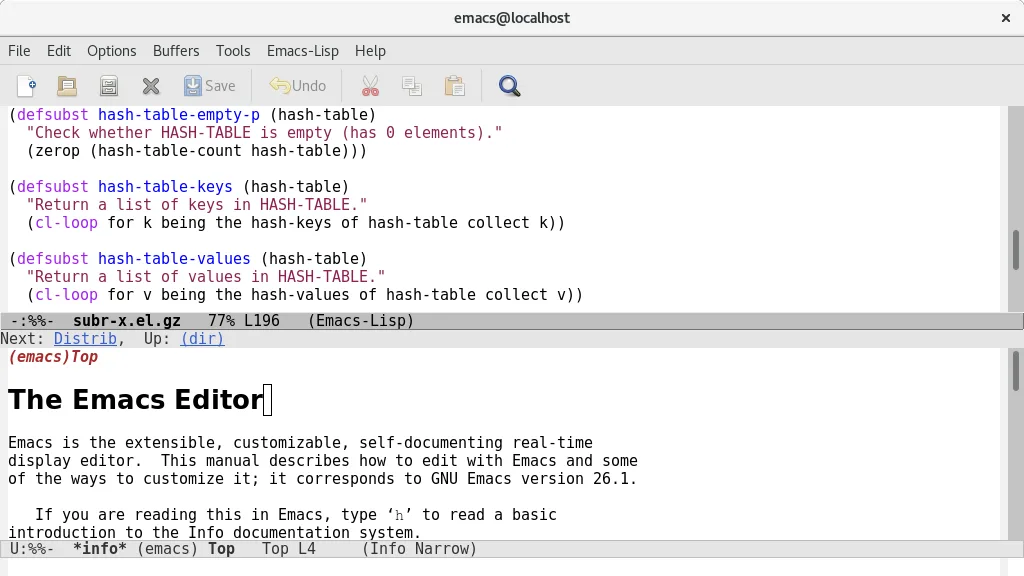
GNU Emacs is a highly extensible text editor and Lisp interpreter that functions as a complete development environment.
GNU Emacs can replace Visual Studio Code for developers who value deep customisation and are comfortable with a keyboard‑centric workflow. It provides syntax highlighting, an integrated terminal, Git support and debugging, but the experience is less visual and requires Emacs Lisp for many…
Feature parity68%





What is Visual Studio Code?
Visual Studio Code is a lightweight yet powerful source code editor used by developers across all skill levels. It supports debugging, syntax highlighting, and intelligent code completion out of the box. The extension marketplace allows users to transform it into a full IDE for languages like Python, C++, and JavaScript, making it a central tool for modern software development workflows.
The software is free and open-source under the MIT license. While the core editor is free, Microsoft offers a separate, paid Visual Studio subscription for enterprise features, but VS Code itself has no licensing costs. All extensions are generally free, though some premium plugins may charge fees. This model makes it accessible for students, hobbyists, and large corporations alike without upfront software costs.
Many users already run VS Code on Linux because it is a first-party supported platform. However, some developers seek alternatives due to VS Code's heavy reliance on Node.js and Electron, which can consume significant memory. Others prefer lighter, native applications or those with different keyboard shortcuts and workflows, such as Vim or Emacs, to align better with their existing habits or system resources.
What a replacement for Visual Studio Code must do
- Syntax highlighting for multiple languages
- Integrated terminal access
- Git version control integration
- Code completion and refactoring tools
- Extensible plugin architecture
- Debugging capabilities
- Cross-platform file compatibility
Can you run Visual Studio Code on Linux?
Yes, Visual Studio Code has a native Linux package. Microsoft officially supports Linux and provides installation packages for major distributions like Ubuntu, Fedora, and Arch. It does not require Wine or Proton to run. The application is built on Electron, so it behaves like a standard desktop app on Linux, though it may feel heavier than native GTK or Qt applications due to its web-based architecture.
Which alternative should you choose?
If you want a lightweight, fast editor with a similar feel to VS Code, try Sublime Text or Kate. For those who prefer terminal-based editing and maximum efficiency, Vim or GNU Emacs are the standard choices, though they have a steep learning curve. Geany is a good middle ground for users who want a simple, multi-document interface without the overhead of a full IDE. gedit is the default text editor on many GNOME systems, suitable for quick edits but lacking advanced developer features.
Moving your Visual Studio Code files and habits
Migrating from VS Code involves transferring your settings, keybindings, and extensions. You can export these via the Command Palette in VS Code. If switching to another editor, you will likely need to manually reconfigure settings or use community-maintained import scripts. Your source code files remain compatible as they are standard text formats. However, project-specific configurations like launch.json or tasks.json are VS Code-specific and will not translate directly to other editors.
Side-by-side comparison
| App | License | Flatpak | Latest version | Feature parity | Rating |
|---|---|---|---|---|---|
| Sublime Text | LicenseRef-proprietary=https… | ✓ | 4215 | 68% | — |
| Geany | GPL-2.0+ | ✓ | 2.1.0 | 65% | — |
| Kate | LGPL-2.1+ | ✓ | 26.04.2 | 78% | — |
| Vim | Vim | ✓ | 9.2.1161 | 55% | — |
| GNU Emacs | GPL-3.0+ and GFDL-1.3+ | ✓ | 31.1 | 68% | — |
Visual Studio Code: frequently asked questions
Is VS Code free on Linux?
Yes, it is completely free and open-source. You can download and install it without any cost or license key.
Can I use my VS Code extensions on Linux?
Yes, the extension marketplace is cross-platform. Extensions installed on Windows will generally work on Linux, provided they do not rely on Windows-specific system calls.
Is VS Code heavy on system resources?
It can be, as it runs on Electron. It uses more RAM than native text editors like Vim or Geany, but it is comparable to other modern desktop applications.
Do I need to install .NET to use VS Code?
No, VS Code runs on Node.js. You only need to install specific runtime environments (like Python or Java) if you are developing in those languages.
How important is Visual Studio Code to you?
Know a better alternative? Suggest an alternative