
Windows · Internet
Best Linux alternatives to Zoom
Zoom is a proprietary video conferencing tool for meetings and webinars, with free limits and paid tiers for larger groups.
Updated
Quick answer
The best Linux alternative to Zoom is Jitsi Meet. Other strong options: Element, Linphone, Skype.
4 Linux alternatives to Zoom
-

Jitsi Meet is an open-source video conferencing client that connects to any Jitsi server for secure, account-free calls.
Jitsi Meet is a solid replacement for Zoom if you prioritize privacy and open-source software over polished enterprise features. It handles HD video, screen sharing, and chat effectively without requiring accounts or subscriptions. However, it lacks Zoom's built-in cloud recording and advanced…
Feature parity75% -

Element is an open‑source, matrix‑based chat and video‑conference client for Linux.
Element is a strong replacement for Zoom if you prioritize privacy and open standards over corporate integration. It handles HD video, screen sharing, and large group calls via WebRTC, with end-to-end encryption by default. However, it is not a drop-in replacement for Zoom’s webinar features or…
Feature parity75% -
Linphone is a free, open-source SIP client for voice and video calls, supporting standard protocols without proprietary lock-in.
Linphone can replace Zoom for users who need basic HD video/audio calls, screen sharing, and simple chat, especially in environments that prefer open‑source software and SIP‑based infrastructure. It works well for small teams, developers, or anyone comfortable configuring SIP accounts and NAT…
-
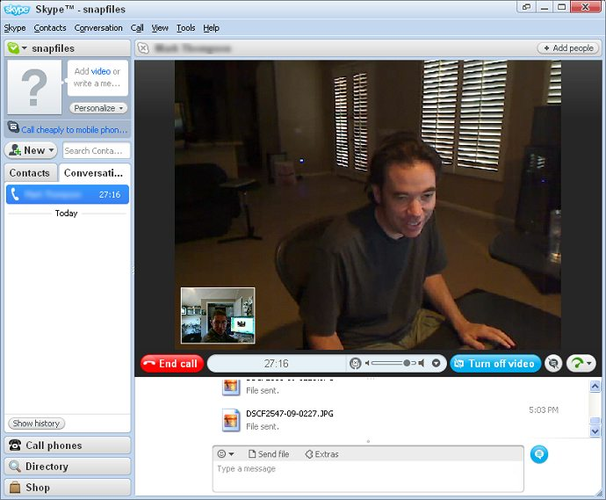
The official Linux client for Skype, offering voice, video, and messaging integration with the global network.
Skype is a viable alternative for small team calls but falls short for professional webinars. It handles HD video, screen sharing, and chat well for groups up to 50 people. However, it lacks the robust webinar features, large-scale meeting capacity, and advanced recording options that make Zoom the…
Feature parity60%


What is Zoom?
Zoom is the dominant platform for business and educational video conferencing. It handles everything from quick one-on-one calls to large webinars, supporting screen sharing, chat, and recording. Millions of remote workers, students, and organizations rely on it for daily communication, making it a central part of modern digital workflows.
The software operates on a freemium model. The free tier allows up to 100 participants but cuts off meetings after 40 minutes. Paid subscriptions remove this time limit and increase capacity, with the highest tier supporting 1,000 participants for meetings lasting up to 30 hours. Licensing is typically per-user or per-meeting, depending on the plan.
Users seek Linux alternatives primarily to avoid proprietary software and maintain system consistency. While Zoom runs on Linux, it is often a wrapper around a web app or a native client that lacks deep integration. Some users prefer open-source solutions for privacy, security, or to support community-driven development, especially in environments where corporate IT policies favor open standards.
What a replacement for Zoom must do
- HD video and audio conferencing
- Screen sharing capability
- Support for large group meetings
- Chat and file sharing
- Recording options
- Cross-platform compatibility
Can you run Zoom on Linux?
Zoom offers a native Linux client, but it is often criticized for being a wrapper around a web browser or lacking some features found in the Windows version. It generally works well for basic meetings. You can also use the web version directly in any modern browser. Running the Windows version via Wine or Proton is possible but often unnecessary since the native Linux client exists, though it may have different performance characteristics or bugs compared to the Windows build.
Which alternative should you choose?
Jitsi Meet is the best choice for self-hosted, open-source needs, offering unlimited participants without time limits if you run your own server. Element is ideal if you are already in the Matrix ecosystem and want a chat-first experience with video calls. Linphone is better for SIP-based VoIP users who need a traditional phone-like interface. Skype is included for legacy compatibility, but it is less relevant for new Linux setups compared to the open-source options.
Moving your Zoom files and habits
There is no direct data export from Zoom to these alternatives. Meeting history, recordings, and chat logs are stored on Zoom’s servers and cannot be easily transferred. You will need to manually share recording files (usually MP4) and start new conversations in the new platform. Booked meetings must be rescheduled in the new system, and participants will need to install the new client or use the web link.
Side-by-side comparison
| App | License | Flatpak | Latest version | Feature parity | Rating |
|---|---|---|---|---|---|
| Jitsi Meet | Apache-2.0 | ✓ | 2026.8.0 | 75% | — |
| Element | AGPL-3.0-only OR… | ✓ | 1.12.32 | 75% | — |
| Linphone | GPL-3.0 | — | 6.2.3 | 0% | — |
| Skype | — | — | — | 60% | — |
Zoom: frequently asked questions
Can Jitsi Meet handle large webinars like Zoom?
Yes, if you self-host it with the appropriate infrastructure. The free public instances may have limits, but a dedicated server can support thousands of participants depending on your bandwidth and CPU resources.
Is there a free unlimited alternative to Zoom?
Jitsi Meet is free and open-source. If you use the public demo server, there may be limits, but self-hosting removes artificial time and participant caps, limited only by your hardware.
Do these alternatives support screen sharing?
Yes, Jitsi Meet, Element, and Linphone all support screen sharing. The quality and ease of use may vary, but it is a standard feature in all of them.
Can I use these with existing Zoom participants?
Not directly. You cannot join a Zoom meeting from Jitsi or Element. You would need to set up a bridge or have participants join via a different platform, which is not standard for these open-source tools.
How important is Zoom to you?
Know a better alternative? Suggest an alternative