
 geditLinux
vs
NeovimWindows
gedit as a Linux alternative to Neovim
Updated
Our verdict
gedit is not a good replacement for Neovim if you rely on its extensibility, LSP integration, or terminal workflow. It is a GUI editor designed for simplicity, not power. If you are a developer who needs complex plugin ecosystems or keyboard-driven efficiency, gedit will feel limiting. However, if you just need a lightweight tool for quick notes or minor code tweaks without the learning curve of Vim, gedit is acceptable. It covers basic editing tasks but lacks the depth required for serious development workflows typical of Neovim users.
- License
- GPL-2.0+
- Price
- Free
- Latest version
- 51.1 (November 23, 2026)
- Rating
- 5/5 (1)
What works the same
- Both support syntax highlighting for numerous programming languages.
- Both allow for basic search and replace operations.
- Both are free and open-source software.
- Both support multiple document interfaces (tabs in gedit, splits in Neovim).
What is different
- Neovim has built-in LSP support for advanced code intelligence; gedit relies on external plugins or lacks this entirely.
- Neovim is terminal-based and highly scriptable with Lua; gedit is a GUI application with a limited plugin system.
- Neovim offers extensive keybinding customization and modal editing; gedit uses standard GUI interactions.
- Neovim is optimized for speed and remote editing; gedit is optimized for ease of use on the GNOME desktop.
Opening your Neovim files
gedit opens plain text files (.txt, .c, .py, .js, etc.) without issue, as these are standard formats. It does not read Neovim-specific configuration files (.vimrc, init.lua) or project state files. If you have files with complex encoding or binary data, ensure they are saved as UTF-8 in Neovim before opening in gedit to avoid corruption. There is no direct export of Neovim session states to gedit.
Switching from Neovim to gedit, step by step
- Install gedit via your package manager or Flathub.
- Configure gedit settings to match your preferred font and tab width.
- Install relevant gedit plugins if you need specific syntax highlighting or line number features.
- Open your existing project files in gedit to verify encoding and formatting.
- Adjust your workflow to use mouse and keyboard shortcuts instead of Vim commands.
Key features of gedit
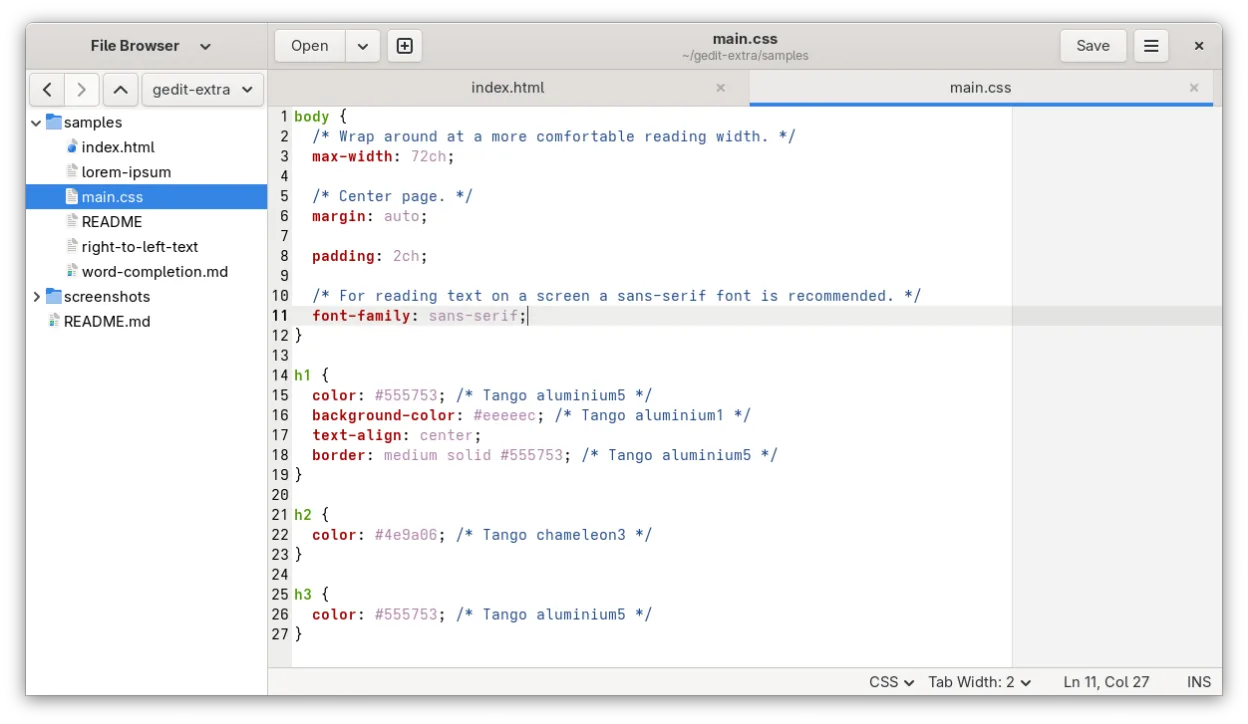
- Syntax highlighting for many programming languages
- Plugin system for extending functionality
- Search and replace with regex support
- Configurable font, tab width, and line wrapping
- Line numbers, bracket matching, and auto-indent
- UTF-8 text encoding support
- Drag-and-drop text editing
- Multiple document interface with tabs
How to install gedit on Linux
flatpak install flathub org.gnome.geditsudo apt install geditsudo apt install geditsudo dnf install geditsudo pacman -S geditsudo zypper install geditFrequently asked questions
Can I use Vim keybindings in gedit?
Yes, gedit has a plugin that enables basic Vim keybindings, but it does not replicate the full modal editing experience or advanced features of Neovim.
Does gedit support LSP for code completion?
Not natively. While gedit has a plugin system, it does not have the deep, built-in LSP integration that Neovim offers for real-time code intelligence.
Is gedit suitable for large codebases?
It can open large files, but it lacks the performance optimizations and remote editing capabilities of Neovim, making it less ideal for very large or complex projects.
5 other alternatives to Neovim
 VimVim is a highly configurable, modal text editor for efficient editing on Linux.Open sourceFreeFlatpakVim vs Neovim
 KateKate is a feature-rich, programmer-focused text editor from KDE with support for 300+ languages and advanced…Open sourceFreeFlatpakKate vs Neovim
 GeanyGeany is a lightweight, fast IDE that supports many languages and plugins out of the box.Open sourceFreeFlatpakGeany vs Neovim
 Sublime TextSublime Text is a lightweight, fast source code editor with a minimal interface and powerful extensibility.FlatpakSublime Text vs Neovim
 HelixHelix is a fast, Rust-based terminal text editor with modal editing, multiple selections, and built-in LSP…Open sourceFreeFlatpakHelix vs Neovim