
 geditLinux
vs
UltraEditWindows
gedit as a Linux alternative to UltraEdit
Updated
Our verdict
Gedit is not a direct replacement for UltraEdit if you rely on hex editing or heavy macro scripting. It handles large files and syntax highlighting well, but lacks the deep customization and binary manipulation tools UltraEdit offers. It suits users who only need a stable, fast text editor for code and notes, and are willing to use separate tools for hex work. If your workflow is primarily text-based, gedit is a solid, lightweight alternative. For power users needing integrated hex and complex macros, look elsewhere.
- License
- GPL-2.0+
- Price
- Free
- Latest version
- 51.0 (October 15, 2026)
- Rating
- 5/5 (1)
What works the same
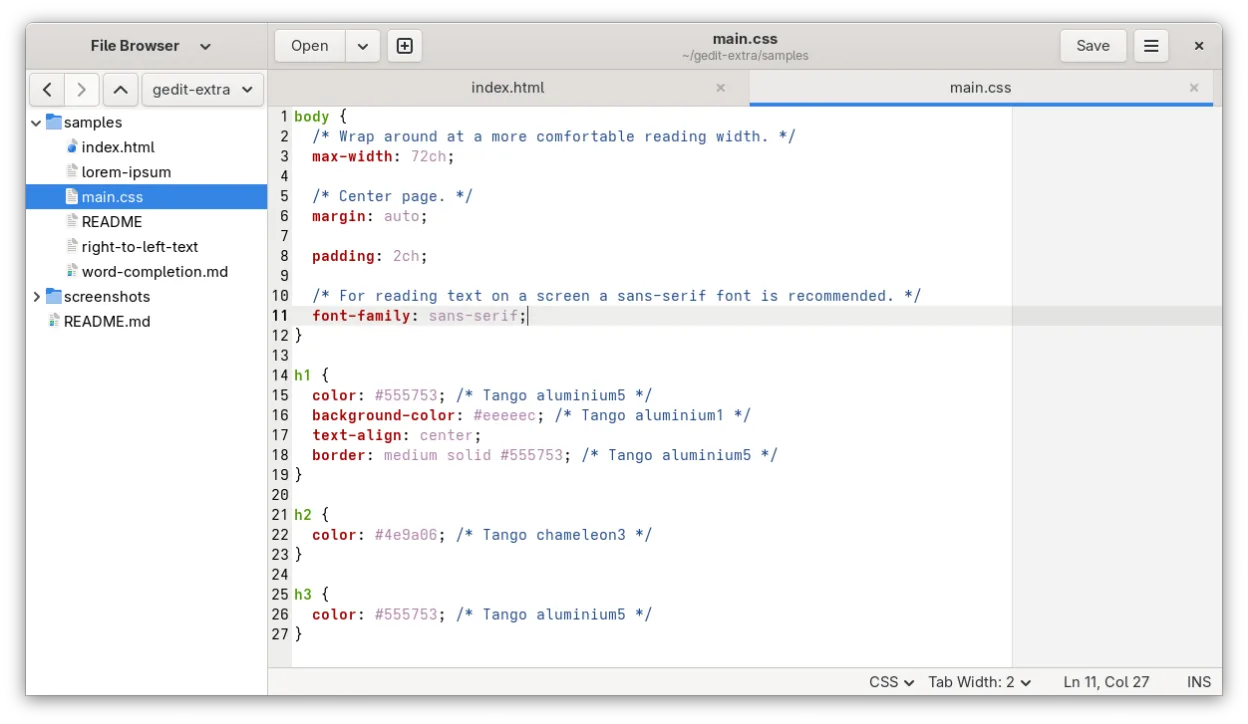
- Syntax highlighting for many programming languages
- Support for large text files
- Search and replace with regular expressions
- Tabbed interface for multiple documents
What is different
- No built-in hex editing capability
- Limited macro and scripting support compared to UltraEdit
- Lighter feature set focused on simplicity
- No integrated remote file editing tools
Opening your UltraEdit files
Gedit opens standard text files (.txt, .c, .py, etc.) without issue, as these are plain text formats. It also supports UTF-8 encoding, which covers most modern text files. If you use UltraEdit for binary files, gedit will likely display them as garbled characters or refuse to open them properly, as it is designed for text, not binary data. There is no specific 'UltraEdit file format' to migrate; you simply open the underlying text files directly.
Switching from UltraEdit to gedit, step by step
- Install gedit from your distro repository or Flathub
- Open your existing text files directly in gedit
- Configure syntax highlighting for your specific languages in preferences
- Install plugins if you need additional features like line numbers or bracket matching
- Use a dedicated hex editor for any binary file editing tasks
Key features of gedit
- Syntax highlighting for many programming languages
- Plugin system for extending functionality
- Search and replace with regex support
- Configurable font, tab width, and line wrapping
- Line numbers, bracket matching, and auto-indent
- UTF-8 text encoding support
- Drag-and-drop text editing
- Multiple document interface with tabs
How to install gedit on Linux
flatpak install flathub org.gnome.geditsudo apt install geditsudo apt install geditsudo dnf install geditsudo pacman -S geditsudo zypper install geditFrequently asked questions
Can gedit edit binary files?
No, gedit is a text editor. It is not designed for hex editing or binary manipulation. You will need a separate tool like xxd or a dedicated hex editor for that.
Does gedit support macros?
Gedit has limited scripting capabilities via plugins, but it does not have the robust, user-definable macro system that UltraEdit offers. Complex automation is not its strength.
Is gedit suitable for very large files?
Gedit can handle large text files, but performance may degrade with extremely large documents compared to specialized editors. For multi-gigabyte text files, you might find it slower than UltraEdit.
4 other alternatives to UltraEdit
 Visual Studio CodeA lightweight, extensible code editor that supports debugging, Git, and many languages.FreeFlatpakVisual Studio Code vs UltraEdit
 KateKate is a feature-rich, programmer-focused text editor from KDE with support for 300+ languages and advanced…Open sourceFreeFlatpakKate vs UltraEdit
 NotepadqqNotepadqq is a free, advanced text editor for Linux with syntax highlighting, regex search, and multi‑cursor…Open sourceFreeFlatpakNotepadqq vs UltraEdit
 GeanyGeany is a lightweight, fast IDE that supports many languages and plugins out of the box.Open sourceFreeFlatpakGeany vs UltraEdit