
 GIMPLinux
vs
PaintTool SAIWindows
GIMP as a Linux alternative to PaintTool SAI
Updated
Our verdict
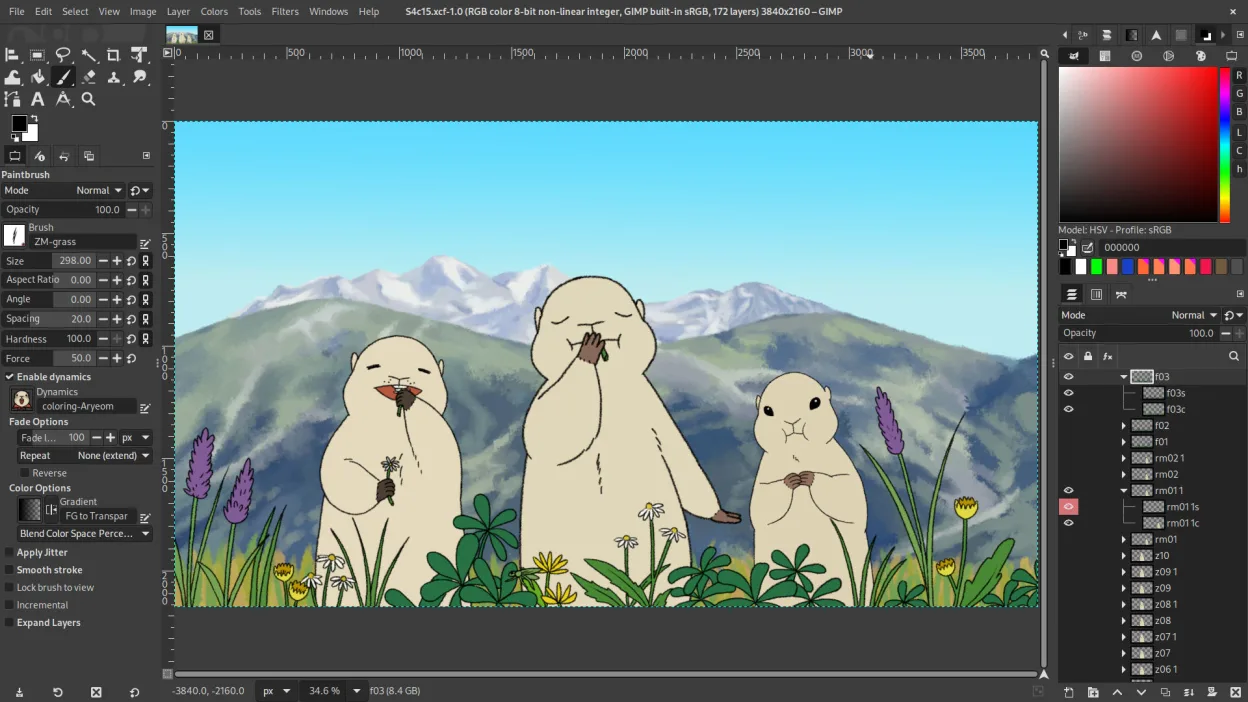
GIMP is a capable, free alternative to PaintTool SAI, though it lacks SAI's signature lightweight footprint and specific stabilization tools. It excels in layer management, blending modes, and format support, making it suitable for users who need a robust, extensible raster editor and are willing to learn a steeper interface. However, if your primary need is low-resource usage for pure line art with SAI's unique brush feel, GIMP may feel heavier and less intuitive for that specific workflow.
- License
- GPL-3.0+ AND LGPL-3.0+
- Price
- Free
- Latest version
- 3.2.8 (November 2, 2026)
- Rating
- —
What works the same
- Supports pressure-sensitive input for digital painting
- Offers extensive layer management with various blending modes
- Provides selection and masking tools for complex edits
- Exports to standard formats like PNG, JPEG, and TIFF
- Features a customizable interface with dockable panels
What is different
- GIMP is significantly heavier on system resources than SAI
- Lacks SAI's specific line art stabilization and brush smoothing features
- Does not natively support SAI's proprietary file format without conversion
- Interface is more complex and less streamlined for simple illustration tasks
- Brush engine behavior differs, requiring re-customization for similar results
Opening your PaintTool SAI files
GIMP does not natively open PaintTool SAI's proprietary .psa or .sai2 files. You will need to export your work from SAI to a universal format like PNG or PSD before importing it into GIMP. Conversely, GIMP can save to PSD, allowing some interoperability, but direct file exchange is not possible.
Switching from PaintTool SAI to GIMP, step by step
- Install GIMP via your Linux package manager or Flathub
- Configure your graphics tablet drivers and pressure sensitivity settings
- Import your existing SAI projects by exporting them to PNG or PSD first
- Customize GIMP's brush settings to mimic your preferred SAI brush behavior
- Set up your workspace layout to match your SAI workflow if desired
- Test export settings to ensure compatibility with your final delivery format
Key features of GIMP
- Layer-based editing with masks, blending modes, and transparency
- Advanced brush engine for digital painting and retouching
- Support for Photoshop-compatible plug-ins (via compatibility layers)
- Batch processing and scripting with Script-Fu, Python, or GEGL
- Non-destructive editing possible through plug-ins like G'MIC
- Extensive format support: PNG, JPEG, TIFF, PSD, WebP, and more
- Customizable interface with dockable panels and themes
- Color management with ICC profile support
How to install GIMP on Linux
flatpak install flathub org.gimp.GIMPsudo apt install gimpsudo apt install gimpsudo dnf install gimpsudo pacman -S gimpsudo zypper install gimpFrequently asked questions
Can GIMP handle pressure-sensitive tablets as well as SAI?
Yes, GIMP supports pressure sensitivity, but the brush response and stabilization feel different. You may need to adjust brush dynamics and dynamics settings to achieve a similar line quality.
Is GIMP lightweight enough for older hardware?
GIMP is generally heavier than SAI. While it runs on most modern Linux systems, it may consume more RAM and CPU, especially with large canvases or many layers, compared to SAI's low-resource usage.
Do I need to relearn my brush settings when switching?
Yes, brush engines differ. You will likely need to recreate or import custom brush settings to replicate the specific feel and behavior of your favorite SAI brushes.
3 other alternatives to PaintTool SAI
 KritaKrita is a full‑featured open‑source digital painting and illustration program.Open sourceFreeFlatpakKrita vs PaintTool SAI
 MyPaintMyPaint is a fast, free, open‑source raster painting program focused on brush dynamics and tablet use.Open sourceFreeFlatpakMyPaint vs PaintTool SAI
 Pencil2DPencil2D is an open‑source 2D animation tool for hand‑drawn vector and bitmap graphics.Open sourceFreeFlatpakPencil2D vs PaintTool SAI