
 gThumb Image ViewerLinux
vs
Windows Photo GalleryWindows
gThumb Image ViewerLinux
vs
Windows Photo GalleryWindows
gThumb Image Viewer as a Linux alternative to Windows Photo Gallery
Updated
Our verdict
gThumb is a solid replacement for Windows Photo Gallery, especially for users who want a straightforward tool to view, organize, and lightly edit photos on Linux. It handles common formats, supports metadata and keyword tagging, offers batch operations, and lets you browse by folder or catalog. The slideshow, basic editing (crop, color adjustments), and camera import features cover most typical use cases. While it lacks rating via stars or labels and red-eye removal, its catalog system and GNOME integration make it reliable for personal photo management. Best suited for casual to intermediate users.
- License
- GPL-2.0+
- Price
- Free
- Latest version
- 3.12.10 (February 10, 2026)
- Rating
- —
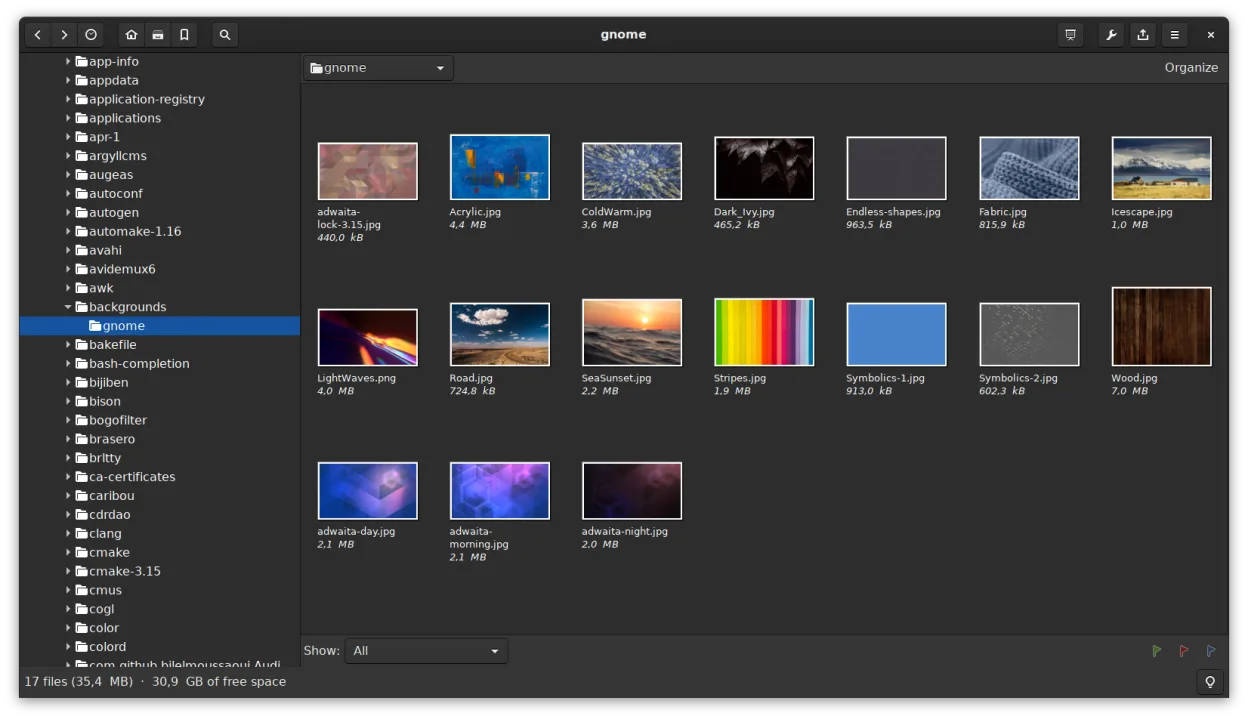
What works the same
- Both support viewing JPEG, PNG, and RAW images with metadata (EXIF, IPTC, XMP)
- Offer thumbnail browsing, folder navigation, and basic file operations (copy, move, delete)
- Include basic editing: crop, rotate, resize, and adjust brightness/contrast
- Provide full-screen slideshow playback with timing options
- Allow keyword tagging and searching within image collections
What is different
- gThumb uses catalogs instead of date-based albums; no automatic timeline view by default
- No star rating or color label system for sorting images by quality
- Missing red-eye correction and exposure adjustment tools found in Windows Photo Gallery
- No built-in face recognition or people tagging
- Import from camera is manual via file browser, not guided import wizard
Opening your Windows Photo Gallery files
gThumb can open JPEG, PNG, and other standard image formats used by Windows Photo Gallery without issue. It reads embedded metadata including keywords and comments, so tagged images retain that info. However, Windows Photo Gallery's proprietary library database (.wpg files) isn't supported—metadata stored only in that database would be lost unless exported first. If images were tagged directly in the files (XMP/IPTC), gThumb will display them. For full compatibility, ensure metadata was written to the image files themselves before switching.
Switching from Windows Photo Gallery to gThumb Image Viewer, step by step
- Export your photo library from Windows Photo Gallery, ensuring keywords and ratings are saved into the image files (if possible)
- Copy all image files to your Linux system
- Install gThumb via your distribution's package manager or Flathub
- Use gThumb to import images into a new library or browse them directly by folder
- Recreate collections using gThumb catalogs based on tags, folders, or search results
Key features of gThumb Image Viewer
- Supports BMP, JPEG, GIF (including animation), PNG, TIFF, TGA and RAW formats
- Displays EXIF, IPTC and XMP metadata
- Basic editing: rotate, crop, scale, adjust saturation, lightness and contrast
- Batch operations: resize, format conversion, lossless JPEG transformations
- Thumbnail browsing with folder‑like file operations (copy, move, delete)
- Catalogs and libraries for organizing large collections
- Slideshow mode and ability to set images as desktop background
- Search by metadata and save results as a catalog
How to install gThumb Image Viewer on Linux
flatpak install flathub org.gnome.gThumbsudo apt install gthumbsudo apt install gthumbsudo dnf install gthumbsudo pacman -S gthumbsudo zypper install gthumbFrequently asked questions
Can gThumb organize photos by date like Windows Photo Gallery?
Not automatically by EXIF date in a timeline view, but you can manually sort or search by date using metadata, or organize images into date-named folders or catalogs.
Does gThumb support RAW files from digital cameras?
Yes, gThumb supports common RAW formats (via libraw), allowing you to view and manage RAW images alongside JPEGs and PNGs.
Can I assign star ratings to photos in gThumb?
No, gThumb does not have a star rating or label system. You can use tags or comments to mark important images instead.
2 other alternatives to Windows Photo Gallery
 ShotwellShotwell is a GNOME photo manager for importing, organizing, and lightly editing images.Open sourceFreeFlatpakShotwell vs Windows Photo Gallery
 digiKamdigiKam is a comprehensive KDE photo manager for organizing, tagging, and editing digital photos with strong…Open sourceFreeFlatpakdigiKam vs Windows Photo Gallery