
Windows · Programming
Best Linux alternatives to JetBrains WebStorm
A commercial IDE for JavaScript and TypeScript with advanced refactoring, debugging, and framework support.
Updated
Quick answer
The best Linux alternative to JetBrains WebStorm is Visual Studio Code. Other strong options: Neovim, Sublime Text.
3 Linux alternatives to JetBrains WebStorm
-

A lightweight, extensible code editor that supports debugging, Git, and many languages.
Visual Studio Code is a strong, free alternative to WebStorm for most JavaScript and TypeScript developers. It handles syntax highlighting, debugging, Git, and package management well out of the box. However, it lacks WebStorm's deep, IDE-specific refactoring and framework awareness by default. You…
Feature parity85% -
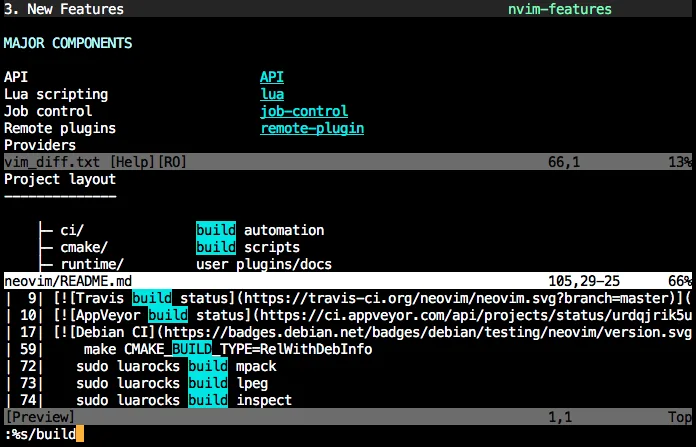
Neovim is a modern Vim fork that adds extensibility, advanced UI support, and powerful extensions while keeping Vim's modal editing core.
Neovim is a powerful text editor, not an IDE, so it is not a direct drop-in replacement for JetBrains WebStorm. It handles syntax highlighting, Git, and terminal integration well out of the box. However, you must manually configure plugins for TypeScript language servers, debugging, and…
Feature parity40% -

Sublime Text is a lightweight, fast source code editor with a minimal interface and powerful extensibility.
Sublime Text is not a true replacement for WebStorm if you rely on heavy IDE features. It is a fast, lightweight editor, not an integrated development environment. You lose deep TypeScript type-checking, advanced refactoring, and framework-specific intelligence. It suits developers who prefer a…
Feature parity40%



What is JetBrains WebStorm?
WebStorm is a specialized IDE built for front-end and full-stack JavaScript developers. It handles large codebases with features like intelligent code completion, on-the-fly error checking, and integrated tools for Node.js and various frameworks. It is popular among professional developers who need deep language support without manually configuring multiple plugins.
The software operates on a subscription model, requiring a paid license for full access. While JetBrains offers a trial period, long-term use costs money. This pricing structure often drives developers to seek free or open-source alternatives that provide similar core functionality without recurring fees.
Users look for Linux alternatives primarily due to cost and ecosystem alignment. Many Linux users prefer open-source tools that integrate naturally with their workflow. Additionally, some developers want an IDE that feels lightweight or highly customizable, which commercial products sometimes lack despite their feature richness.
What a replacement for JetBrains WebStorm must do
- JavaScript and TypeScript syntax highlighting
- Integrated debugging capabilities
- Code refactoring and analysis tools
- Package manager integration (npm/yarn)
- Version control support (Git)
- Framework-specific assistance
Can you run JetBrains WebStorm on Linux?
WebStorm has a native Linux build, so it runs directly on the system without emulation. You do not need Wine or Proton to run it. It is a standard desktop application that installs via a script or package manager. If you already have a license, you can use it on Linux just as you would on Windows or macOS.
Which alternative should you choose?
Visual Studio Code is the closest general-purpose alternative, offering a vast extension ecosystem and similar UI patterns, making it ideal for most users. Neovim suits developers who prefer a terminal-based, highly customizable environment and are willing to invest time in configuration. Sublime Text is a good choice if you want a fast, lightweight editor with basic editing features but do not need deep IDE-level integration out of the box.
Moving your JetBrains WebStorm files and habits
Migrating from WebStorm to these alternatives involves transferring your project files, which are standard text formats. You will need to reconfigure your editor settings, keybindings, and install necessary extensions or plugins to replicate your previous workflow. There is no direct one-click import of WebStorm-specific configurations, but your codebase remains fully compatible.
Side-by-side comparison
| App | License | Flatpak | Latest version | Feature parity | Rating |
|---|---|---|---|---|---|
| Visual Studio Code | LicenseRef-proprietary=https… | ✓ | 1.139.1 | 85% | — |
| Neovim | Apache-2.0 | ✓ | 0.12.6 | 40% | — |
| Sublime Text | LicenseRef-proprietary=https… | ✓ | 4215 | 40% | — |
JetBrains WebStorm: frequently asked questions
Is Visual Studio Code a direct replacement for WebStorm?
It is a strong alternative for many tasks, especially with the right extensions. However, it may require more manual setup to match WebStorm's out-of-the-box intelligence for complex TypeScript projects.
Can I use Neovim for professional JavaScript development?
Yes, but it requires significant configuration. With plugins like LSP and treesitter, it can handle modern JS/TS development, but it has a steep learning curve compared to a traditional IDE.
Do these alternatives support debugging?
Visual Studio Code has built-in debugging support for Node.js and browsers. Neovim can support debugging via plugins, but it is less integrated. Sublime Text has limited native debugging capabilities.
Is there a free version of WebStorm?
No, WebStorm is a paid commercial product. The alternatives listed here, such as VS Code and Neovim, are free and open-source.
How important is JetBrains WebStorm to you?
Know a better alternative? Suggest an alternative