

Linux · Office
Sigil
Sigil is a free, open-source EPUB editor for creating and editing ebooks with full control over formatting and structure.
- License
- GPL-3.0+
- Latest version
- 2.8.5 (November 6, 2026)
- Developer
- Sigil-Ebook
- Installs
- 713 (Flathub, 30 days)
What is Sigil?
Sigil is a mature, actively maintained EPUB editor first released in 2009 by Strahinja Markovic. It has since evolved through community-driven development, with current leadership from Doug Massay and Kevin Hendricks. Built specifically for the EPUB standard, it supports both EPUB 2 and EPUB 3, and has become a go-to tool for serious ebook editing across platforms.
It's best for users who need precise control over ebook content—self-publishers, editors, or technical authors preparing books for distribution. Unlike basic readers or lightweight converters, Sigil treats the ebook as code, letting you edit HTML, CSS, and metadata directly. This makes it ideal for producing clean, standards-compliant EPUBs.
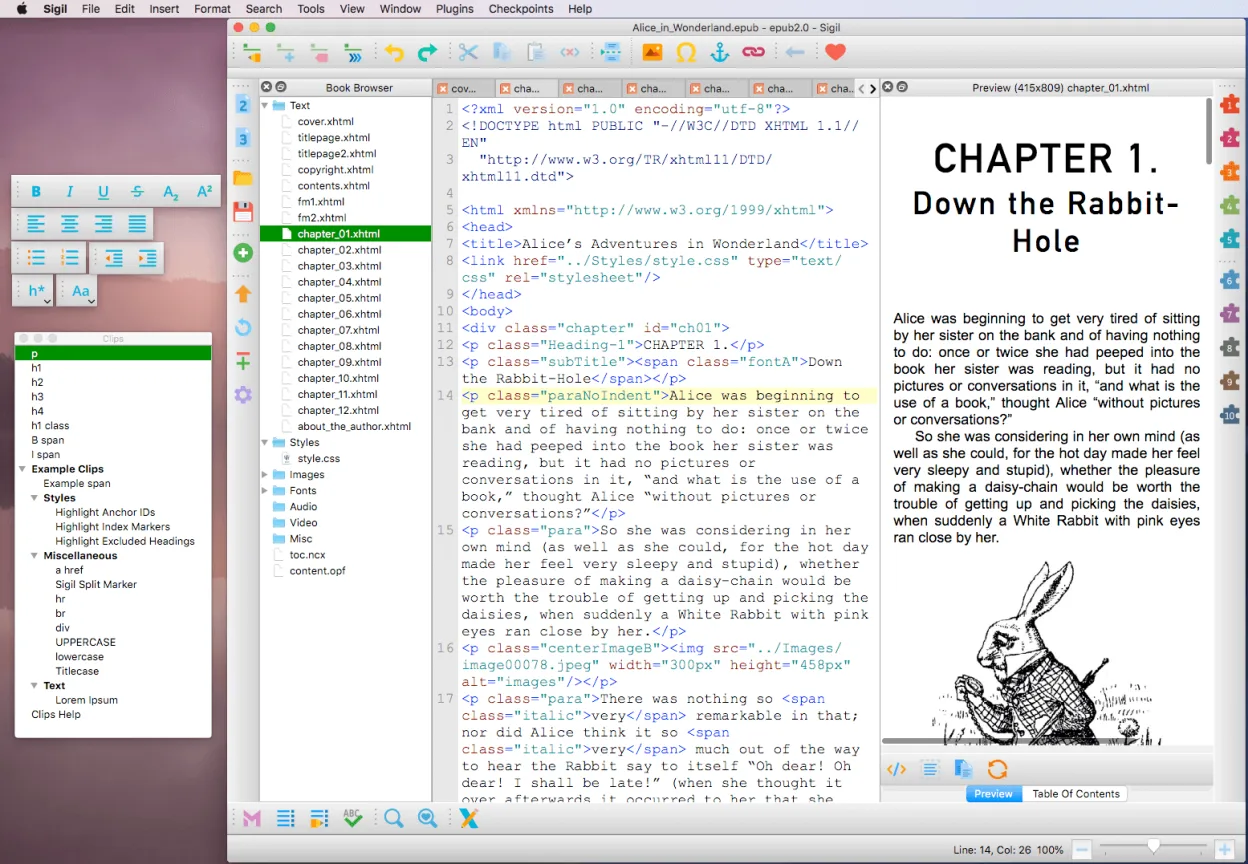
Compared to Adobe Digital Editions, which is primarily a reader, Sigil is a full editor. It doesn’t replace a reader but fills a different role—like comparing a text editor to a PDF viewer. If you’re used to GUI-based formatting tools, Sigil’s dual Code/Preview views may feel technical at first, but offer far more control once learned.
Best for: Editing and producing professionally formatted EPUB ebooks from scratch or existing content.
Key features of Sigil
- Multi-platform EPUB editor supporting Windows, macOS, and Linux
- Full EPUB 2 and EPUB 3 specification support
- Code View and Preview View for simultaneous editing and rendering
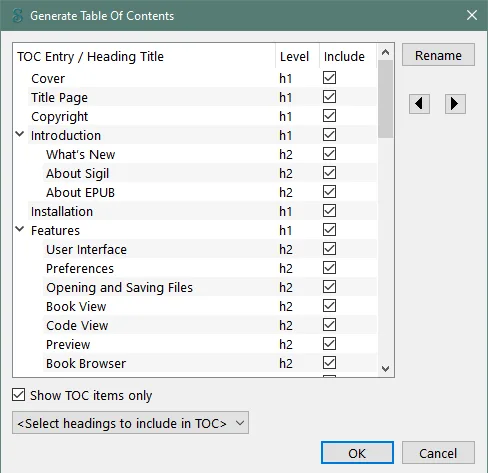
- Table of Contents generator with multi-level heading support
- Metadata editor and spell checker with customizable dictionaries
- Regular expression search and replace (PCRE)
- Plugin support and checkpoint snapshots for versioning
- Imports HTML, EPUB, images, and stylesheets with cleanup options
Pros
- Free and open source under GPLv3
- Actively developed with regular updates
- Precise control over EPUB structure and code
- Supports advanced features like plugins and regex
- Available across all major operating systems
Cons
- Steeper learning curve for non-technical users
- Preview mode doesn’t always reflect reading apps perfectly
- Limited WYSIWYG formatting compared to word processors
How to install Sigil on Linux
flatpak install flathub com.sigil_ebook.Sigilsudo apt install sigilsudo apt install sigilsudo dnf install sigilsudo pacman -S sigilsudo zypper install sigilTips for Windows users
If you're coming from Adobe Digital Editions, understand that Sigil isn’t a reader—it’s an editor. You’ll work with EPUB files directly, not PDFs. Import HTML or existing EPUBs, then edit in Code View or Preview. Use Ctrl+Shift+F for regex search, and F4 to toggle views. Your workflow shifts from passive reading to active formatting, so expect to learn HTML and CSS basics for best results.
Recent releases
- 2.8.5 —
- 2.8.1 —
- 2.8.0 —
- 2.7.6 —
Sigil: frequently asked questions
Can Sigil open PDF files directly?
No, Sigil cannot import PDFs. You must first convert PDF to HTML or EPUB using tools like Calibre or OCR software, then edit in Sigil.
Is Sigil suitable for beginners?
It can be, but expect a learning curve. Beginners should start with simple projects and use the built-in help and community forums.
Does Sigil support EPUB 3 features like media or scripting?
Yes, Sigil supports EPUB 3 syntax, but does not provide a GUI for advanced features like audio, video, or scripting—those must be added manually in Code View.
How do I fix validation errors in Sigil?
Use the built-in validator (Tools > Validate) and check the output. Most errors come from malformed HTML or missing metadata, which you can correct in Code View.
Updated