

Linux · System Tools
Zenmap
Zenmap is the official cross-platform GUI for the Nmap security scanner, simplifying network discovery and auditing.
- License
- GPL-2.0-only
- Latest version
- 7.94 (May 20, 2023)
- Developer
- Gordon Lyon et al.
- Installs
- 2,029 (Flathub, 30 days)

What is Zenmap?
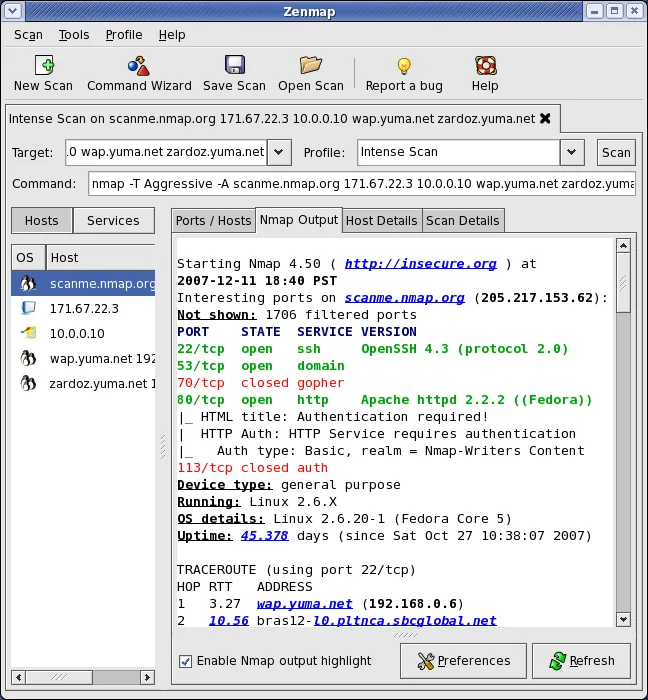
Zenmap serves as the official graphical interface for Nmap, the standard tool for network mapping and security auditing. It has been a staple in the security community for years, bridging the gap between complex command-line arguments and user-friendly interaction. The project remains active, with recent releases ensuring compatibility with modern Nmap versions and operating systems.
This tool targets a wide range of users, from students learning network basics to sysadmins who need a quick visual overview of their infrastructure. While power users may still prefer the terminal for scripting, Zenmap provides a structured environment for those who find raw CLI output overwhelming or need to present results clearly to non-technical stakeholders.
Compared to Windows-only network scanners, Zenmap feels more integrated with the Linux ecosystem. It lacks the proprietary polish of some commercial Windows tools but offers more transparency and flexibility. The interface is functional rather than flashy, focusing on data clarity and direct access to Nmap’s underlying capabilities without unnecessary bloat.
Best for: Network administrators and security professionals who need a visual interface to manage and analyze Nmap scans.
Key features of Zenmap
- Visual network discovery and host mapping
- Interactive command line creator for Nmap
- Save and reuse scan profiles
- Searchable database of past scan results
- Side-by-side comparison of different scans
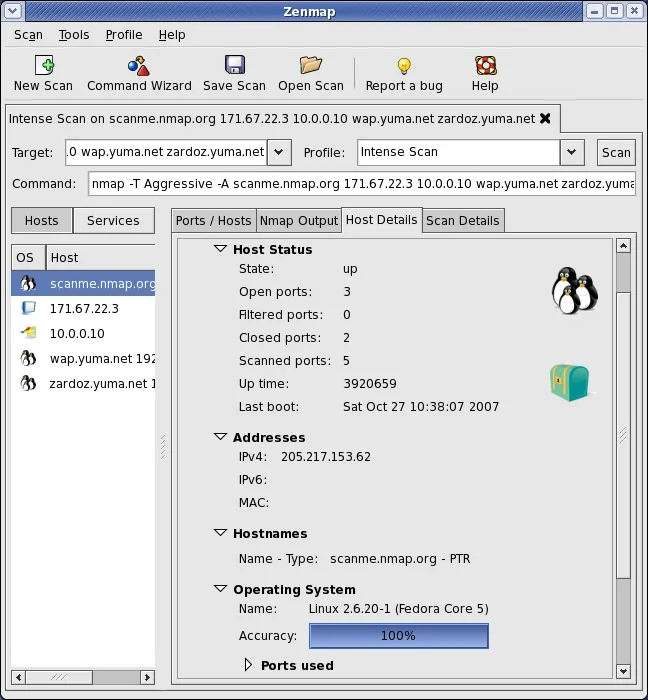
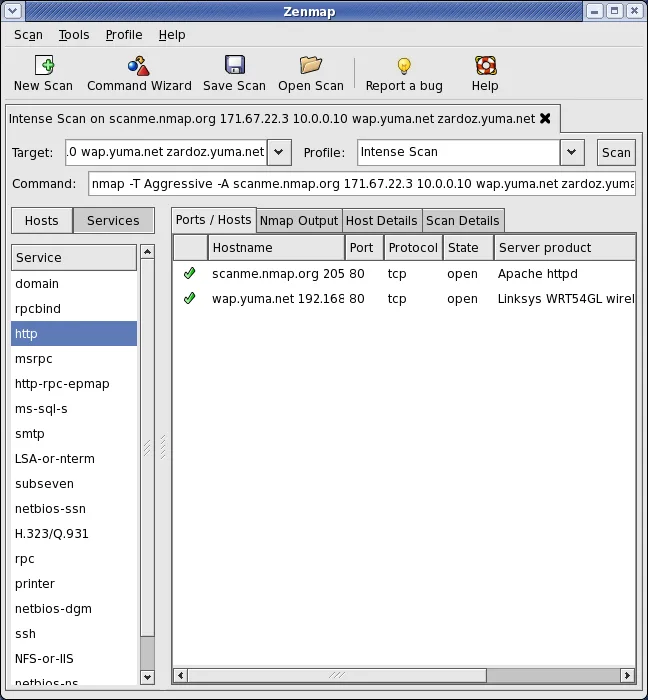
- Detailed host details including ports and services
- Export results to various formats
Pros
- Official GUI for Nmap, ensuring feature parity
- Free and open source with no licensing costs
- Simplifies complex Nmap commands for beginners
- Cross-platform support for Linux, Windows, and macOS
Cons
- Flatpak version cannot run as root, limiting some capabilities
- Interface can feel dated compared to modern commercial tools
- Requires Nmap to be installed separately or bundled correctly
Windows programs Zenmap replaces
How to install Zenmap on Linux
flatpak install flathub org.nmap.ZenmapTips for Windows users
If you are coming from Windows-based Nmap GUIs or other network scanners, note that Zenmap relies heavily on the underlying Nmap binary. Your saved profiles and scan results are stored in text-based formats, making them portable across systems. Unlike some Windows tools that might bundle their own scanning engine, Zenmap is a wrapper, so ensure your Nmap installation is up to date. Workflow-wise, you will likely spend more time defining scan parameters explicitly, as the GUI does not auto-guess as aggressively as some proprietary alternatives.
Recent releases
- 7.94 —
- 7.93 —
- 7.92 —
- 7.91 —
Zenmap: frequently asked questions
Can I run Zenmap as root on Linux?
The Flatpak version explicitly restricts running as root for security reasons. If you need root privileges for specific scans, you may need to use the native package or run Nmap directly from the terminal.
Does Zenmap replace Nmap completely?
No, Zenmap is a GUI frontend for Nmap. It does not replace the Nmap binary; it requires Nmap to be installed on your system to perform scans.
Is Zenmap suitable for production network monitoring?
Zenmap is designed for ad-hoc scanning and auditing, not continuous real-time monitoring. For continuous monitoring, consider dedicated network monitoring tools like Zabbix or Nagios.
How do I save my scan settings for later use?
You can save your current scan configuration as a profile within Zenmap. These profiles can be reloaded and executed with a single click, preserving all Nmap arguments.
Updated