

Windows · Internet
Best Linux alternatives to Microsoft Outlook
Microsoft Outlook is a feature‑rich email and personal information manager bundled with Microsoft 365.
Updated
Quick answer
The best Linux alternative to Microsoft Outlook is Evolution Mail. Other strong options: Sylpheed, Mozilla Thunderbird, KMail.
4 Linux alternatives to Microsoft Outlook
-
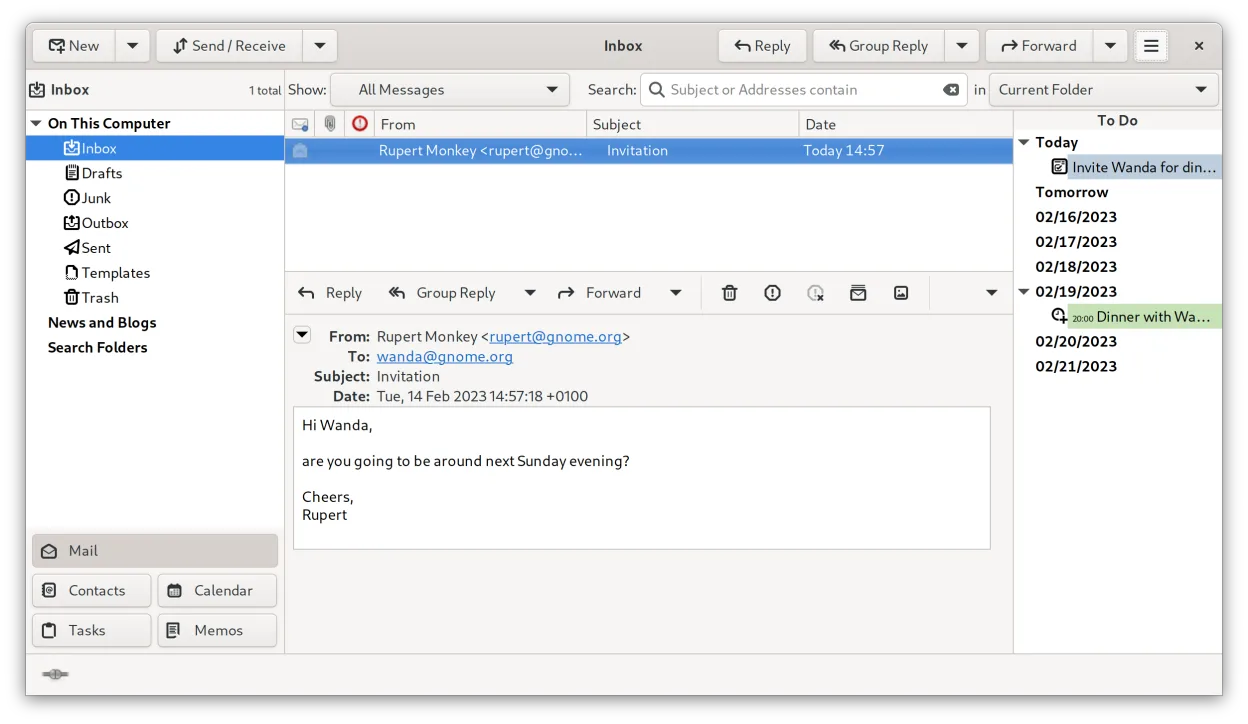
Evolution is GNOME’s integrated email, calendar, contacts, and task manager.
Evolution is a solid replacement for Outlook if you need a free, native Linux client that handles email, calendar, contacts, and tasks. It works well for users who rely on IMAP/POP/SMTP, Exchange via EWS, and standard calendar protocols. Those who depend on deep MAPI/ActiveSync integration, PST…
Feature parity75% -
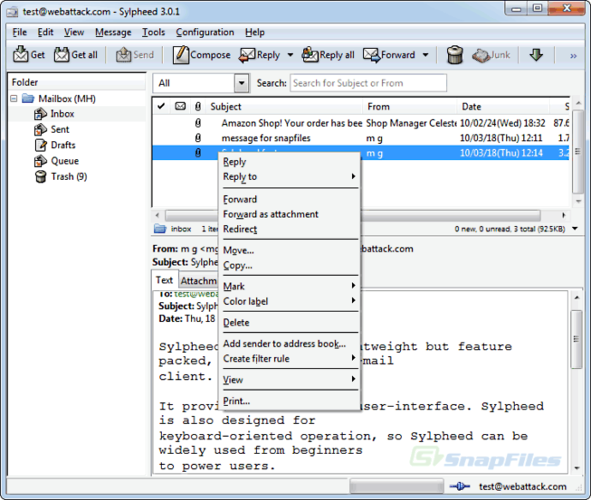
Sylpheed is a lightweight, GTK‑based email and news client for Linux, Windows and macOS.
Sylpheed is a solid replacement for Outlook if your needs are strictly email-centric. It handles IMAP, POP3, and SMTP well and offers a lightweight, responsive interface. However, it is not a full personal information manager. It lacks a native calendar, task list, or meeting scheduler. If you rely…
Feature parity40% -

Mozilla Thunderbird is a free, open‑source email, calendar and news client for Linux and other platforms.
Thunderbird can replace Outlook for most Linux users who need standard email, calendar and contact handling. It covers IMAP/POP, basic scheduling, and contacts, and with the Lightning add‑on it offers a functional calendar. Power users who rely heavily on Exchange features, advanced meeting…
Feature parity70% -

KMail is KDE's full-featured email client, part of the Kontact suite, supporting IMAP, POP3, and local mailboxes.
KMail is a solid replacement for Outlook if you rely on standard email protocols like IMAP or POP3. It handles email, calendars, and contacts well through the Kontact suite. However, it is not a drop-in replacement for corporate environments. If your organization mandates Microsoft Exchange…
Feature parity65%


What is Microsoft Outlook?
Microsoft Outlook is the go‑to email client for many businesses, offering integrated mail, calendar, tasks, contacts, and notes. It is sold as part of the Microsoft 365 subscription, with a per‑user license that includes other Office apps. Users often look for a Linux alternative when they want to stay on a free, open‑source stack or avoid the subscription cost.
Outlook’s tight integration with Exchange and Office 365 makes it popular in corporate environments. The interface is polished, and the feature set is extensive, but it is only available on Windows and macOS. Linux users therefore need a replacement that can handle the same data types.
The main reasons for searching a Linux alternative are cost, open‑source transparency, and the ability to run natively on a Linux desktop without a virtual machine or compatibility layer.
What a replacement for Microsoft Outlook must do
- Email with IMAP/POP/SMTP support
- Calendar with scheduling and meeting invites
- Task and contact management
- Support for Exchange ActiveSync or MAPI
- Ability to import/export PST or EML files
Can you run Microsoft Outlook on Linux?
There is no native Linux version of Outlook. The web version (Outlook.com) works in any browser, but it lacks some desktop features. Running the Windows client through Wine, Proton, or Bottles is possible but often unstable, especially for calendar and Exchange integration. No reliable native port exists.
Which alternative should you choose?
Evolution is best for users who need tight Exchange support and a full‑featured mail/agenda suite. Thunderbird works well for those who want a lightweight, extensible client with good mail handling. Sylpheed is suitable for very light‑weight use and basic mail only. KMail, part of KDE, offers a solid all‑in‑one solution for KDE users.
Moving your Microsoft Outlook files and habits
Exporting from Outlook is usually done via the .pst file format. Thunderbird can import PST files with an add‑on; Evolution can import .pst as well. Calendar data can be exported as .ics, which all alternatives can read. Contacts and tasks can be exported to CSV or vCard and then imported into the chosen Linux client.
Side-by-side comparison
| App | License | Flatpak | Latest version | Feature parity | Rating |
|---|---|---|---|---|---|
| Evolution Mail | GPL-2.0+ and GFDL-1.3 | ✓ | 3.62.1 | 75% | — |
| Sylpheed | GPL-2.0-or-later | — | 3.7.0 | 40% | — |
| Mozilla Thunderbird | MPL-2.0 | — | — | 70% | — |
| KMail | GPL-2.0-or-later | — | 26.08.3 | 65% | — |
Microsoft Outlook: frequently asked questions
Can I use Outlook on Linux via a browser?
Yes, Outlook.com works in any modern browser, but it is a web app and does not provide the full desktop experience.
Will my Exchange mailbox work in Evolution?
Evolution supports Exchange via the EWS or MAPI protocols, but it may require additional configuration and sometimes a paid add‑on for full feature parity.
Is there a free version of Outlook?
Outlook is only available as part of the paid Microsoft 365 subscription; there is no standalone free version.
Can I run Outlook on Linux with Wine?
You can run the Windows client through Wine, but stability is variable, especially for calendar and Exchange features.
How important is Microsoft Outlook to you?
Know a better alternative? Suggest an alternative