
Windows · Internet
Best Linux alternatives to Microsoft Teams (new)
Microsoft Teams is a collaboration platform for chat, video calls, and file sharing, mainly used in corporate and education environments.
Updated
Quick answer
The best Linux alternative to Microsoft Teams (new) is Jami. Other strong options: Element, Mattermost, Jitsi Meet.
4 Linux alternatives to Microsoft Teams (new)
-
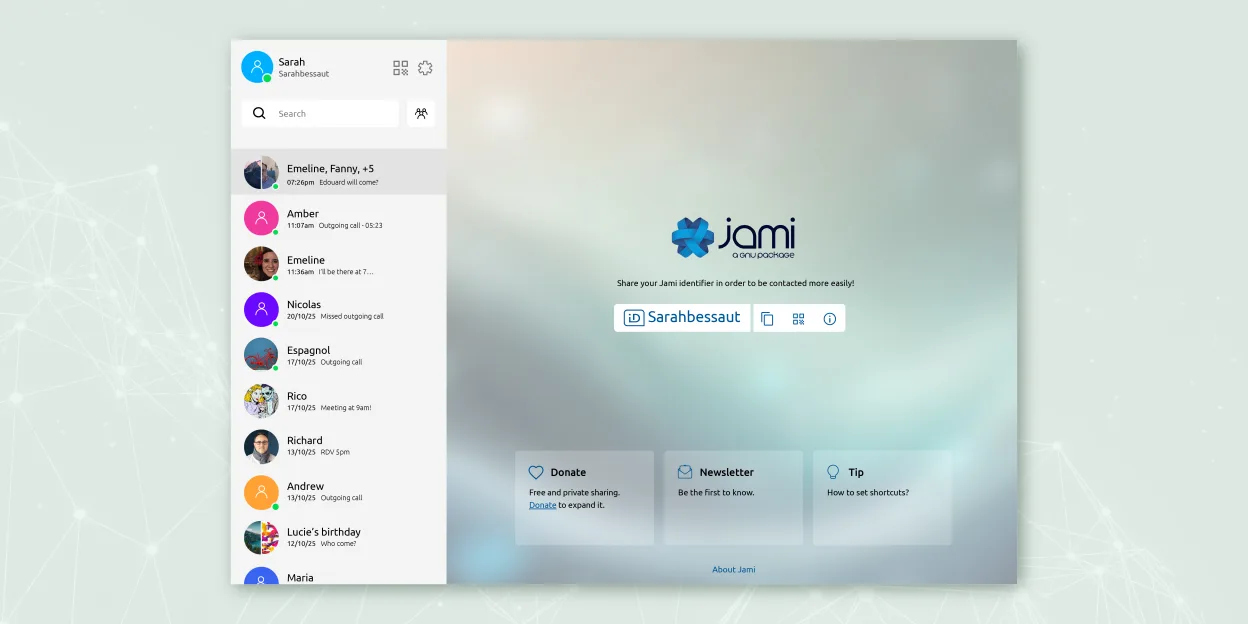
Jami is a free, peer‑to‑peer chat and video‑call client that works without central servers.
Jami is a viable replacement for Microsoft Teams (new) only if your priorities are privacy, decentralization, and basic communication. It handles group chats, encrypted video/audio calls, screen sharing, and file transfers without central servers. However, it lacks calendar integration, persistent…
Feature parity55% -

Element is an open‑source, matrix‑based chat and video‑conference client for Linux.
Element is a solid replacement for Microsoft Teams (new) for organizations and teams prioritizing privacy, decentralization, and open-source tools. It handles group chat, video conferencing, screen sharing, and file collaboration reliably. If your workflow doesn’t depend on deep Microsoft 365…
Feature parity75% -

Mattermost is an open-source, self-hosted collaboration platform for developer teams, offering a secure alternative to SaaS tools.
Mattermost is a solid replacement for Microsoft Teams (new) if you prioritize self-hosting, data control, and developer workflow integration. It handles persistent group chat, file sharing, and has plugin-based video conferencing via Jitsi or Zoom, but lacks built-in, reliable multi-party calling…
Feature parity65% -

Jitsi Meet is an open-source video conferencing client that connects to any Jitsi server for secure, account-free calls.
Jitsi Meet is a solid replacement for Microsoft Teams (new) if your primary needs are video conferencing, screen sharing, and ad-hoc collaboration without mandatory accounts. It excels in simplicity, privacy, and ease of access—especially for external participants. However, it lacks persistent…
Feature parity65%



What is Microsoft Teams (new)?
Microsoft Teams is widely used by businesses and schools for team communication, virtual meetings, and real-time collaboration. It integrates tightly with Microsoft 365, offering chat, video conferencing, file sharing, and app integrations. Most users access it through work or school accounts, making it common in managed environments where IT controls access and policies.
Teams is proprietary software, licensed through Microsoft 365 subscriptions. There is no standalone free version for full functionality, though limited guest access is sometimes allowed. Organizations pay per user, and the cost is typically bundled with other Microsoft services. This licensing model locks users into the ecosystem, especially when external partners need to join meetings.
People seek Linux alternatives because Teams has limited native support on Linux and lacks full feature parity compared to Windows or macOS versions. Users running Linux on workstations or servers want reliable, open tools that respect privacy and work without compatibility layers. Many also want to avoid vendor lock-in and reduce dependency on proprietary platforms.
What a replacement for Microsoft Teams (new) must do
- Group chat with persistent history
- Video and audio conferencing for multiple participants
- Screen sharing during calls
- File sharing and collaboration
- Integration with calendars or scheduling
- Support for external participants without account creation
Can you run Microsoft Teams (new) on Linux?
Microsoft Teams offers a native Linux client for Debian and RPM-based distributions, but it's based on Electron and can be resource-heavy. The web version works well in Firefox or Chrome. Full functionality, including screen sharing and call quality, is generally reliable on Linux, though some users report minor bugs. It does not require Wine or Proton, as official packages are available.
Which alternative should you choose?
For full self-hosted collaboration, Mattermost fits teams wanting chat and integrations similar to Teams. Element works well for decentralized, secure communication using Matrix. Jitsi Meet is ideal for open video meetings without accounts. Jami offers peer-to-peer calls and chat with no central server. Wireshark is not a Teams alternative—it's a network analyzer and listed here in error.
Moving your Microsoft Teams (new) files and habits
Teams does not allow bulk export of chat logs or files unless admins enable compliance exports. Files stored in SharePoint or OneDrive can be downloaded separately. For switching to alternatives, calendar invites and contact lists can be exported via Outlook. Moving to platforms like Element or Mattermost requires manual recreation of channels and user onboarding, as no direct import tool exists from Teams.
Side-by-side comparison
| App | License | Flatpak | Latest version | Feature parity | Rating |
|---|---|---|---|---|---|
| Jami | GPL-3.0+ | ✓ | 20260917.0 | 55% | — |
| Element | AGPL-3.0-only OR… | ✓ | 1.12.32 | 75% | — |
| Mattermost | Apache-2.0 | ✓ | 6.3.1 | 65% | — |
| Jitsi Meet | Apache-2.0 | ✓ | 2026.8.0 | 65% | — |
Microsoft Teams (new): frequently asked questions
Can I use Microsoft Teams on Linux with full features?
Yes, the official Linux client supports chat, calls, screen sharing, and meetings, though it may use more RAM than native apps.
Is there an open-source alternative with similar features to Teams?
Mattermost and Element offer similar collaboration features and can replace Teams in many organizations, especially when self-hosted.
Can external users join meetings in Linux alternatives like Jitsi Meet?
Yes, Jitsi Meet allows anyone to join a video call via a link, no account required—similar to Teams guest access.
Does Teams on Linux support calling and screen sharing?
Yes, both one-on-one calls and screen sharing work in the Linux desktop and web versions.
How important is Microsoft Teams (new) to you?
Know a better alternative? Suggest an alternative