
 nomacs - Image LoungeLinux
vs
Ashampoo Photo CommanderWindows
nomacs - Image LoungeLinux
vs
Ashampoo Photo CommanderWindows
nomacs - Image Lounge as a Linux alternative to Ashampoo Photo Commander
Updated
Our verdict
nomacs is a decent replacement for Ashampoo Photo Commander if you prioritize fast viewing, folder navigation, and basic metadata work over advanced editing and cataloging. It handles common image formats well and supports batch renaming and basic browsing tasks, but lacks raw processing and a true database-driven photo catalog. It suits casual users who want a lightweight, open-source viewer with thumbnail and metadata support, but semi-professionals needing batch edits, raw development, or advanced organization will find it limited.
- License
- GPL-3.0
- Price
- Free
- Latest version
- 3.23 (November 11, 2011)
- Rating
- —
What works the same
- Both support folder-based browsing with thumbnail previews
- Offer basic image viewing with rotate, zoom, and crop tools
- Display metadata and support image rating via labels or notes
- Allow batch renaming of image files
- Provide filter-by-filename or regex to narrow displayed images
What is different
- nomacs lacks built-in raw image development (no Darktable or Rawtherapee integration)
- No dedicated photo catalog database—relies on file system instead of indexed library
- Missing batch processing for exposure, color, or resize operations
- No export-to-web or slideshow creation features found in Ashampoo
- Ashampoo includes more editing tools like red-eye removal and filters
Opening your Ashampoo Photo Commander files
nomacs opens common formats like JPEG, PNG, and TIFF that Ashampoo Photo Commander uses, and can extract images from ZIP and Office archives. It does not support Ashampoo's proprietary project files or sidecar files if used. Exporting is limited to saving copies in standard formats—there's no direct export pipeline like Ashampoo's. Raw format support depends on system codecs and may require additional packages.
Switching from Ashampoo Photo Commander to nomacs - Image Lounge, step by step
- Install nomacs via your package manager or Flathub: 'sudo apt install nomacs' or 'flatpak install flathub org.nomacs.ImageLounge'
- Copy your photo folders to the Linux system if coming from Windows
- Use the file explorer panel in nomacs to navigate to your photo directories
- Apply filename filters or regex to isolate specific image sets
- Use batch rename tools outside nomacs (like pyRenamer or mmv) if advanced batch processing is needed
Key features of nomacs - Image Lounge
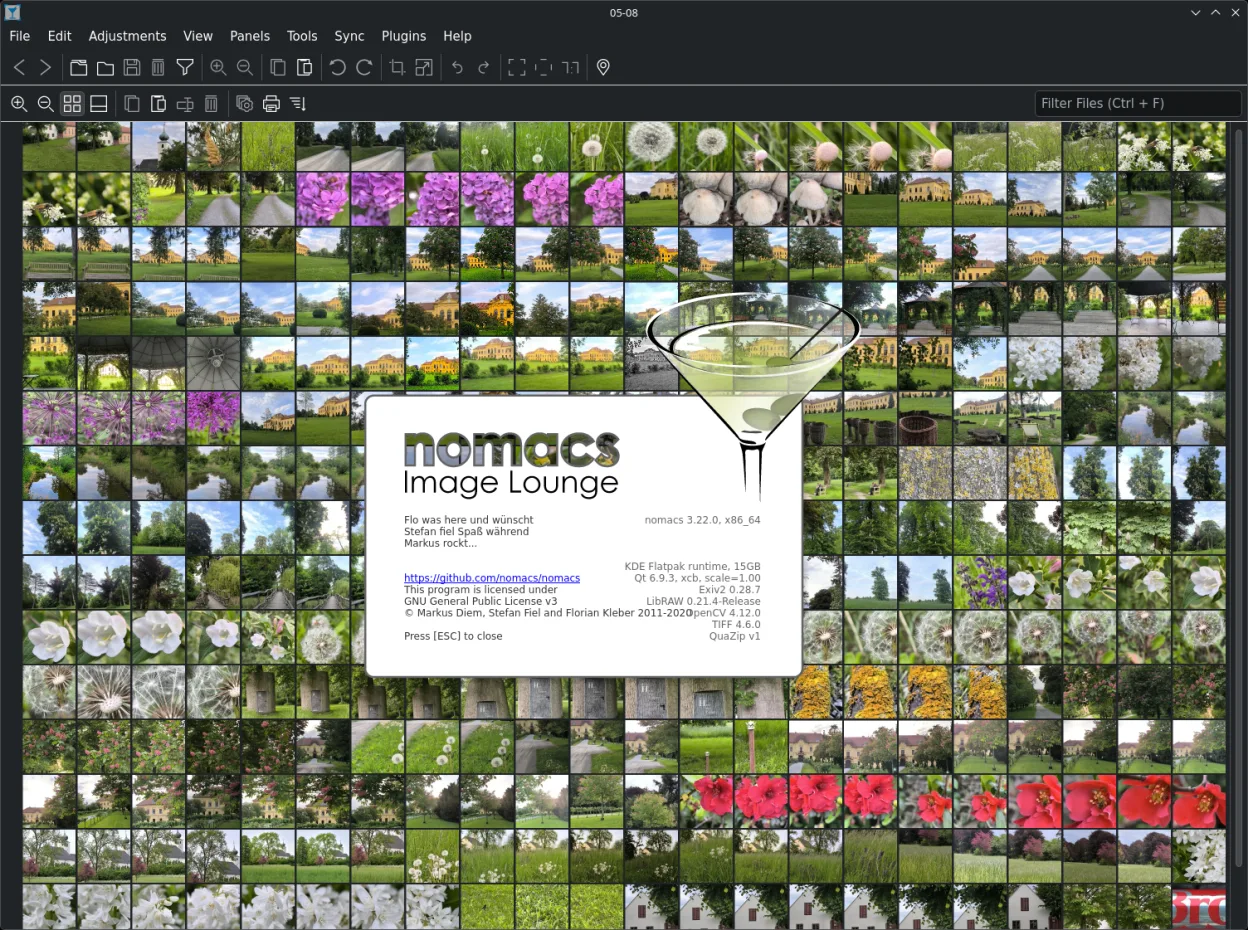
- Semi‑transparent widgets for thumbnails, metadata, histogram
- Browse images inside ZIP or Office archives
- Add notes to images
- File explorer panel for folder navigation
- Filter images by filename or regex
- Cache for instant image switching
- Thumbnail preview of current folder
- Open‑source GPL‑3.0 license
How to install nomacs - Image Lounge on Linux
flatpak install flathub org.nomacs.ImageLoungesudo apt install nomacssudo apt install nomacssudo dnf install nomacssudo zypper install nomacsFrequently asked questions
Can nomacs edit RAW photos like Ashampoo Photo Commander?
No, nomacs can display RAW files if your system has the right codecs, but it doesn't provide RAW development tools like exposure or white balance adjustment. Use RawTherapee or Darktable alongside nomacs for that.
Does nomacs support image ratings and tags like Ashampoo?
It supports adding notes and labels via overlays, but not XMP/IPTC ratings or star tagging. Metadata display is read-only; nomacs won't write ratings back to files.
Can I browse and extract images from ZIP files in nomacs?
Yes, nomacs can browse images inside ZIP and MS Office files and extract them to a folder, which is useful for archived photo collections.
6 other alternatives to Ashampoo Photo Commander
 digiKamdigiKam is a comprehensive KDE photo manager for organizing, tagging, and editing digital photos with strong…Open sourceFreeFlatpakdigiKam vs Ashampoo Photo Commander
 ShotwellShotwell is a GNOME photo manager for importing, organizing, and lightly editing images.Open sourceFreeFlatpakShotwell vs Ashampoo Photo Commander
 gThumb Image ViewergThumb is a GNOME‑integrated image viewer, editor and organizer for Linux.Open sourceFreeFlatpakgThumb Image Viewer vs Ashampoo Photo Commander
 darktabledarktable is a free, open‑source photo editor that manages raw files and offers a full non‑destructive…Open sourceFreeFlatpakdarktable vs Ashampoo Photo Commander
 RawTherapeeRawTherapee is an open‑source, cross‑platform raw photo development program.Open sourceFreeFlatpakRawTherapee vs Ashampoo Photo Commander
 XnView MPXnView MP is a fast, cross‑platform image viewer and organizer for Linux.FlatpakXnView MP vs Ashampoo Photo Commander