
Windows · Internet
Best Linux alternatives to Slack
Slack is a cloud‑based team chat and collaboration tool used mainly by businesses.
Updated
Quick answer
The best Linux alternative to Slack is Discord. Other strong options: Mattermost, Rocket.Chat, Zulip.
5 Linux alternatives to Slack
-

A cross-platform messaging, voice, and video client for communities, gaming, and casual hangouts.
Discord can replace Slack for teams that need a free, cross‑platform chat with voice and video, but it lacks many enterprise features such as SSO, granular audit logs, and deep integrations with CI/CD or calendar tools. Small businesses, creative groups, or remote teams that already use Discord for…
Feature parity55% -

Mattermost is an open-source, self-hosted collaboration platform for developer teams, offering a secure alternative to SaaS tools.
Mattermost is a strong replacement for Slack if you prioritize data sovereignty and developer workflows. It handles real-time messaging, channels, and file sharing effectively. The main trade-off is that you must self-host the server, which requires maintenance effort that Slack users might not…
Feature parity85% -

Open-source team communication platform for chat, video, and collaboration, often used to replace Slack or Microsoft Teams.
Rocket.Chat is a strong, self-hostable alternative to Slack, ideal for teams prioritizing data sovereignty and avoiding per-seat costs. It covers core needs like channels, threads, and file sharing effectively. However, its integration ecosystem is smaller than Slack's, so you may need to build…
Feature parity85% -
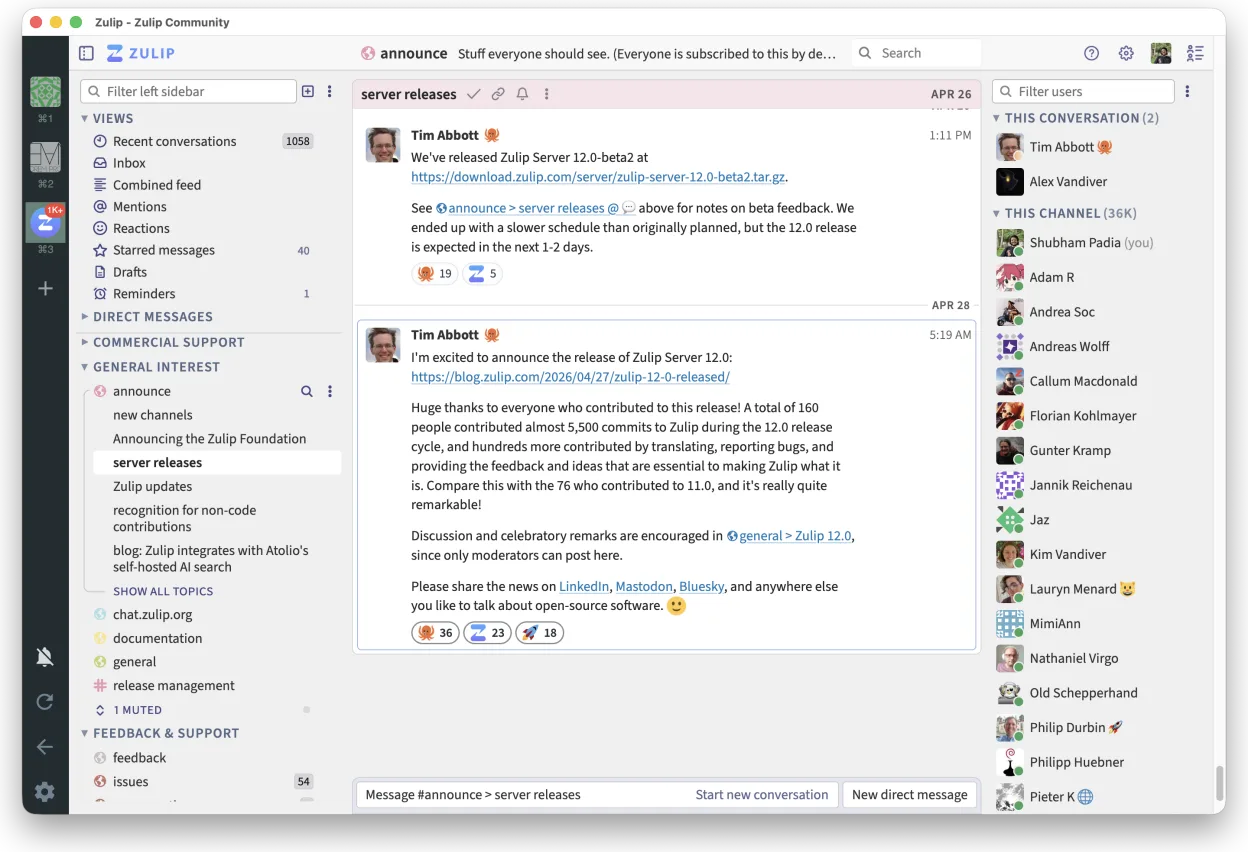
Zulip is an open-source group chat application that uses threaded conversations to manage high-volume team discussions.
Zulip is a strong, honest replacement for Slack, particularly for teams that find Slack’s flat message streams chaotic. It excels at organizing high-volume discussions through mandatory threading, which keeps context intact. While it lacks some of Slack’s polished integrations out of the box, its…
Feature parity85% -

Element is an open‑source, matrix‑based chat and video‑conference client for Linux.
Element can replace Slack for teams that need open‑source, end‑to‑end encrypted communication and are comfortable with Matrix federation. It supports real‑time messaging, threaded replies, file sharing, search, and integrations via bots. It also adds video calls and screen sharing. Users who rely…
Feature parity75%





What is Slack?
Slack is a messaging platform that lets teams share messages, files, and integrate with many other tools. It is used by developers, marketers, and support teams to keep communication organized in channels and direct messages.
The service follows a freemium model: a free tier with limited message history and integrations, and paid plans that unlock full history, advanced security, and larger file uploads.
Users look for Linux alternatives because the official Slack client is only available for Windows, macOS, and a web app, and native Linux support is limited or absent, making it inconvenient for Linux‑only workflows.
What a replacement for Slack must do
- Real‑time group and private messaging
- Channel organization with threaded replies
- File sharing and search
- Integration with common tools (Git, CI, calendars)
- Security features like SSO and MFA
Can you run Slack on Linux?
There is no official native Slack client for Linux. Users can access Slack via the web interface in a browser. Some try to run the Windows client under Wine, but stability varies and features may not work fully. No official Proton or Bottles support exists.
Which alternative should you choose?
Discord is best for casual teams needing voice and video. Mattermost and Rocket.Chat are suitable for self‑hosted environments that need full control. Zulip offers threaded conversations and is good for teams that prefer structured discussions. Element is ideal for teams already using Matrix for secure messaging.
Moving your Slack files and habits
Slack data can be exported in JSON format through the admin console. Files are stored in cloud storage and can be downloaded manually. Importing this data into alternatives often requires custom scripts or manual re‑upload; no direct one‑click migration exists.
Side-by-side comparison
| App | License | Flatpak | Latest version | Feature parity | Rating |
|---|---|---|---|---|---|
| Discord | LicenseRef-proprietary | ✓ | 1.0.162 | 55% | — |
| Mattermost | Apache-2.0 | ✓ | 6.3.0 | 85% | — |
| Rocket.Chat | MIT | ✓ | 4.18.3 | 85% | — |
| Zulip | Apache-2.0 | ✓ | 5.13.2 | 85% | — |
| Element | AGPL-3.0-only OR… | ✓ | 1.12.32 | 75% | — |
Slack: frequently asked questions
Does Slack have a native Linux client?
No, Slack does not provide a native Linux application. Users rely on the web app or run the Windows client via compatibility layers.
Can I use Slack on Linux with Wine?
Some users report partial functionality, but stability is inconsistent and features like notifications or file uploads may fail.
Is the web version sufficient for most tasks?
Yes, the web app offers full messaging, file sharing, and integration support, though it may be slower than a native client.
What are the main security concerns on Linux?
Since Slack is a cloud service, security depends on the provider; Linux users should enable MFA and use the paid plans for advanced compliance features.
How important is Slack to you?
Know a better alternative? Suggest an alternative