
Windows · Graphics
Best Linux alternatives to Snipaste
Capture screen regions and pin them to your desktop for quick visual reference while working.
Updated
Quick answer
The best Linux alternative to Snipaste is Flameshot. Other strong options: GNOME Screenshot, Shutter, Xournal++.
4 Linux alternatives to Snipaste
-

Flameshot is a lightweight, open-source screenshot tool for Linux with built-in annotation and Imgur upload support.
Flameshot is a strong alternative for the capture and annotation parts of Snipaste, but it lacks the core 'pin to desktop' feature. If you primarily use Snipaste to keep reference images floating above other windows, Flameshot will not replace it. However, if your main need is quick region captures…
Feature parity60% -
GNOME Screenshot is a lightweight tool for capturing and saving screen images in GNOME-based Linux systems.
GNOME Screenshot is a partial replacement for Snipaste, suitable only if you primarily need quick region captures and don't require the pinning feature. It handles screen grabs well with low overhead and integrates nicely with GNOME shortcuts. However, it lacks Snipaste's core utility: keeping…
Feature parity40% -
Shutter is a powerful, open-source screenshot tool for Linux with built-in editing, annotation, and direct upload capabilities.
Shutter is a solid replacement for Snipaste if you need a full-featured screenshot tool with editing and upload capabilities. It handles region capture and annotation well, which covers most of Snipaste's utility for documentation or sharing. However, it lacks the specific 'pin to desktop'…
Feature parity60% -
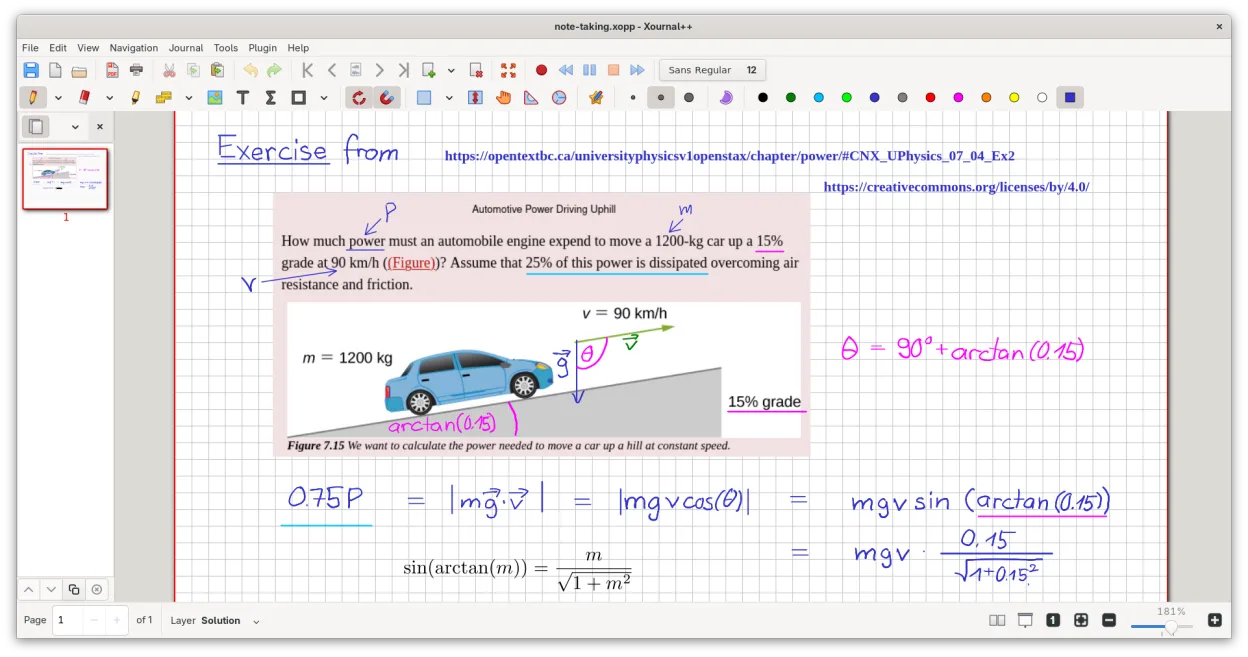
A cross-platform, open-source note-taking app for handwriting, PDF annotation, and whiteboarding with stylus support.
Xournal++ is not a direct replacement for Snipaste. While Snipaste is a lightweight utility for capturing and pinning screen regions as floating overlays, Xournal++ is a heavy, full-featured note-taking application designed for stylus input and PDF annotation. If your primary need is quickly…
Feature parity15%


What is Snipaste?
Snipaste is a lightweight utility used by developers, designers, and office workers who need to keep visual references handy. Instead of saving every screenshot to a file, you grab a region of the screen and pin it as a floating window on top of other apps. This is useful for comparing code, design specs, or error messages without switching tabs or losing your place in a document.
The software operates on a freemium model. The core functionality, including screen capture and pinning, is free for personal use. A paid version adds features like OCR (text recognition), color pickers, and advanced export options. It is not open-source, but the free tier covers the vast majority of daily use cases for most users.
People look for a Linux alternative because Snipaste is a Windows-only application. While it might run via Wine, the performance and integration are often less smooth than native tools. Linux users need a solution that feels native, respects their desktop environment, and provides the same quick capture-and-pin workflow without the overhead of a compatibility layer.
What a replacement for Snipaste must do
- Screen region capture
- Pin image to desktop as a floating window
- Keep pinned images on top of other windows
- Lightweight and low resource usage
- Quick launch via keyboard shortcut
- Basic annotation tools (optional)
Can you run Snipaste on Linux?
Snipaste does not have a native Linux version. It is a Windows executable. You can attempt to run it using Wine, Bottles, or Proton, but success varies depending on your desktop environment and Wine configuration. Many users report that while it launches, the pinning feature may not behave correctly or may conflict with window managers. It is generally recommended to use a native Linux tool for a more stable and integrated experience.
Which alternative should you choose?
If you need the closest match to Snipaste's 'pin to desktop' feature, Flameshot is a strong choice because it supports pinning screenshots to the screen. GNOME Screenshot is best if you are on GNOME and want a simple, integrated tool, though it lacks the pinning feature by default. Shutter is a good middle ground with more annotation options, but it is older and less actively maintained. Xournal++ is better for annotating PDFs or notes rather than quick screen references. Obsidian is a note-taking app and not a direct replacement for screen pinning, unless you are using it to store screenshots in a knowledge base.
Moving your Snipaste files and habits
Snipaste does not store a central library of pinned images; they are temporary memory objects. Therefore, there is no data to export. If you have saved screenshots from Snipaste, they are standard image files (PNG or JPG) and will open in any Linux image viewer. You do not need to convert formats. Your workflow changes from 'capture and pin' to 'capture and pin' using a native tool, so the transition is purely about learning new keyboard shortcuts.
Side-by-side comparison
| App | License | Flatpak | Latest version | Feature parity | Rating |
|---|---|---|---|---|---|
| Flameshot | GPL-3.0-or-later | ✓ | 15.0.0 | 60% | — |
| GNOME Screenshot | GPL-2.0+ | — | 41.0 | 40% | — |
| Shutter | GPL-3.0 | — | 0.99.7 | 60% | — |
| Xournal++ | GPL-2.0 | ✓ | 1.3.8 | 15% | — |
Snipaste: frequently asked questions
Can I pin screenshots in Flameshot?
Yes, Flameshot has a built-in option to pin the captured screenshot to the screen, which closely mimics Snipaste's primary function.
Does GNOME Screenshot support pinning?
No, GNOME Screenshot does not natively support pinning images to the desktop. You would need to use a different tool or a third-party extension for that specific feature.
Is Snipaste open source?
No, Snipaste is proprietary software. The Linux alternatives listed, such as Flameshot and Shutter, are open source.
Which tool is best for quick annotation?
Flameshot and Shutter both offer decent annotation tools (arrows, text, blur) directly in the capture interface. Xournal++ is better for detailed, long-form annotation of existing documents.
How important is Snipaste to you?
Know a better alternative? Suggest an alternative