
Windows · Graphics
Best Linux alternatives to Corel PaintShop Pro 2022
Consumer raster editor for photo retouching and digital art, with strong Linux alternatives like GIMP and Krita.
Updated
Quick answer
The best Linux alternative to Corel PaintShop Pro 2022 is GIMP. Other strong options: Krita, darktable, RawTherapee.
4 Linux alternatives to Corel PaintShop Pro 2022
-
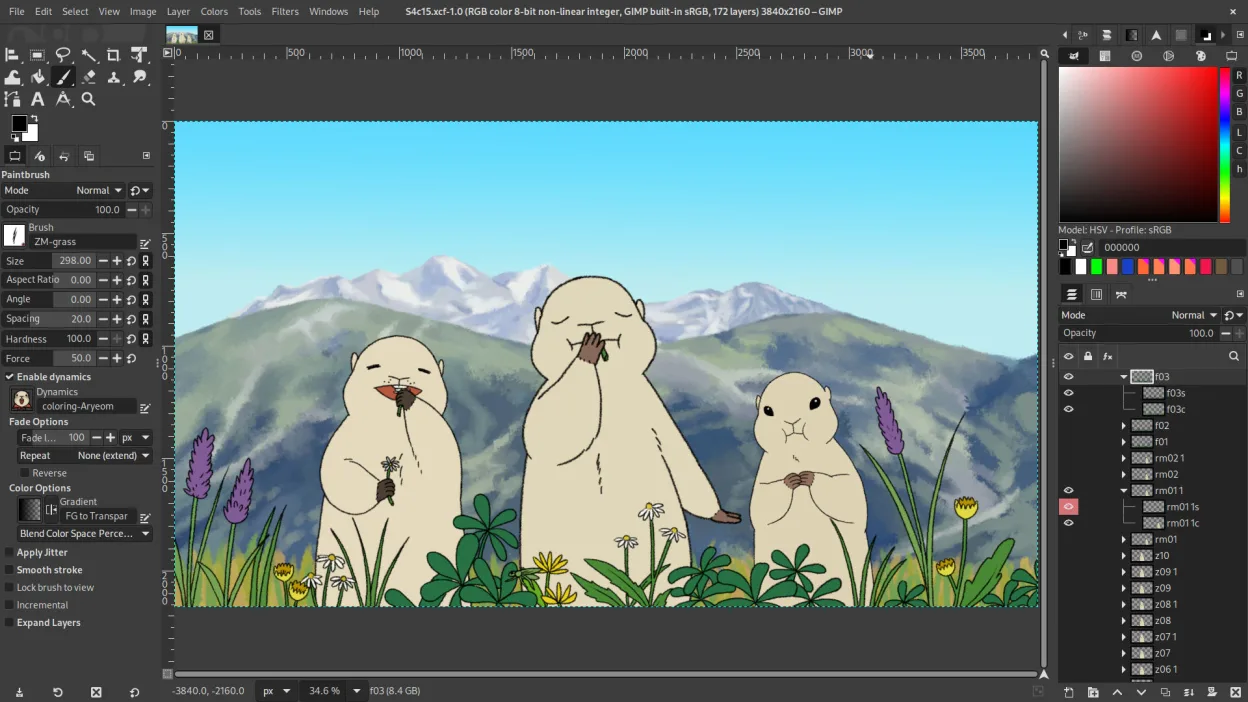
GIMP is a free, open-source raster graphics editor for photo editing, digital painting, and image composition.
GIMP is a solid replacement for Corel PaintShop Pro 2022 if you are comfortable with a steeper learning curve. It covers all core raster editing tasks, including layer management, retouching, and batch processing. The interface feels less polished than PaintShop Pro, and the workflow is less…
Feature parity85% -

Krita is a full‑featured open‑source digital painting and illustration program.
Krita is a strong replacement for Corel PaintShop Pro 2022 if your primary focus is digital painting, illustration, or heavy retouching. It offers superior brush engines and layer management for creative work. However, it is not ideal if you rely heavily on automated photo batch processing or…
Feature parity75% -
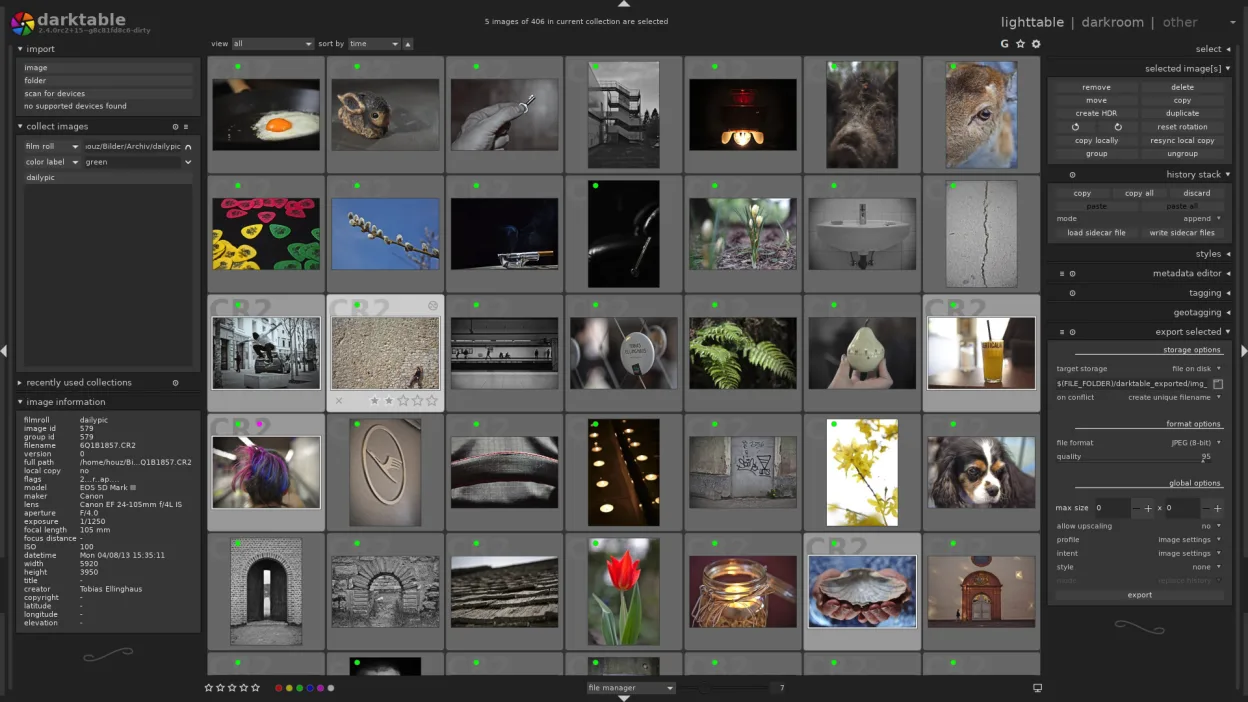
darktable is a free, open‑source photo editor that manages raw files and offers a full non‑destructive workflow.
darktable is not a direct replacement for Corel PaintShop Pro 2022 if you need digital painting or general raster editing. It is a specialized raw photo processor. For users whose workflow is strictly organizing, developing, and retouching raw camera files, it is an excellent, powerful alternative…
Feature parity40% -

RawTherapee is an open‑source, cross‑platform raw photo development program.
RawTherapee is not a direct replacement for Corel PaintShop Pro 2022. While PaintShop Pro is a general-purpose raster editor for retouching and digital art, RawTherapee is a specialized, non-destructive raw photo developer. It excels at initial image processing, color management, and batch…
Feature parity30%


What is Corel PaintShop Pro 2022?
Corel PaintShop Pro 2022 is a consumer-grade raster graphics editor designed for photo editing, retouching, and digital art. It targets hobbyists and semi-professionals who need more features than basic photo viewers but do not require the complexity of professional suites like Photoshop. It handles layer-based editing, filters, and color correction for both photos and original artwork.
The software is typically sold as a one-time purchase or subscription, depending on the region and retailer. It is not open-source and is proprietary. Users pay for a license to install and use the program, often with optional upgrades for newer versions. There is no free tier, though trial periods may be available from the vendor.
People look for Linux alternatives because PaintShop Pro does not run natively on Linux. While some users try Wine, performance and feature support can be inconsistent. Many Linux users prefer native applications that integrate well with the desktop environment, offer regular updates, and avoid the overhead of compatibility layers. Open-source tools also provide cost savings and community support.
What a replacement for Corel PaintShop Pro 2022 must do
- Layer-based raster editing
- Photo retouching tools (healing, clone, dodge/burn)
- Color correction and adjustment layers
- Support for common formats (JPEG, PNG, TIFF, PSD)
- Filter and effect library
- Digital painting or drawing capabilities
- Batch processing for large photo sets
Can you run Corel PaintShop Pro 2022 on Linux?
There is no native Linux version of Corel PaintShop Pro 2022. Corel does not provide a Linux build for this product. Running it via Wine or Proton is possible but not officially supported, and results vary. Some users report success with basic editing, but complex filters or plugin support may fail. No web version exists. If you need guaranteed stability, a native Linux application is the safer choice.
Which alternative should you choose?
For general photo editing and retouching, GIMP is the closest direct replacement with extensive plugin support. If you focus on digital painting or illustration, Krita offers a more intuitive interface for artists. For RAW photo processing specifically, darktable and RawTherapee are superior to GIMP. Inkscape is not a good fit here as it is a vector editor, not a raster one, so exclude it unless you need vector work alongside raster tasks.
Moving your Corel PaintShop Pro 2022 files and habits
PaintShop Pro uses its own .PSA format, but it can open and save standard formats like PSD, TIFF, and PNG. To migrate, export your projects as PSD files to preserve layers when moving to GIMP or Krita. GIMP has good PSD compatibility, though some advanced effects may not translate perfectly. For RAW files, import them directly into darktable or RawTherapee. Keep backups of original files, as some filters in PaintShop Pro are proprietary and may not render identically in Linux tools.
Side-by-side comparison
| App | License | Flatpak | Latest version | Feature parity | Rating |
|---|---|---|---|---|---|
| GIMP | GPL-3.0+ AND LGPL-3.0+ | ✓ | 3.2.8 | 85% | — |
| Krita | GPL-3.0-only | ✓ | 5.3.4.1 | 75% | — |
| darktable | GPL-3.0+ | ✓ | 5.6.2 | 40% | — |
| RawTherapee | GPL-3.0+ | ✓ | 5.13 | 30% | — |
Corel PaintShop Pro 2022: frequently asked questions
Can I use PaintShop Pro plugins in GIMP?
No, PaintShop Pro plugins are not compatible with GIMP. GIMP uses its own plugin architecture. You will need to find equivalent GIMP plugins or scripts for similar effects.
Is GIMP better than PaintShop Pro for photo editing?
GIMP is more powerful and flexible for advanced users but has a steeper learning curve. PaintShop Pro is more user-friendly for beginners. For most tasks, GIMP can match or exceed PaintShop Pro's capabilities.
Does Krita support photo editing?
Krita is primarily a digital painting tool. It has basic photo editing features, but it lacks the advanced retouching and color management tools found in GIMP or PaintShop Pro. Use Krita for art, GIMP for photos.
Can I open PaintShop Pro .PSA files in Linux apps?
No, .PSA is a proprietary Corel format. You must export your work from PaintShop Pro to a standard format like PSD or TIFF before opening it in GIMP, Krita, or other Linux applications.
How important is Corel PaintShop Pro 2022 to you?
Know a better alternative? Suggest an alternative