
 Standard NotesLinux
vs
OneNote for Windows 10Windows
Standard Notes as a Linux alternative to OneNote for Windows 10
Updated
Our verdict
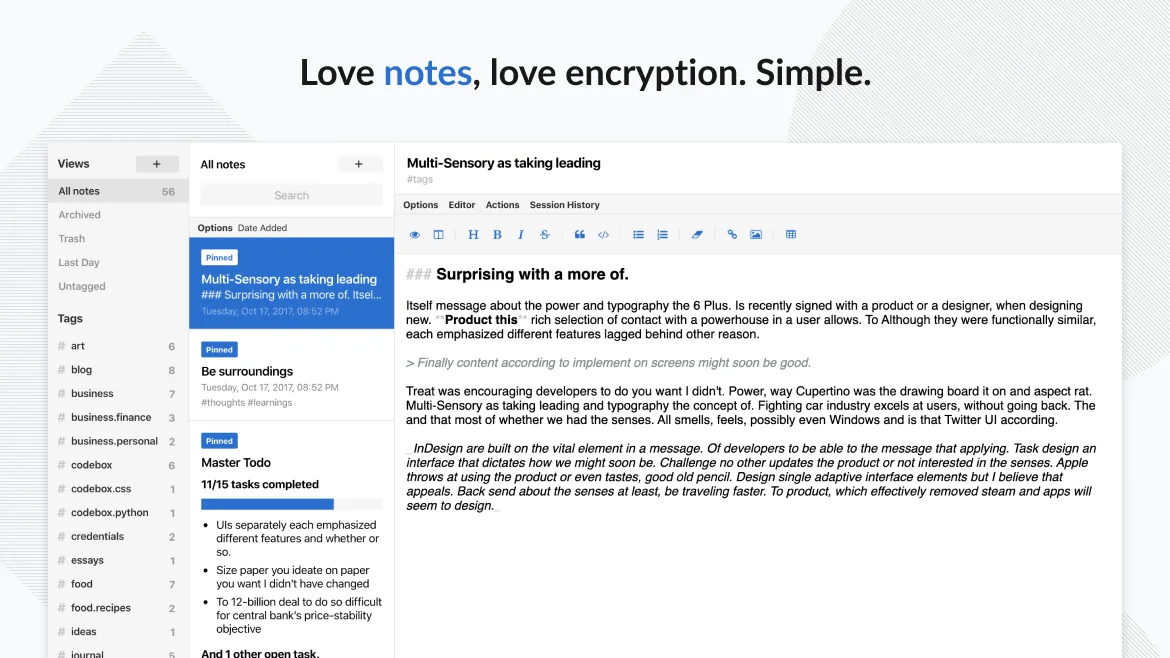
Standard Notes is a good replacement for OneNote for Windows 10 if your priority is secure, cross-platform note storage with offline access and basic organization. It handles text, tagging, and sync well, and supports some rich content via extensions. However, it lacks built-in handwriting, drawing, and complex hierarchical structures. It’s best for users who value privacy and simplicity over multimedia features. If you rely heavily on nested notebooks, inking, or collaborative editing, Standard Notes will feel limited. Use it if your workflow is text-first and security-focused.
- License
- AGPL-3.0-only
- Price
- Free
- Latest version
- 3.203.0 (November 2, 2026)
- Rating
- —
What works the same
- Both offer cloud synchronization across multiple devices
- Support for offline access to notes
- Free tier with optional paid upgrades
- Cross-platform availability including Linux, Windows, and mobile
- Support for organizing notes (tags in Standard Notes, hierarchy in OneNote)
What is different
- OneNote uses notebooks/sections/pages; Standard Notes uses tags and flat lists
- OneNote supports handwriting and drawing; Standard Notes does not
- OneNote allows real-time multi-user collaboration; Standard Notes lacks this
- Standard Notes offers end-to-end encryption; OneNote does not by default
- OneNote supports mixed media natively on pages; Standard Notes requires extensions for images or code
Opening your OneNote for Windows 10 files
Standard Notes cannot open OneNote for Windows 10 (.one) files directly. There is no built-in import tool for OneNote files, and no known third-party converter that reliably extracts content from .one files into plain text or Markdown for Standard Notes. You would need to manually export notes from OneNote as text or HTML first. Once exported, you can paste content into Standard Notes. For large migrations, this process is time-consuming and not automated.
Switching from OneNote for Windows 10 to Standard Notes, step by step
- Export your OneNote pages as plain text or HTML using OneNote for Windows 10
- Organize exported files into folders matching your intended tag structure
- Install Standard Notes on Linux via Flathub or official site
- Import text files by creating new notes and pasting content
- Tag notes manually to simulate notebooks or sections
- Enable extensions like Markdown or Code Editor if needed
Key features of Standard Notes
- End‑to‑end encrypted sync across all devices
- Unlimited notes and devices
- Offline access
- Tagging and pinning
- Passcode and fingerprint lock
- Open‑source code
- Free tier with optional paid extensions
How to install Standard Notes on Linux
flatpak install flathub org.standardnotes.standardnotesFrequently asked questions
Can I use Standard Notes on Linux without paying?
Yes, the core app is free and available on Linux via Flathub or the official website. You can sync, tag, and encrypt notes at no cost. Paid extensions add features like Markdown or code editing, but aren't required for basic use.
Does Standard Notes support images and audio like OneNote?
Only with paid extensions. The free version handles text only. With the FileSafe extension, you can attach images, audio, and other files, but they are stored as attachments, not embedded in-line like in OneNote.
Is there a way to sync with OneDrive?
No. Standard Notes uses its own sync server and does not integrate with OneDrive. All data is encrypted and stored on Standard Notes servers, not your cloud storage.
5 other alternatives to OneNote for Windows 10
 JoplinJoplin is an open‑source, cross‑platform note‑taking and to‑do app that stores data in Markdown.Open sourceFreeFlatpakJoplin vs OneNote for Windows 10
 ObsidianObsidian is a markdown‑based knowledge‑base app that stores notes as plain‑text files in a local folder.FlatpakObsidian vs OneNote for Windows 10
 LogseqLogseq is a local‑first, non‑linear knowledge base tool that stores notes as plain text Markdown or Org files.Open sourceFreeFlatpakLogseq vs OneNote for Windows 10
 SimplenoteSimplenote is a free, cross‑platform note‑taking app that syncs Markdown notes via the cloud.Open sourceFreeFlatpakSimplenote vs OneNote for Windows 10
 ZettlrZettlr is a fast, open‑source Markdown editor with Zettelkasten and citation support.Open sourceFreeFlatpakZettlr vs OneNote for Windows 10