
Windows · Internet
Best Linux alternatives to TeamSpeak
TeamSpeak is proprietary VoIP software for low-latency voice chat, popular among gamers and teams needing reliable audio communication.
Updated
Quick answer
The best Linux alternative to TeamSpeak is Mumble. Other strong options: Discord, Jitsi Meet.
3 Linux alternatives to TeamSpeak
-

Open-source, low-latency encrypted voice chat client designed for gaming and team communication.
Mumble is a solid replacement for TeamSpeak for users who need low‑latency, channel‑based voice chat with encryption. It works well on Linux and other platforms, supports push‑to‑talk and voice‑activity detection, and can be self‑hosted or run on third‑party servers. Gamers, developers, and small…
Feature parity85% -

A cross-platform messaging, voice, and video client for communities, gaming, and casual hangouts.
Discord can replace TeamSpeak for most gamers and small teams who need low‑latency voice and a channel structure, especially if they also want text, video, and screen sharing. It works well on Linux, Windows, macOS, and mobile, and its free tier supports unlimited servers. However, teams that rely…
Feature parity80% -
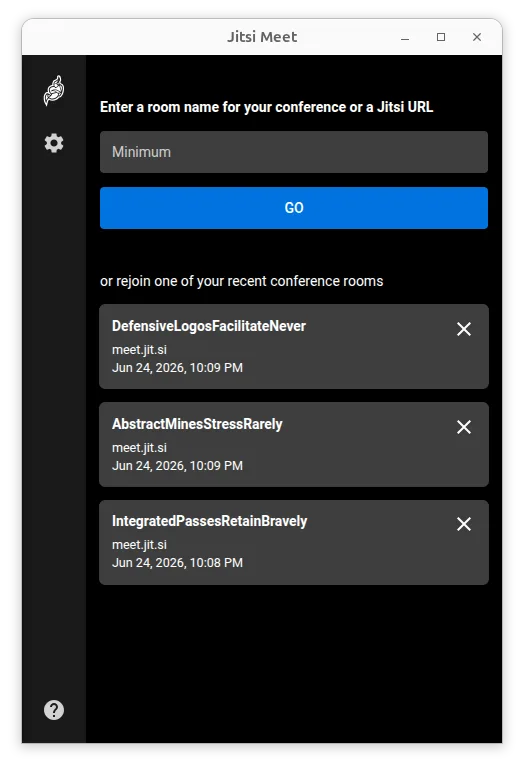
Jitsi Meet is a free, open-source video conferencing client that connects to any Jitsi server without requiring an account.
Jitsi Meet can replace TeamSpeak for users who need voice and video chat with low‑latency audio, but it is not a perfect match. It works on Linux, is free, and supports self‑hosting, password rooms, and basic permission controls. However, it lacks the pure‑audio, low‑latency focus and the channel…
Feature parity65%



What is TeamSpeak?
TeamSpeak serves as a dedicated voice-over-IP platform, primarily used by gamers and professional teams. It facilitates real-time audio communication through chat channels, functioning similarly to a conference call. Users typically connect with headsets to coordinate strategies in multiplayer games or manage remote work sessions with minimal lag.
The software operates on a proprietary model. While the client is generally free to download, hosting a server often requires a license or subscription, depending on the scale and number of users. This distinguishes it from fully open-source options, as the core infrastructure relies on TeamSpeak’s specific server implementation and licensing terms.
Linux users seek alternatives because the official TeamSpeak client, while functional, is not native to the ecosystem. Many Linux users prefer open-source tools that integrate better with system audio settings or wish to avoid proprietary dependencies. Additionally, some users want to self-host their own servers without the overhead of commercial licensing fees associated with TeamSpeak.
What a replacement for TeamSpeak must do
- Low-latency voice communication
- Channel-based chat structure
- Support for headsets and microphones
- Server hosting options (self-hosted or cloud)
- Cross-platform compatibility
- Basic user permission management
Can you run TeamSpeak on Linux?
TeamSpeak provides an official native Linux client, so it runs directly on most distributions without emulation. You do not need Wine or Proton to install it. The client is available as a standard package in many repositories or as a direct download from the official site. While it works well, it remains proprietary software, which is why many Linux users explore open-source alternatives for better integration or licensing reasons.
Which alternative should you choose?
If you want a direct, open-source equivalent with similar low-latency performance, Mumble is the best fit; it is lightweight and designed for gaming. If you prioritize a modern interface, video calls, and a massive existing user base, Discord is the strongest choice, though it is also proprietary. For quick, ad-hoc meetings without installing any software, Jitsi Meet is ideal, as it runs entirely in the browser and focuses on video conferencing rather than persistent voice channels.
Moving your TeamSpeak files and habits
Migrating from TeamSpeak does not involve transferring saved voice data, as audio is streamed in real-time. However, you may need to reconfigure server settings if you move to a different platform like Mumble or Jitsi. User lists and channel structures are not portable between these different systems. You will need to manually invite your team to the new platform and re-establish any specific channel hierarchies or permission levels you had in TeamSpeak.
Side-by-side comparison
| App | License | Flatpak | Latest version | Feature parity | Rating |
|---|---|---|---|---|---|
| Mumble | BSD-3-Clause | ✓ | 1.5.939 | 85% | — |
| Discord | LicenseRef-proprietary | ✓ | 1.0.164 | 80% | — |
| Jitsi Meet | Apache-2.0 | ✓ | 2026.8.0 | 65% | — |
TeamSpeak: frequently asked questions
Is TeamSpeak free to use on Linux?
The client software is free to download and use. However, hosting a server may require a license fee depending on the number of users and the hosting provider.
Can I use TeamSpeak with Wine if I don't have the native client?
You do not need Wine because an official native Linux client exists. Using Wine is unnecessary and may introduce compatibility issues compared to the native package.
Which alternative is closest to TeamSpeak's functionality?
Mumble is the closest alternative, as it is also a dedicated voice-over-IP application with low latency and channel-based communication, similar to TeamSpeak.
Do I need to install a server for Mumble or Jitsi?
Mumble typically requires a server, which you can self-host or rent. Jitsi Meet can be used as a client for public servers, but for private meetings, you may need to host your own Jitsi instance.
How important is TeamSpeak to you?
Know a better alternative? Suggest an alternative