
Windows · Office
Best Linux alternatives to Windows Calendar
Windows Calendar is a lightweight calendar app for Windows 10 and 11 that syncs with Microsoft, Google, iCloud, and Exchange accounts.
Updated
Quick answer
The best Linux alternative to Windows Calendar is GNOME Calendar. Other strong options: Thunderbird, KOrganizer, Evolution.
4 Linux alternatives to Windows Calendar
-
GNOME Calendar is a simple calendar app for managing events and appointments, integrated with GNOME and Evolution Data Server.
GNOME Calendar is a solid replacement for Windows Calendar if you use Google, Exchange, or CalDAV accounts and stay within the Linux ecosystem. It supports monthly views, event creation, reminders, and fast startup, matching core needs. The integration with Evolution Data Server allows backend sync…
Feature parity85% -
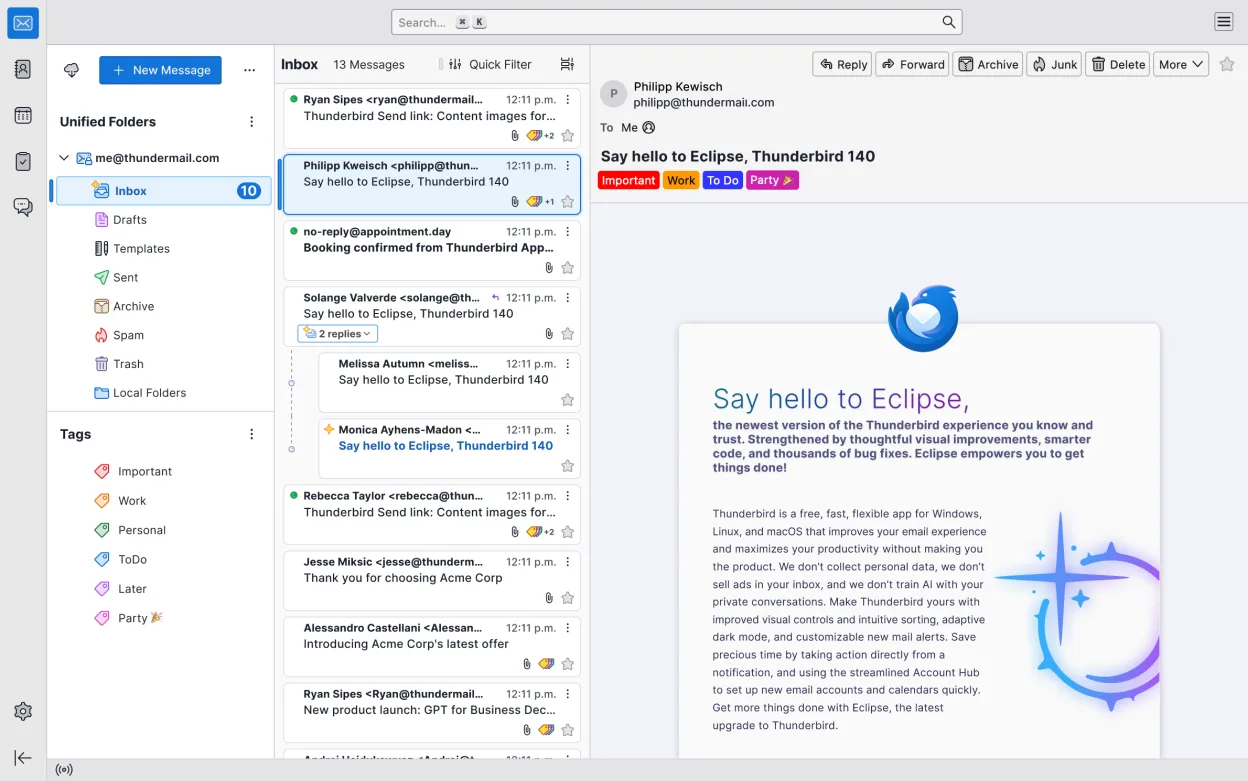
Thunderbird is a free, open-source email, calendar, news feed, and chat client with strong privacy and customization features.
Thunderbird is a solid replacement for Windows Calendar if you also use email and want a unified inbox with calendar integration. It supports Google, Microsoft Exchange/Outlook.com, and iCloud calendars through add-ons or manual CalDAV setup. The monthly view, event creation, and reminders work…
Feature parity80% -
KOrganizer is a calendar and task manager part of the KDE suite, designed to replace tools like Asana on Linux.
KOrganizer is a capable replacement for Windows Calendar if you're on a KDE desktop and want deeper calendar and task integration. It supports Google Calendar, Microsoft Exchange (via CalDAV or GroupDAV), and iCloud through CalDAV, so core syncing needs are met. The monthly view, event creation…
Feature parity75% -
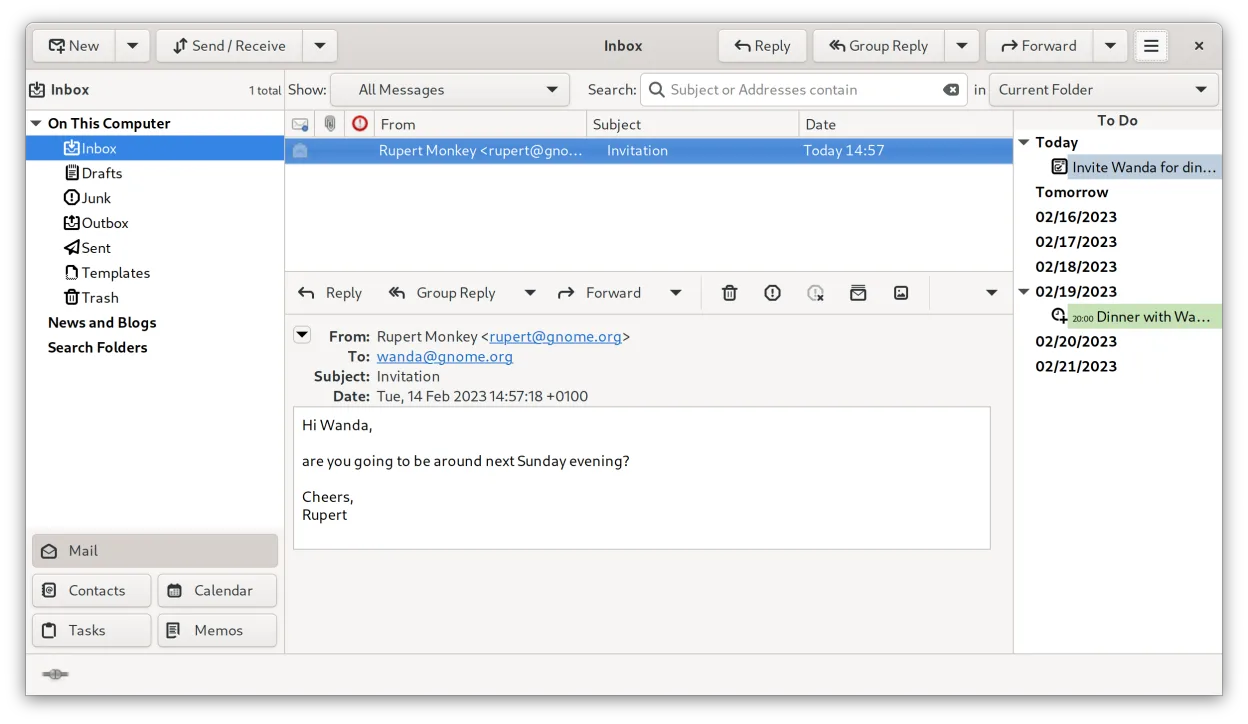
Evolution is a full‑featured personal information manager that combines email, calendar, contacts and tasks into one application.
Evolution is a capable replacement for Windows Calendar if you also want email and contact management in one tool. It supports Google Calendar, Microsoft Exchange, and iCloud via CalDAV or EWS, so syncing works reliably. The monthly view is available, and event creation with reminders is solid…
Feature parity85%


What is Windows Calendar?
Windows Calendar is used primarily for managing personal and work events, appointments, and reminders. It integrates directly with Microsoft accounts and Exchange, making it popular among Windows users in both home and office environments. Its clean monthly and daily views suit casual users and professionals who rely on cloud-synced calendars.
The app is free and comes preinstalled with Windows 10 and 11. There is no separate purchase or subscription required, and it does not display ads. Licensing is tied to the Windows operating system, and all features are available by default without in-app purchases.
People seek Linux alternatives because they want similar ease of syncing with online calendars (especially Microsoft and Google) and a simple, integrated experience. Linux desktops don’t include a default calendar app with the same level of account integration, so users look for reliable replacements that support event management and cloud sync.
What a replacement for Windows Calendar must do
- Syncs with Google Calendar
- Syncs with Microsoft Exchange or Outlook.com
- Supports iCloud Calendar
- Monthly calendar view
- Event creation and reminders
- Lightweight and easy to use
- Integrated with email or contacts (optional)
Can you run Windows Calendar on Linux?
There is no native Linux version of Windows Calendar. It does not run reliably under Wine, Proton, or Bottles due to deep Windows integration. However, the functionality is widely available through Linux-native apps that support CalDAV and Exchange Web Services, which can replicate the syncing behavior with online accounts.
Which alternative should you choose?
GNOME Calendar is best for users wanting a simple, clean interface on GNOME desktops. Thunderbird works well if you also manage email and want tight calendar integration. KOrganizer suits KDE users needing advanced features like task management. Evolution is ideal for enterprise environments with Exchange or heavy groupware use.
Moving your Windows Calendar files and habits
Exporting data from Windows Calendar requires using the associated account (Microsoft, Google, etc.) since the app itself doesn’t export files directly. Events synced to Google, Outlook.com, or iCloud can be accessed on Linux by adding the same account to any of the alternative apps. CalDAV and Exchange support ensure compatibility across platforms.
Side-by-side comparison
| App | License | Flatpak | Latest version | Feature parity | Rating |
|---|---|---|---|---|---|
| GNOME Calendar | GPL-3.0 | — | 51.0 | 85% | — |
| Thunderbird | MPL-2.0 | ✓ | 159.0 | 80% | — |
| KOrganizer | GPL-2.0-or-later | — | 26.08.2 | 75% | — |
| Evolution | GPL-2.0+ and GFDL-1.3 | ✓ | 3.62.1 | 85% | — |
Windows Calendar: frequently asked questions
Can I use Windows Calendar on Linux with Wine?
No, Windows Calendar does not run under Wine due to dependencies on Windows Runtime and account services.
How do I move my events to Linux?
If your calendar is synced with Google, Microsoft, or iCloud, just add the same account in your Linux calendar app.
Is there a direct replacement for Windows Calendar?
GNOME Calendar or Thunderbird offer the closest experience in terms of simplicity and syncing.
Can I sync with Outlook.com or Exchange?
Yes, GNOME Calendar, Evolution, and KOrganizer support Exchange and Outlook.com via CalDAV or EWS.
How important is Windows Calendar to you?
Know a better alternative? Suggest an alternative