

Windows · Internet
Best Linux alternatives to AOL Instant Messenger (AIM)
AOL Instant Messenger was a once‑popular instant‑messaging client that let users chat, share files and status updates.
Updated
Quick answer
The best Linux alternative to AOL Instant Messenger (AIM) is Pidgin. Other strong options: Empathy, Kopete.
3 Linux alternatives to AOL Instant Messenger (AIM)
-
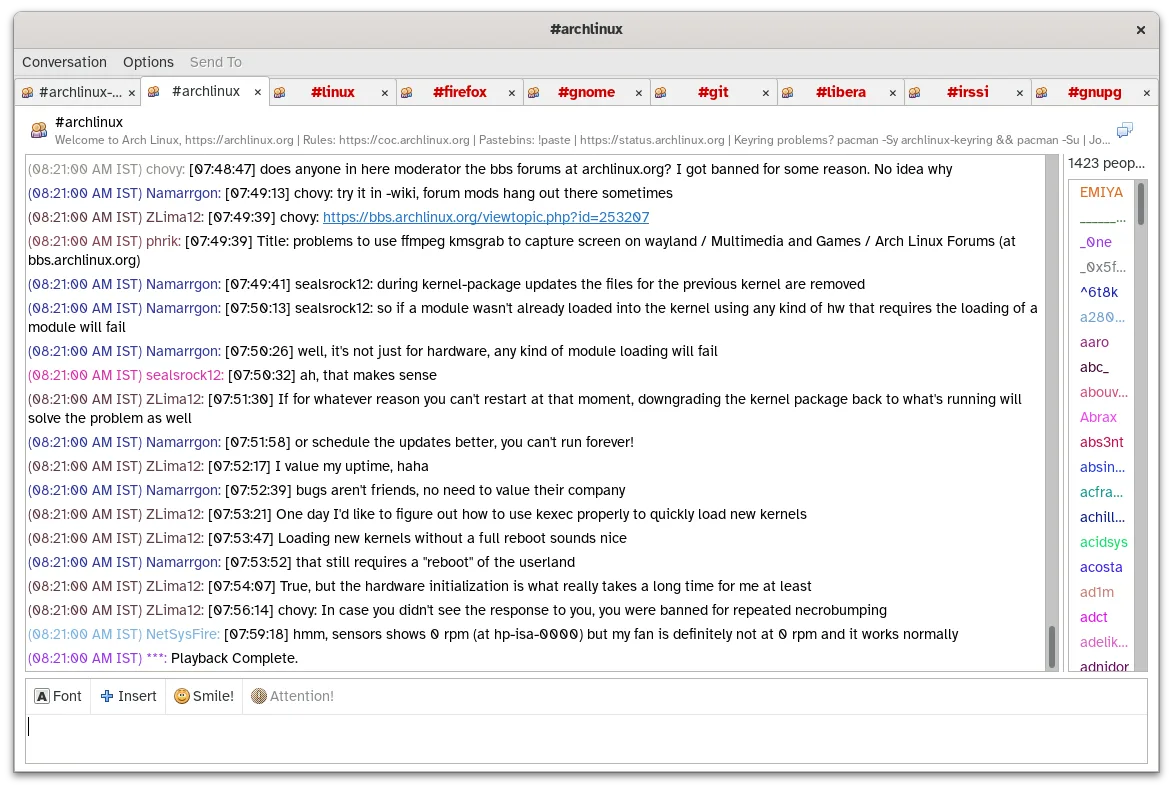
Pidgin is a free, multi‑protocol instant messaging client for Linux, Windows and macOS.
Pidgin is a solid, if dated, replacement for AIM users who still rely on XMPP or legacy protocols. It handles multi-protocol chat, file transfers, and buddy lists effectively. However, it is not a modern consumer app; the interface feels utilitarian compared to current standards. It is best for…
Feature parity85% -

Empathy was GNOME’s default IM and VoIP client supporting multiple protocols.
Empathy can serve as a functional replacement for AOL Instant Messenger for users who want to stay on Linux and use a modern, integrated IM client. It supports XMPP/Jabber, multiple accounts, file transfer, presence, and group chat, which covers most of the core tasks that AIM users performed…
Feature parity70% -

Kopete is a discontinued multi-protocol instant messaging client designed for the KDE desktop environment.
Kopete can replace AIM for users who want a KDE‑based, multi‑protocol instant messenger on Linux. It supports the same core functions—chatting, file transfer, group rooms, presence, and account management—though it no longer receives updates. It is suitable for users who are comfortable with KDE…
Feature parity70%



What is AOL Instant Messenger (AIM)?
AOL Instant Messenger (AIM) was a desktop chat client used mainly in the early 2000s by home users, small businesses and hobbyist communities to exchange text messages, emoticons and occasional file transfers. It worked over AOL’s proprietary network and later supported standard XMPP, allowing people to stay in touch across the internet.
AIM was distributed as a free‑to‑use program bundled with AOL’s subscription services; the client itself required no purchase, though an AOL account was needed for full functionality. The service was ad‑supported and eventually phased out when AOL discontinued the platform in 2017.
When AOL shut down the service, former users needed a way to keep chatting with contacts who still used XMPP or other open protocols. A Linux‑compatible messenger that can import old logs and handle multi‑protocol accounts is the most common reason people look for a replacement.
What a replacement for AOL Instant Messenger (AIM) must do
- Instant messaging with contacts via XMPP/Jabber
- Support for multiple accounts and protocols
- File transfer capability
- Chat history import/export
- Presence/status indicators
- Group chat support
- Cross‑platform compatibility
Can you run AOL Instant Messenger (AIM) on Linux?
There is no native Linux version of AIM; the official client was Windows‑only and has been discontinued. Some users run the old Windows executable through Wine or a container like Bottles, but reliability varies and the service no longer works. The only practical option is to use an XMPP‑compatible client that connects to the same servers, if they are still operational, or switch to a modern service.
Which alternative should you choose?
If you prefer a simple, integrated desktop experience, Empathy works well with GNOME and offers solid XMPP support. Pidgin is the most flexible, handling many protocols and extensive plugins, ideal for power users who need a single pane for multiple chat services. Kopete fits KDE users who want a messenger that matches the desktop’s look and feel while still supporting XMPP.
Moving your AOL Instant Messenger (AIM) files and habits
AIM stored chat logs in plain‑text files under the user’s profile directory. Those files can be copied and imported into Pidgin (via the Import Logs plugin) or manually opened in any text editor. Since AIM used the XMPP protocol, you can simply re‑enter your account credentials in the new client; no special conversion tool is required. Exporting contacts is done by saving the buddy list as a CSV from the old client before it stopped working.
Side-by-side comparison
AOL Instant Messenger (AIM): frequently asked questions
Can I still use AIM today?
The official AIM service was shut down in 2017, so the original network no longer exists. You can only connect to any remaining XMPP servers that used the AIM protocol, if they are still running.
Is there a web version of AIM?
AOL offered a web interface called AIM Web, but it was retired along with the service. No official web client remains.
Will Wine run the old AIM client?
Wine can launch the Windows executable, but because the backend service is offline, the client will not connect to anyone.
Which Linux messenger is best for XMPP?
Pidgin and Empathy both have solid XMPP support; Pidgin offers more plugins, while Empathy integrates tightly with GNOME.
How important is AOL Instant Messenger (AIM) to you?
Know a better alternative? Suggest an alternative