
Windows · Programming
Best Linux alternatives to Git
Git is a distributed version control system for tracking source code changes.
Updated
Quick answer
The best Linux alternative to Git is Git. Other strong options: GitKraken, gitg, Git Cola.
5 Linux alternatives to Git
-
Git is a distributed version control system for tracking changes in source code.
Git on Linux is the same core product as the Windows version, just installed natively. It provides full command‑line access, a mature set of tools, and a large ecosystem of GUIs such as GitKraken, Sourcetree, and Gitg. For developers who prefer terminal workflows or need to manage large…
Feature parity95% -
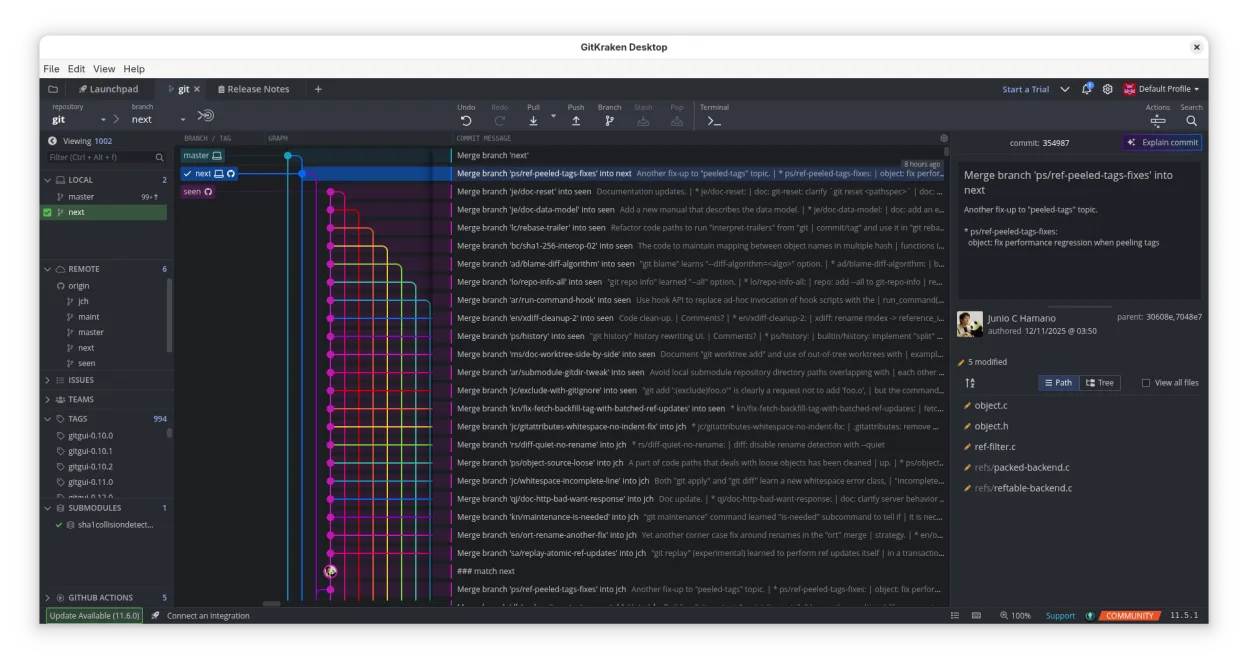
GitKraken is a cross‑platform Git client with integrated issue tracking and code editing.
GitKraken is a solid graphical front‑end that covers most day‑to‑day Git tasks and adds a visual history, merge editor, and integrated issue tracking. It is a good replacement for users who prefer a GUI and need quick visual feedback, especially on medium‑size projects. Power users who rely on the…
Feature parity85% -
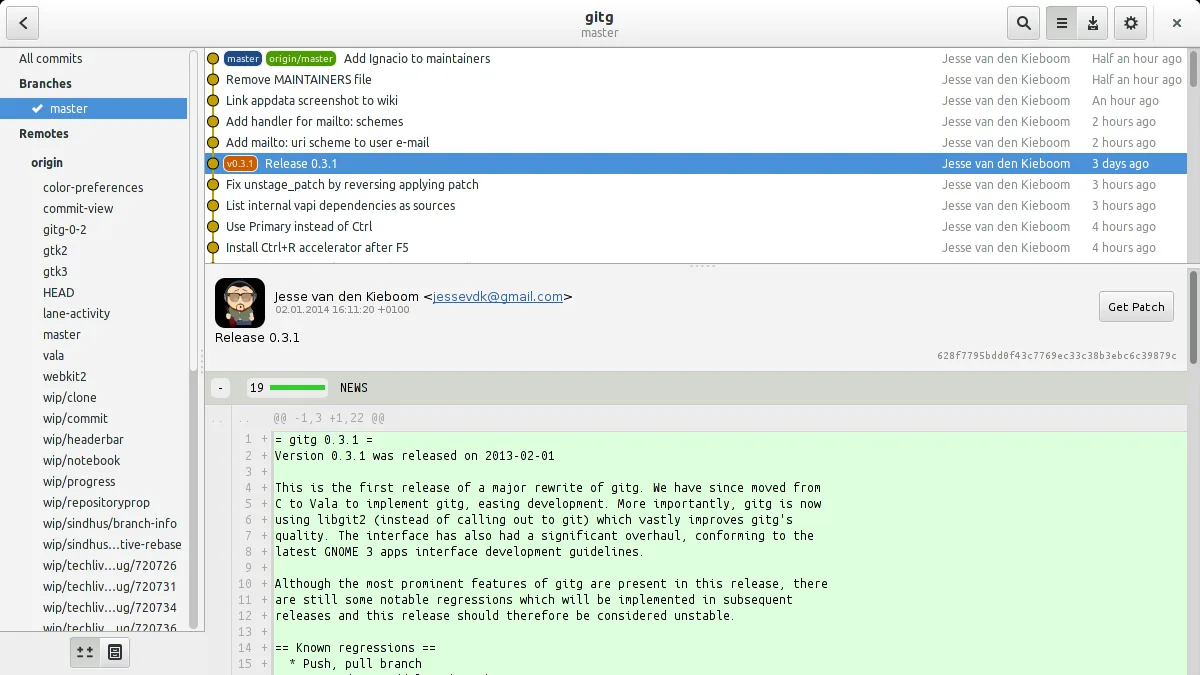
Gitg is a lightweight graphical interface for Git that visualizes commit history and manages repositories.
Gitg is a lightweight GUI frontend, not a replacement for the Git command-line tool itself. It covers basic visualization and commit tasks well but lacks advanced features like submodule management or complex merge conflict resolution. For simple repositories where you primarily need to view…
Feature parity40% -
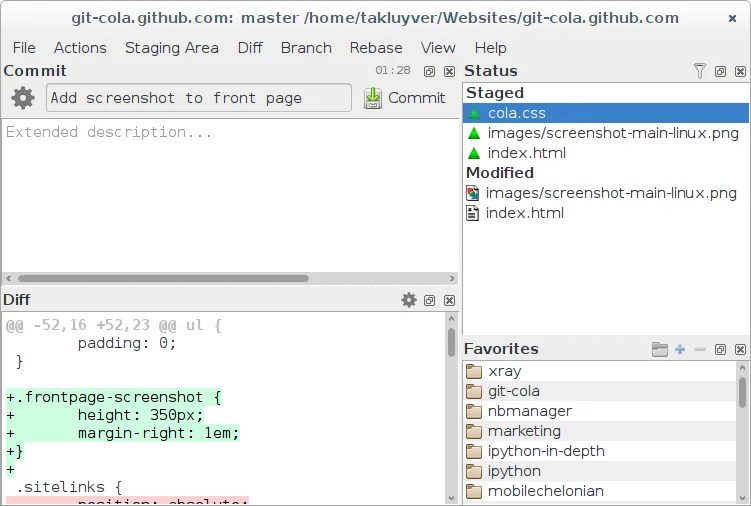
Git Cola is a lightweight, feature‑rich graphical Git client for Linux.
Git Cola is a solid graphical front‑end for Git that covers most day‑to‑day tasks a typical developer needs: cloning, pulling, pushing, branching, stashing, and reviewing history. It is a good replacement for users who prefer a visual workflow but still want full command‑line access for advanced…
Feature parity85% -
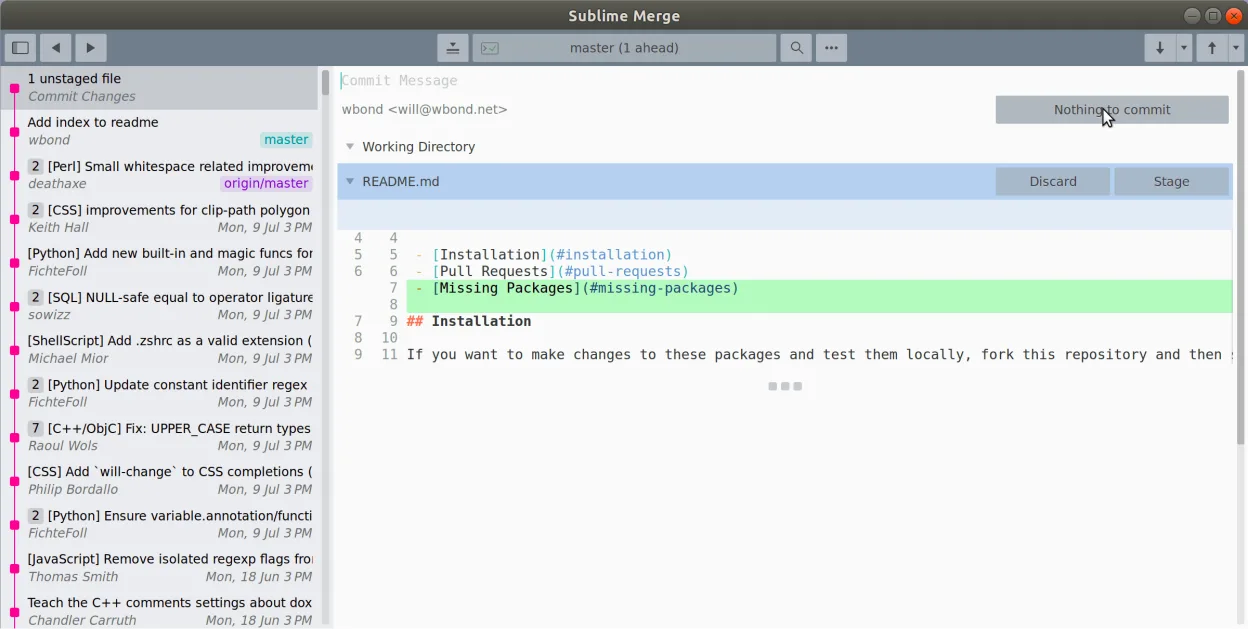
Sublime Merge is a proprietary Git client with a fast, keyboard‑centric UI.
Sublime Merge is a solid graphical replacement for many day‑to‑day Git tasks on Linux. It gives a fast, keyboard‑centric interface, line‑by‑line staging, a powerful diff view, and a command palette that covers most Git commands. It is ideal for developers who prefer a GUI but still want full Git…
Feature parity85%




What is Git?
Git is a tool that lets developers record and manage changes to code over time, supporting branching and merging. It is used by individual programmers, open‑source projects, and large enterprises to coordinate work across many contributors. Git is free and open source, distributed under the GPL‑2.0 license, so anyone can install or modify it without cost.
Because Windows users often rely on GUI wrappers, many look for Linux alternatives that provide similar visual workflows while staying within the Linux ecosystem. The goal is to keep the same command‑line power but with a native interface.
Linux users prefer tools that integrate with their desktop environment, support scripting, and have active communities. Choosing the right GUI can reduce friction when learning Git’s concepts and make everyday tasks faster.
What a replacement for Git must do
- Command‑line access to all Git features
- Graphical history and branch view
- Merge conflict editor
- Repository management (clone, pull, push)
- Support for large repositories and submodules
Can you run Git on Linux?
All listed options run natively on Linux. Git itself is a command‑line tool available on every distro. GitKraken, Lazygit, gitg, Git Cola, Sublime Merge, and GitKraken all ship native binaries for Ubuntu, Fedora, Arch, and other major distributions. No Wine or Proton is required.
GitKraken offers a web‑based version for those who prefer a browser interface, but the desktop app is the common choice.
If you prefer a terminal‑based UI, Lazygit or gitg are lightweight and fully functional.
All tools support standard Git repositories, so you can move between them without data loss.
Which alternative should you choose?
For command‑line enthusiasts, use Git directly. If you want a lightweight terminal UI, choose Lazygit or gitg. For a full‑featured graphical client with advanced visualizations, pick GitKraken or Git Cola. Sublime Merge is ideal if you already use Sublime Text and want a fast, cross‑platform GUI.
Moving your Git files and habits
All alternatives read standard Git repositories, so you can clone, pull, and push without changing the .git directory. No special export is needed. If you use GitKraken’s proprietary project files, you can open them in other clients by importing the repository path.
Side-by-side comparison
| App | License | Flatpak | Latest version | Feature parity | Rating |
|---|---|---|---|---|---|
| Git | GPL-2.0 | — | 2.56.0 | 95% | — |
| GitKraken | LicenseRef-proprietary | ✓ | 12.6.0 | 85% | — |
| gitg | GPL-2.0+ | ✓ | 50 | 40% | — |
| Git Cola | GPL-2.0 | ✓ | 4.19.0 | 85% | — |
| Sublime Merge | LicenseRef-proprietary=https… | ✓ | 2132 | 85% | — |
Git: frequently asked questions
Is Git free?
Yes, Git is free and open source under the GPL‑2.0 license.
Can I use Git on Linux without a GUI?
Absolutely, the command line is the most powerful interface and is available on all Linux distros.
Do I need to install Git separately?
Most distributions ship Git in their package manager; you can install it with apt, dnf, pacman, or yum.
Can I use GitKraken on Linux?
Yes, GitKraken provides native Linux binaries for all major desktop environments.
How important is Git to you?
Know a better alternative? Suggest an alternative