
Windows · Graphics
Best Linux alternatives to Paint 3D
Paint 3D is a simple Windows tool for quick 2‑D drawing and basic 3‑D object creation.
Updated
Quick answer
The best Linux alternative to Paint 3D is Krita. Other strong options: GIMP, Inkscape, Blender.
7 Linux alternatives to Paint 3D
-

Krita is a full‑featured open‑source digital painting and illustration program.
Krita is a strong replacement for Paint 3D if you're focused on 2D drawing and want far more control, but it's overkill for casual users who mainly dabble in basic 3D. It excels in digital painting with advanced brushes, layers, and color management, making it ideal for illustrators or serious…
Feature parity75% -

GIMP is a free, open-source raster graphics editor for photo editing, digital painting, and image composition.
GIMP can replace Paint 3D for users who need a free, open‑source raster editor with layer support and a wide range of brushes. It is more powerful than Paint 3D and works on Linux, but it lacks the simple 3‑D object editor and the very beginner‑friendly UI that Paint 3D offers. For hobbyists or…
Feature parity65% -

Inkscape is a free, open‑source vector graphics editor that rivals Adobe Illustrator and CorelDRAW.
Inkscape can replace Paint 3D for users who want more precision and vector output, but it is not a drop‑in for casual 2‑D raster drawing or quick 3‑D prototyping. It excels at detailed vector illustrations, SVG export, and advanced editing, while lacking a simple brush‑based canvas and the low‑poly…
Feature parity65% -

Blender is a free, open-source 3D suite for modeling, animation, rendering, and video editing.
Blender is a valid but overpowered replacement for Paint 3D. It handles all 3D modeling and 2D drawing needs, but the interface is complex for non-technical users. If you only need quick sketches or simple 3D shapes, Blender feels like using a crane to hang a picture. It is best for users willing…
Feature parity60% -
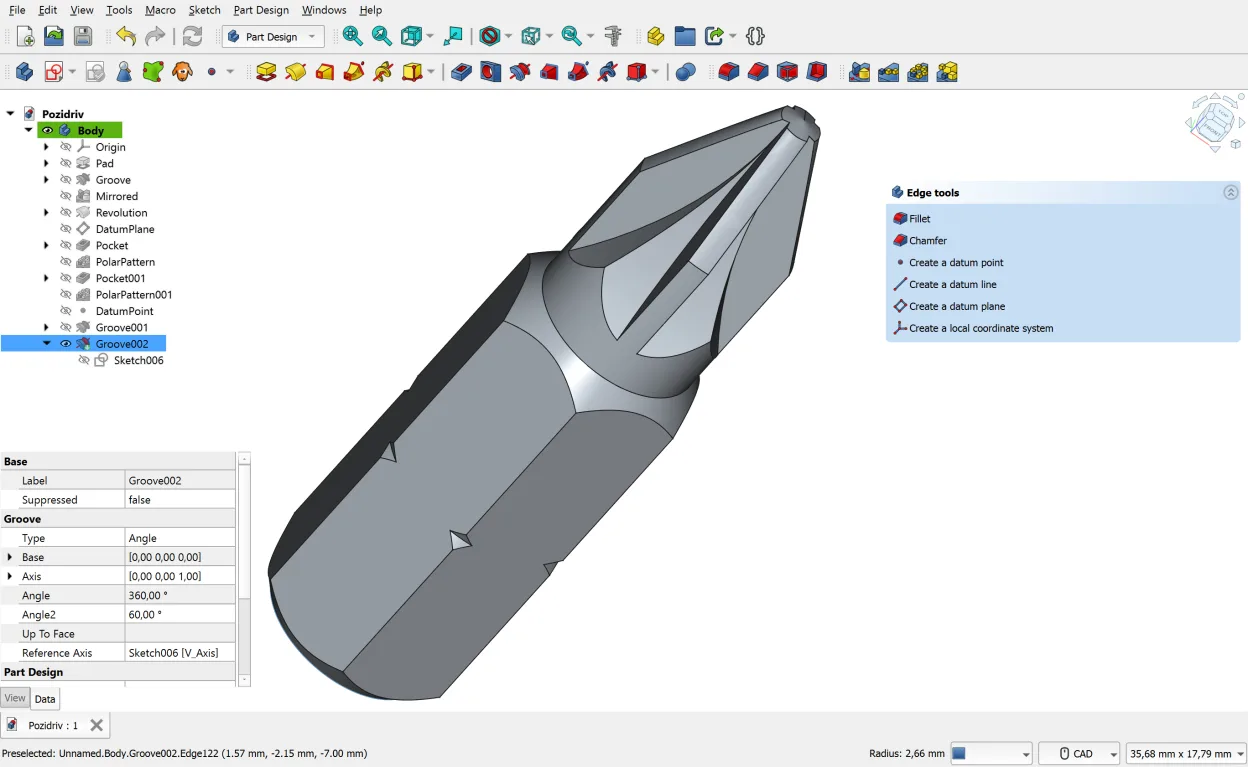
FreeCAD is an open‑source parametric 3D CAD modeler for design, engineering and 3D printing.
FreeCAD is not a direct replacement for Paint 3D. It is a parametric CAD tool for engineering and precise design, not a casual drawing app. If you need to sketch quickly or paint with brushes, FreeCAD will feel clunky and overkill. However, if your use of Paint 3D was primarily to create simple…
Feature parity40% -
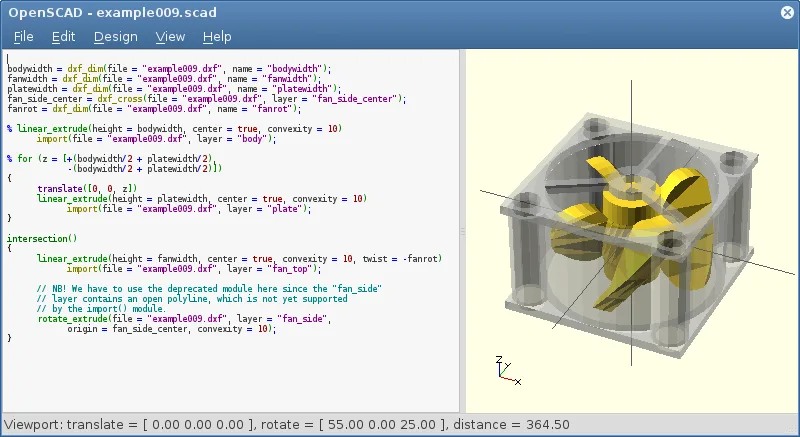
OpenSCAD is a parametric 3D CAD modeller that generates solid models from text-based scripts rather than interactive mouse movements.
OpenSCAD is not a suitable replacement for Paint 3D. It is a script‑based parametric CAD tool that focuses on solid modeling, not on quick raster drawing or simple 3‑D object creation. Paint 3D users who need a touch‑and‑drag interface, brush tools, and layer compositing will find OpenSCAD too…
Feature parity20% -
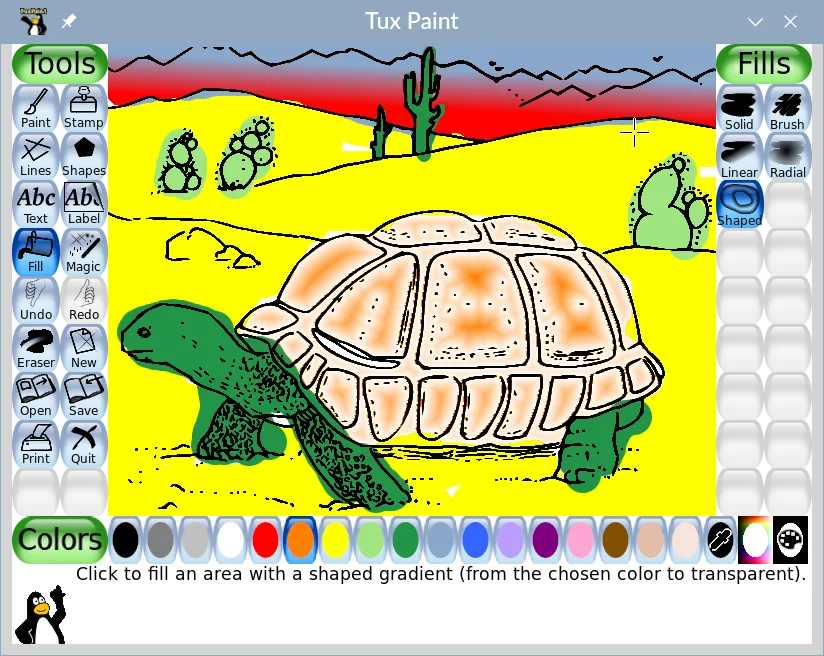
Tux Paint is a free, kid-friendly drawing program with a simple interface, sound effects, and a guiding mascot for ages 3-12.
Tux Paint can replace Paint 3D for very basic 2‑D drawing tasks and for users who only need simple brushes, shapes, and a child‑friendly interface. It does not support 3‑D object creation, layer compositing, or the more advanced export options that Paint 3D offers. It is best suited for children or…
Feature parity30%


What is Paint 3D?
Paint 3D targets casual users who need to doodle, annotate screenshots, or whip up simple 3‑D shapes for presentations. It ships with Windows 10 and is aimed at hobbyists, educators, and anyone who wants a lightweight graphics app without learning a full‑blown suite. The program is free for Windows users and is licensed as part of the operating system, so there is no separate purchase required.
Because Paint 3D is tied to Windows, Linux users cannot install it natively. Many look for a Linux replacement that offers comparable ease‑of‑use for quick sketches and basic 3‑D modeling without the overhead of professional CAD tools. The goal is to keep the workflow simple: open the app, draw or model, export an image or STL, and move on.
Linux alternatives aim to fill that niche with open‑source software that respects the same “just get it done” philosophy. They are typically free, community‑maintained, and run on a wide range of hardware. Choosing the right one depends on whether you need more 2‑D painting features, vector editing, or true 3‑D modeling capabilities.
What a replacement for Paint 3D must do
- Simple raster drawing tools
- Basic shape and brush palette
- Ability to create and edit low‑poly 3‑D objects
- Export to common image formats (PNG, JPEG)
- Export to 3‑D formats (STL, OBJ)
- Support for layers or basic compositing
- Intuitive UI for non‑technical users
Can you run Paint 3D on Linux?
There is no native Linux build of Paint 3D. It can be run through Wine or a compatibility layer like Bottles, but functionality is hit‑or‑miss, especially for the 3‑D components. No official web version exists, so the only reliable way on Linux is to use an alternative program.
Which alternative should you choose?
For pure 2‑D painting, GIMP or Krita are the closest matches; Krita feels more like a modern drawing app, while GIMP offers extensive image‑editing tools. If you need vector work, Inkscape is the go‑to. For simple 3‑D modeling, Blender covers everything but has a steeper learning curve, whereas FreeCAD and OpenSCAD suit more technical or parametric modeling. Tux Paint is a child‑friendly option.
Moving your Paint 3D files and habits
Paint 3D saves 2‑D work as PNG or JPEG, which GIMP, Krita and Inkscape can open without issue. 3‑D models are exported as STL or OBJ; Blender, FreeCAD and OpenSCAD all read those formats, so you can continue editing after the switch. No proprietary project files need conversion because Paint 3D does not use a unique format beyond the standard exports.
Side-by-side comparison
Paint 3D: frequently asked questions
Can I run Paint 3D on Linux with Wine?
It may launch, but the 3‑D features often fail or are very slow; using a native Linux app is recommended.
Do I need a powerful GPU for the Linux alternatives?
Basic 2‑D tools like GIMP or Krita run fine on modest hardware; Blender and FreeCAD benefit from a decent GPU but are still usable on integrated graphics.
Are the file formats compatible?
Yes, PNG, JPEG, STL and OBJ are standard and supported by all the listed Linux programs.
Is there any cost involved?
All the suggested alternatives are free and open source; no license fees are required.
How important is Paint 3D to you?
Know a better alternative? Suggest an alternative