
Windows · Office
Best Linux alternatives to Microsoft Outlook Calendar
Microsoft Outlook Calendar manages schedules, meetings, and tasks, tightly integrated with email and contacts in the Outlook suite.
Updated
Quick answer
The best Linux alternative to Microsoft Outlook Calendar is Thunderbird. Other strong options: GNOME Calendar, KOrganizer, Evolution.
5 Linux alternatives to Microsoft Outlook Calendar
-
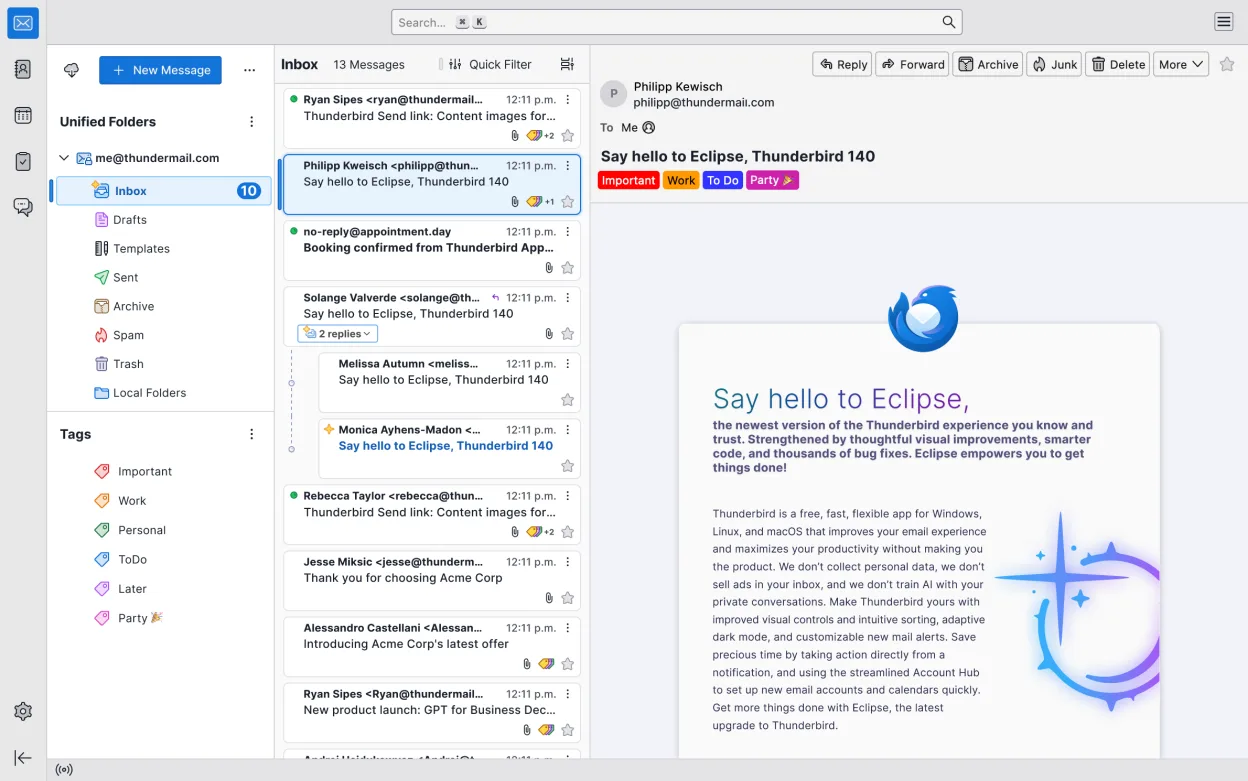
Free, open-source email, calendar, and chat client by Mozilla, offering a complete alternative to Windows Mail and Outlook.
Thunderbird is a strong, free alternative for users who need calendar and task management integrated with email, particularly if you rely on CalDAV or standard IMAP/SMTP. It handles daily appointments, meeting invites, reminders, and recurring events effectively through its Lightning extension…
Feature parity75% -
GNOME Calendar is a simple calendar app for managing events and appointments, integrated with GNOME and Evolution Data Server.
GNOME Calendar is a reasonable replacement for Microsoft Outlook Calendar if you primarily need a simple, reliable way to view and manage personal appointments and accept meeting invitations. It works well for users already in the GNOME ecosystem and those using Google or Exchange accounts via…
Feature parity60% -
KOrganizer is a calendar and task manager part of the KDE suite, designed to replace tools like Asana on Linux.
KOrganizer is a solid replacement for Microsoft Outlook Calendar if you're embedded in the KDE ecosystem and prioritize local control over calendar and task data. It handles core calendar functions well—appointments, recurring events, reminders, and task integration—with strong iCalendar and CalDAV…
Feature parity75% -
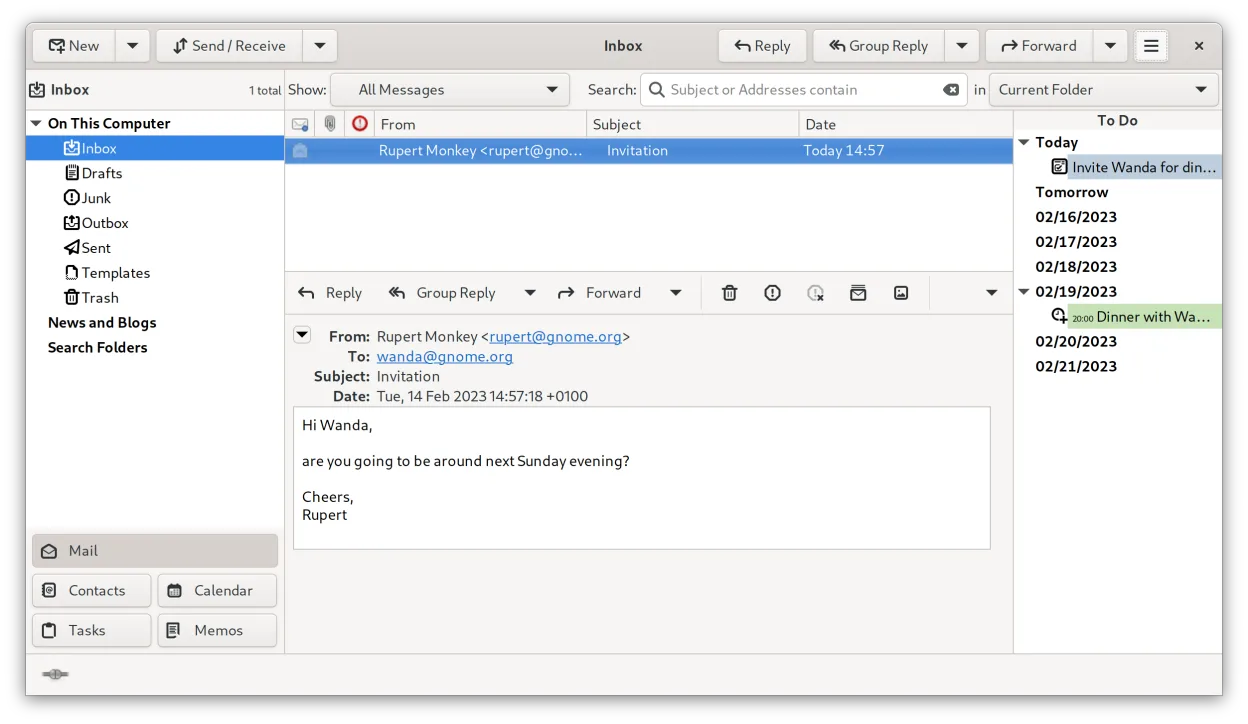
Evolution is a full‑featured personal information manager that combines email, calendar, contacts and tasks into one application.
Evolution is a solid replacement for Microsoft Outlook Calendar, especially for users who rely on integrated email, calendar, and contact management on Linux. It handles daily appointments, meeting invites, reminders, recurring events, and task lists reliably. If you use Exchange via EWS or CalDAV…
Feature parity85% -
A lightweight, KDE-based calendar application for managing events, reminders, and to-do lists with a simple interface.
Orage is a functional, lightweight calendar and to-do manager for users who need basic scheduling without heavy integration. It handles personal events, reminders, and recurring tasks well, and works fine for standalone use on a desktop. However, it lacks native support for Exchange, email…
Feature parity45%


What is Microsoft Outlook Calendar?
Microsoft Outlook Calendar is used mainly by professionals and businesses for managing appointments, meetings, and shared calendars. It's part of the Microsoft 360 suite, often used alongside Outlook email and Teams. Its integration with corporate systems like Exchange makes it common in enterprise environments.
Outlook is proprietary software, licensed through Microsoft 365 subscriptions. There's no standalone free version, though limited access may be available via web. Licensing is typically handled by organizations, not individual users.
People seek Linux alternatives because Outlook requires Windows or macOS, or a web browser. Full desktop functionality isn't available natively on Linux. Users want similar calendar features—especially with email and task sync—without relying on Microsoft's ecosystem or running Windows via compatibility layers.
What a replacement for Microsoft Outlook Calendar must do
- View and manage daily appointments
- Schedule and invite to meetings
- Sync with email and contacts
- Support for Exchange or CalDAV
- Reminders and recurring events
- Shared or team calendars
- Task and to-do list integration
Can you run Microsoft Outlook Calendar on Linux?
There is no native Linux version of Microsoft Outlook Calendar. Access is possible via web browser using Outlook Web App (OWA) or Office 365. Some users run the Windows desktop version through Wine or Bottles, but results vary—calendar sync may work, but features like full Exchange integration are unreliable. Proton is not suitable for Outlook.
Which alternative should you choose?
Thunderbird works well for users who want calendar and email in one app with CalDAV and Exchange via plugin. GNOME Calendar is simple and fits users in GNOME desktop environments. KOrganizer suits KDE users needing rich calendar features. Evolution offers Outlook-like integration for GNOME with Exchange support. Orage is lightweight, for Xfce users needing basic calendar functions.
Moving your Microsoft Outlook Calendar files and habits
Export calendar data from Outlook as .ICS files for events, or use CalDAV sync via Exchange or webmail. Thunderbird with Lightning, Evolution, and KOrganizer support .ICS import and CalDAV. Contacts and tasks can be exported as .CSV or .vCard. Web-based calendars can often be accessed directly in Linux clients using standard protocols.
Side-by-side comparison
| App | License | Flatpak | Latest version | Feature parity | Rating |
|---|---|---|---|---|---|
| Thunderbird | MPL-2.0 | ✓ | 160.0 | 75% | — |
| GNOME Calendar | GPL-3.0 | — | 51.0 | 60% | — |
| KOrganizer | GPL-2.0-or-later | — | 26.08.3 | 75% | — |
| Evolution | GPL-2.0+ and GFDL-1.3 | ✓ | 3.62.1 | 85% | — |
| Orage | GPL-2.0-or-later | — | 4.21.0 | 45% | — |
Microsoft Outlook Calendar: frequently asked questions
Can I access my Outlook Calendar on Linux?
Yes, via a web browser using Outlook Web Access. For desktop integration, use Evolution or Thunderbird with Exchange support.
Is there a Linux version of Outlook?
No, Microsoft does not provide a native Linux client for Outlook. The web version is the official alternative.
Can Thunderbird replace Outlook Calendar?
Yes, with the Lightning add-on, Thunderbird supports calendar views, reminders, and CalDAV/Exchange sync, making it a solid replacement.
How do I sync Outlook Calendar with Linux apps?
Use CalDAV or Exchange ActiveSync. Evolution and Thunderbird support both. Configure via account settings using your email provider's sync settings.
How important is Microsoft Outlook Calendar to you?
Know a better alternative? Suggest an alternative