
Windows · Internet
Best Linux alternatives to Microsoft Teams (classic version)
Microsoft Teams is a Microsoft 365 collaboration suite for chat, video calls, and file sharing, replacing older tools like Skype for Business.
Updated
Quick answer
The best Linux alternative to Microsoft Teams (classic version) is Slack. Other strong options: Mattermost, Discord, Rocket.Chat.
6 Linux alternatives to Microsoft Teams (classic version)
-
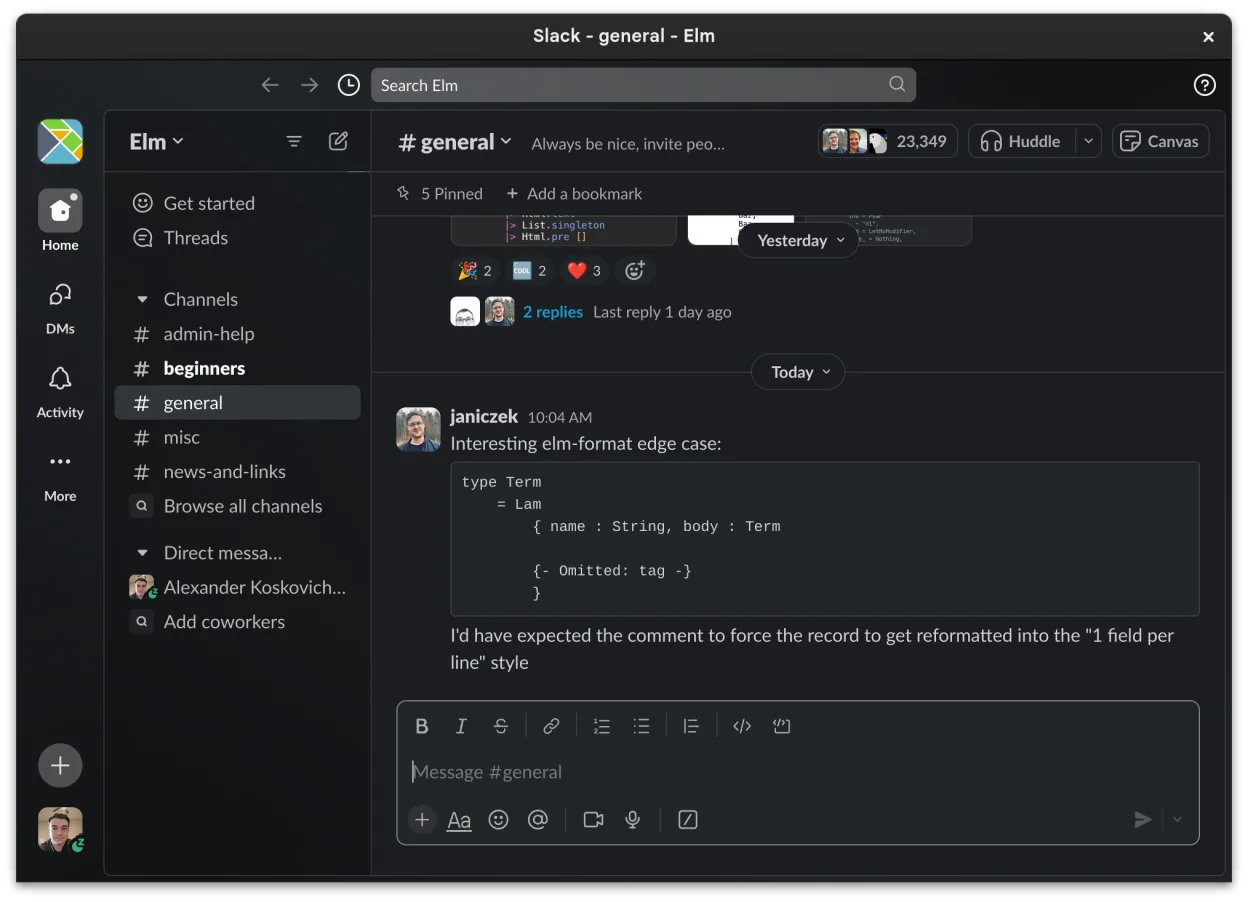
Slack is a proprietary team communication app for Linux that centralizes conversations, tools, and workflows for business collaboration.
Slack can replace Microsoft Teams (classic) for teams that need a channel‑based chat, file sharing, and integration with third‑party tools, but it lacks native collaborative document editing and tight calendar/email integration. It works well for small to medium teams that already use Slack’s…
Feature parity65% -

Mattermost is an open-source, self-hosted collaboration platform for developer teams, offering a secure alternative to SaaS tools.
Mattermost is a strong replacement for Teams if you prioritize self-hosting and developer workflows over Microsoft 365 integration. It handles persistent channels, video calls, and file sharing well, but lacks native Outlook calendar and email sync. It is ideal for teams willing to run their own…
Feature parity75% -

A cross-platform messaging, voice, and video client for communities, gaming, and casual hangouts.
Discord can replace Microsoft Teams for small‑to‑medium teams that need quick chat, voice, and video, but it lacks deep integration with Office 365, calendar, and enterprise‑grade security. It works well for casual collaboration, gaming groups, or small businesses that prefer a free, cross‑platform…
Feature parity60% -

Open-source team communication platform for chat, video, and collaboration, often used to replace Slack or Microsoft Teams.
Rocket.Chat is a strong, self-hosted alternative for teams wanting to leave Microsoft's ecosystem. It covers persistent channels, video calls, and file sharing well. However, it lacks native, deep integration with Microsoft 365 calendar and email, which is a core part of Teams. If your workflow…
Feature parity75% -
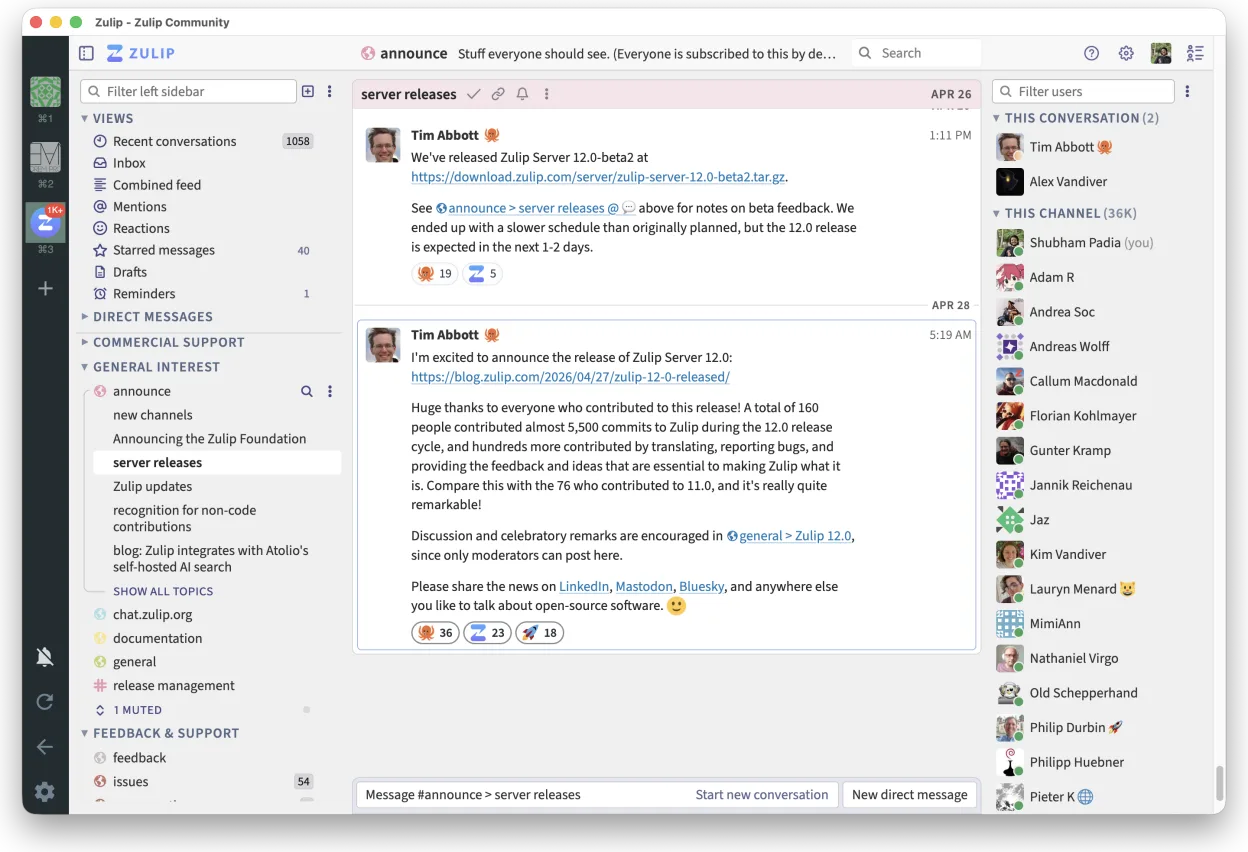
Zulip is an open-source group chat application that uses threaded conversations to manage high-volume team discussions.
Zulip is a strong replacement for Teams if you prioritize organized, threaded communication over deep Microsoft 365 integration. It handles persistent channels, video calls, and file sharing well, and being open-source allows self-hosting. However, it lacks native Outlook calendar and email…
Feature parity65% -

A secure, open-source Matrix client for private messaging, group chats, and video calls across devices.
Element can serve as a functional replacement for Microsoft Teams (classic) for teams that prioritize open‑source, end‑to‑end encryption and are comfortable configuring a Matrix homeserver or using a hosted service. It covers persistent rooms, video calls, screen sharing and file exchange well, but…
Feature parity68%






What is Microsoft Teams (classic version)?
Microsoft Teams serves as the central hub for corporate communication within the Microsoft 365 ecosystem. It is primarily used by business teams, educational institutions, and large organizations to manage daily workflows. The platform consolidates instant messaging, scheduled video conferencing, and collaborative document editing into a single interface, reducing the need to switch between multiple applications for basic office tasks.
The software operates on a freemium model tied to Microsoft licensing. While a basic version is available for personal use, full functionality, including advanced security, compliance features, and large meeting capacities, requires a Microsoft 365 Business or Enterprise subscription. It is not a standalone open-source product but a proprietary service integrated deeply with other Microsoft services like SharePoint and OneDrive.
Users seek Linux alternatives primarily due to licensing costs and the desire for open-source control. Many developers and IT administrators prefer Linux for its stability and customization, but Teams lacks a native Linux client. While a web version exists, it often lacks the convenience of a desktop app, prompting users to explore self-hosted or third-party platforms that offer similar collaboration features without vendor lock-in.
What a replacement for Microsoft Teams (classic version) must do
- Persistent team chat channels
- Video conferencing with screen sharing
- File sharing and collaborative editing
- Integration with calendar and email
- Cross-platform client support
- Self-hosting or open-source option
Can you run Microsoft Teams (classic version) on Linux?
Microsoft Teams does not have a native Linux desktop application. The official client is available for Windows and macOS only. Users on Linux must rely on the web browser version, which works but lacks some desktop-specific features like global hotkeys or background processing. Running the Windows version via Wine or Proton is possible but often unstable and resource-heavy, with frequent issues around audio and video drivers. It is generally recommended to use the web version or switch to a native alternative.
Which alternative should you choose?
If you need a direct, free replacement for small teams, Slack is the closest match in terms of interface and channel-based chat. For organizations that want full control and data sovereignty, Mattermost or Rocket.Chat are strong self-hosted options that mimic Teams' structure. Discord is better suited for community or gaming groups rather than formal business workflows. Zulip is ideal for technical teams who prefer topic-based threading over continuous chat streams. Element is the best choice if your primary need is secure, end-to-end encrypted messaging and calls, especially if you are already in the Matrix ecosystem.
Moving your Microsoft Teams (classic version) files and habits
Migrating away from Teams is challenging because there is no official bulk export tool for chat history or file storage. You can manually download files from SharePoint or OneDrive, but chat logs are not easily exported in a readable format. Most alternatives do not support direct import of Teams data. You will likely need to start fresh, inviting users to the new platform and re-sharing key documents. Calendar integrations may need to be reconfigured, as Teams is tightly coupled with Outlook, while alternatives like Mattermost or Slack require separate calendar plugins or manual syncing.
Side-by-side comparison
| App | License | Flatpak | Latest version | Feature parity | Rating |
|---|---|---|---|---|---|
| Slack | LicenseRef-proprietary=https… | ✓ | 4.53.280 | 65% | — |
| Mattermost | Apache-2.0 | ✓ | 6.4.0 | 75% | — |
| Discord | LicenseRef-proprietary=https… | ✓ | 1.0.170 | 60% | — |
| Rocket.Chat | MIT | ✓ | 4.19.3 | 75% | — |
| Zulip | Apache-2.0 | ✓ | 5.14.2 | 65% | — |
| Element | AGPL-3.0-only OR… | ✓ | 1.12.35 | 68% | — |
Microsoft Teams (classic version): frequently asked questions
Can I use Microsoft Teams on Linux?
Yes, but only via the web browser. There is no official native Linux app. You can try running the Windows version through Wine, but it is often unreliable for video calls.
Is there a free version of Teams?
Yes, a basic free version exists for personal use with limited features. Business features require a paid Microsoft 365 subscription.
Which alternative is closest to Teams?
Slack is closest in terms of user experience and channel-based chat. Mattermost is closest if you need a self-hosted, open-source solution with similar administrative controls.
Can I import my Teams chat history to Slack or Mattermost?
No, there is no direct import tool. You would have to manually copy important messages or start fresh with the new platform.
How important is Microsoft Teams (classic version) to you?
Know a better alternative? Suggest an alternative