
Windows · System Tools
Best Linux alternatives to Nero Burning ROM
Nero Burning ROM creates and burns CDs, DVDs, and Blu-ray discs, supporting label printing and audio conversion.
Updated
Quick answer
The best Linux alternative to Nero Burning ROM is Brasero. Other strong options: K3b, Xfburn.
3 Linux alternatives to Nero Burning ROM
-
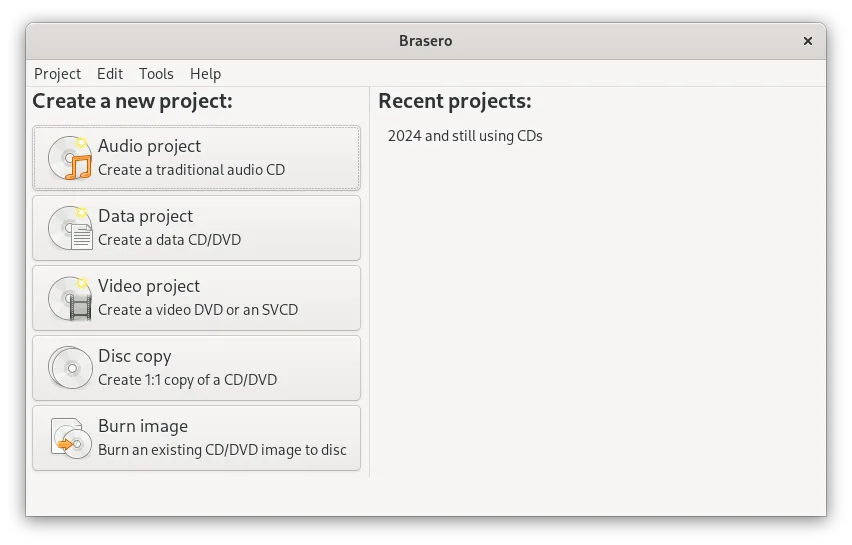
Brasero is a simple GNOME tool for creating, copying, and burning data and audio CDs and DVDs.
Brasero can replace Nero Burning ROM for most basic disc‑burning tasks. It handles data CDs and DVDs, audio CD creation from MP3/WAV, copying existing discs, multisession support, and Joliet extensions. It lacks Blu‑ray burning, ISO image creation, and label‑printing, so users who need those…
Feature parity80% -

K3b is KDE’s comprehensive CD/DVD/Blu‑ray burning tool for Linux.
K3b is a solid replacement for Nero Burning ROM for most everyday disc‑burning tasks. It handles CD, DVD, and Blu‑ray burning, audio CD creation from MP3/WAV, ISO image creation and burning, and multi‑session writes. Users who need label printing will have to rely on external tools, and advanced…
Feature parity85% -
Xfburn is a lightweight, GTK+ CD/DVD/BD burning application for Linux.
Xfburn can replace Nero Burning ROM for most everyday disc‑burning tasks on Linux. It handles CD, DVD, and Blu‑ray burning, ISO creation and burning, multi‑session discs, and disc copying. It also supports bootable discs and multiple drives. However, it lacks Nero’s advanced audio‑CD creation from…
Feature parity70%


What is Nero Burning ROM?
Nero Burning ROM is a standard tool for users who need to create data discs, copy optical media, or burn audio CDs. It serves both casual users backing up files and professionals creating distributable media. The software handles the full lifecycle of optical disc creation, from file selection to finalizing the burn process.
The program is primarily a paid commercial product, though older versions are widely available via legacy licenses. It has been part of the broader Nero Multimedia Suite but is also sold as a standalone application. Licensing is typically per-seat, with no perpetual free tier for current versions.
People seek Linux alternatives because modern Linux distributions include native tools that handle most optical disc tasks without proprietary overhead. Additionally, Linux users often prefer open-source solutions that integrate directly with their file managers and system utilities, avoiding the need for Windows compatibility layers or paid licenses for basic burning tasks.
What a replacement for Nero Burning ROM must do
- Burn data to CD, DVD, and Blu-ray
- Create audio CDs from MP3/WAV files
- Copy existing optical discs
- Create ISO images from discs
- Burn ISO images to blank media
- Multi-session disc support
- Label printing support (if hardware present)
Can you run Nero Burning ROM on Linux?
There is no official native Linux version of Nero Burning ROM. Running it via Wine or Proton is possible but often unstable due to complex dependencies and hardware driver issues. Most Linux users find that native tools cover the same functionality more reliably. If you have specific LightScribe or LabelFlash hardware, support in Linux is limited and may require third-party drivers.
Which alternative should you choose?
Brasero is the simplest option, ideal for users who just need to burn data or music discs quickly without configuration. K3b offers a more detailed interface with advanced options for multi-session discs and DVD authoring, suitable for users who need finer control. Xfburn is a lightweight, no-frills tool for users who want a minimal interface and only perform basic burning tasks.
Moving your Nero Burning ROM files and habits
You do not need to export Nero-specific project files, as Linux tools work directly with source files or ISO images. If you have existing ISO files created in Nero, they are standard and can be burned directly by any Linux tool. Audio tracks are typically converted to WAV or MP3 before burning, so ensure your source files are in a supported format. There is no proprietary data lock-in to migrate.
Side-by-side comparison
Nero Burning ROM: frequently asked questions
Can I burn Blu-ray discs with these Linux tools?
Yes, Brasero, K3b, and Xfburn all support Blu-ray burning, provided your drive and system libraries support the format.
Do I need special permissions to burn discs?
Yes, you typically need to be in the 'cdrom' group or run the application with sudo to access the optical drive.
Can I create bootable USB drives with these tools?
No, these are optical disc burners. For USB drives, use tools like Etcher or dd.
Is K3b harder to use than Brasero?
K3b has more options, which can be overwhelming initially, but it is straightforward once you understand the interface. Brasero is more guided.
How important is Nero Burning ROM to you?
Know a better alternative? Suggest an alternative